
Most problems with checks come from an API key, a model name or missing credit. This page lists every message the plugin shows and what to do, so a check runs again in minutes.
When you click Test connection
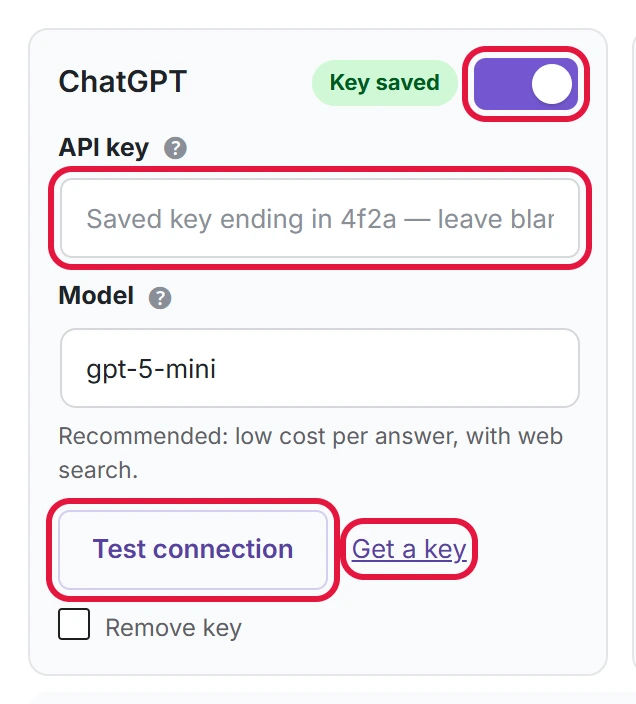
Click Test connection on a service card in Settings to check its key and model.
| Message | What to do |
|---|---|
| Enter an API key first. | Paste a key, then test. |
| [Service] returned error 401 | The key is wrong or was deleted. Create a new key and paste it. |
| [Service] returned error 404 | The model name is wrong. Click Use recommended. |
| [Service] returned error 429 | No credit left, or too many requests. Add credit in the service’s billing page, or wait and try again. |
| [Service] returned an empty answer / an unreadable response | Usually temporary. Try again later. |
When you start a check
| Message | What to do |
|---|---|
| Enable at least one AI service with an API key in Settings. | Switch a service on, paste its key and save. |
| Add at least one active prompt first. | Add a prompt on the Prompts page, or switch a paused one back on. |
| A check is already running. | Wait until it finishes; the progress bar on the Dashboard shows how far it is. |
| This month’s answer limit has been reached. You can raise it in Settings. | Raise Max API calls per month, or wait for the first day of next month. |
Errors on single answers
When one answer fails, the rest of the check goes on. The reason is saved in the error column of the CSV export (Export CSV on the Dashboard).
| Message | What it means |
|---|---|
| No API key saved for this service. | The key was removed while the check ran. Paste it again. |
| Claude declined to answer this prompt. / Gemini declined to answer this prompt. | The service refused this question. Rewrite the prompt in plainer words. |
| The prompt or service was removed during the run. | Nothing to fix; it is skipped. |
API billing is separate from ChatGPT Plus, Claude Pro or Gemini subscriptions. A paid chat subscription does not include API credit.