
The plugin asks each AI service with your own API key. You pay the service directly, only for what you use. Keys are stored encrypted on your site and sent only to that service.
| Service | Where to get a key | Default model |
|---|---|---|
| ChatGPT (OpenAI) | platform.openai.com/api-keys | gpt-5-mini |
| Claude (Anthropic) | console.anthropic.com/settings/keys | claude-haiku-5-5 |
| Gemini (Google) | aistudio.google.com/apikey | gemini-2.5-flash |
| Perplexity | perplexity.ai/settings/api | sonar |
Steps for any service
- Sign in to the service’s developer page above (each card in Settings also has a Get a key link).
- Add a payment method or credit if the service asks for it. API use is billed separately from the chat apps’ subscriptions.
- Create a new key and copy it.
- In AI Visibility → Settings, switch the service on, paste the key and click Test connection.
- Click Save settings. The card shows Key saved and the last characters of the key.
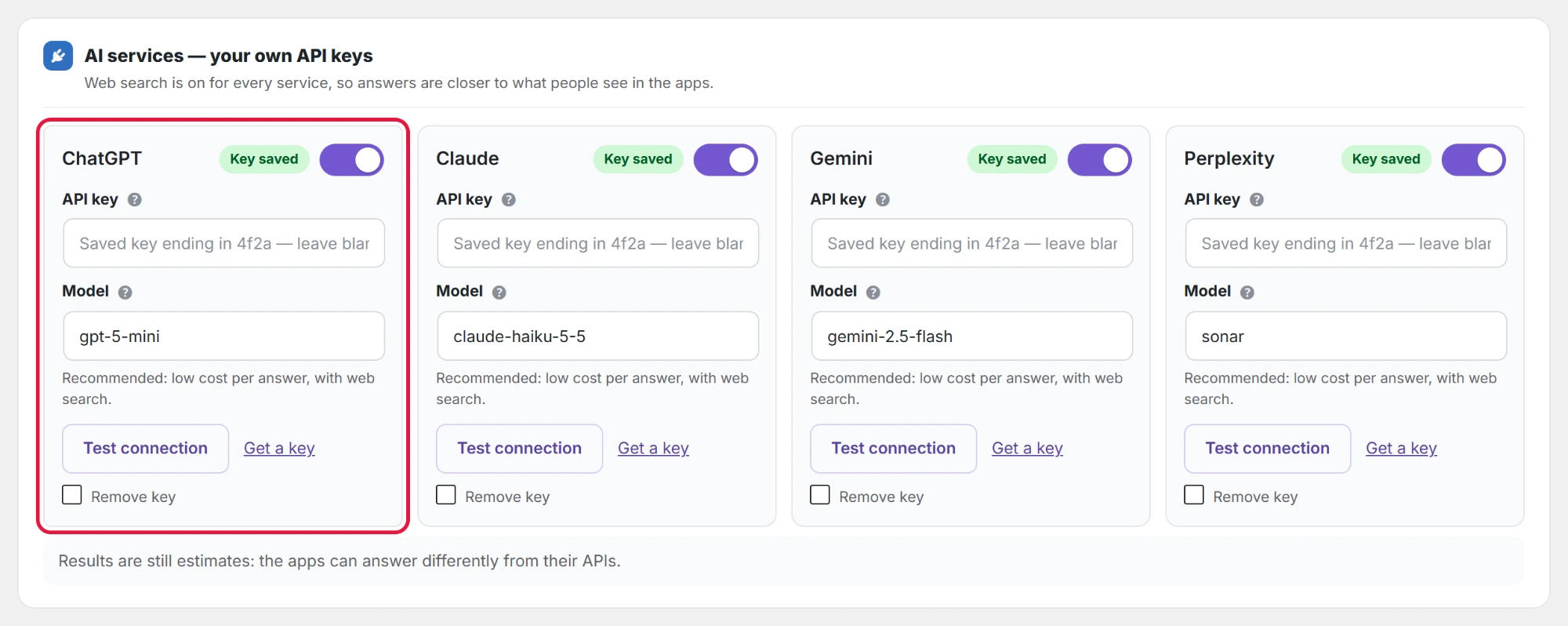
Never share your API key or paste it anywhere except the plugin’s Settings page. To replace a key, paste the new one; to delete it, tick Remove key and save.
Which services should I enable?
All four if your buyers use them; at least the one your market uses most. You can start with one and add the rest later. Each enabled service adds one API call per prompt per run.