
Update the plugin to get new features and fixes as they come out. Your prompts, competitors, results, suggestions, wins and settings stay through every update.
Update the free version
The free plugin updates from WordPress.org, like any plugin from the plugin directory.
- When a new version is out, WordPress shows it in Dashboard → Updates and on the Plugins page.
- Click Update now under AI Visibility & Brand Mention Tracker.
- To update without clicking, choose Enable auto-updates next to the plugin on the Plugins page.
Update Pro PRO
Pro updates come from plugincy.com while your license is active, and show up in the same places as other plugin updates: Dashboard → Updates and the Plugins page.
- Click View version details to read what changed.
- Click Update now. WordPress downloads the new Pro version with your license and installs it.
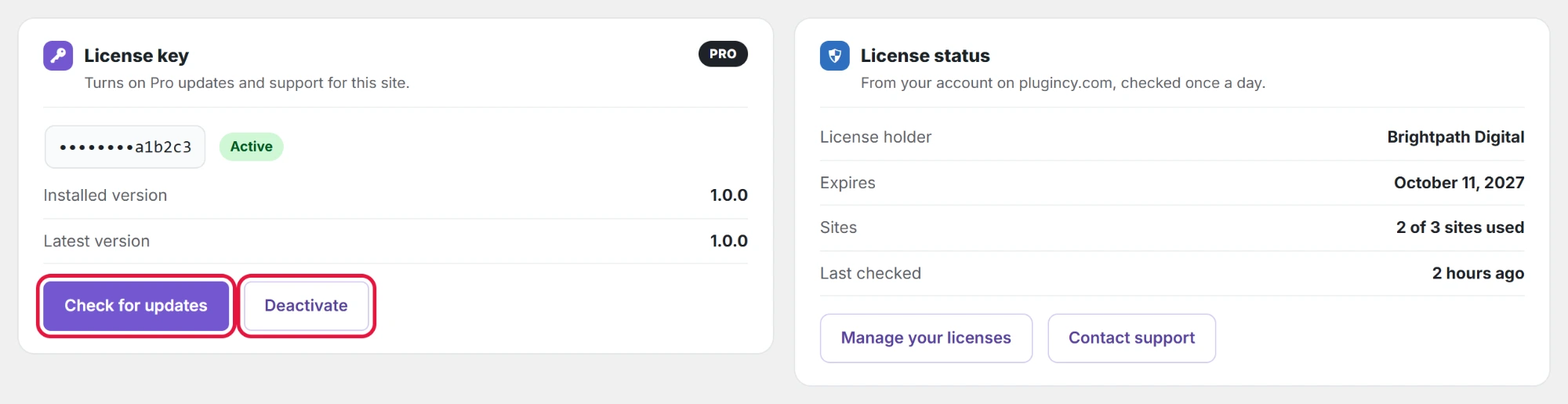
WordPress looks for updates on its own about twice a day. To look right away, open AI Visibility → License and click Check for updates; the page also shows your Installed version and the Latest version, as activating your Pro license key explains.
No update showing for Pro? PRO
- License not active: the License page shows Not active on this site or no key. Activate your key there.
- License expired: Pro keeps working, but updates stop until you renew on plugincy.com.
- Update manually: download the latest Pro zip from your account on plugincy.com, then go to Plugins → Add New Plugin → Upload Plugin. WordPress asks whether to replace the installed version; choose Replace current with uploaded.
A database backup before any plugin update is a good habit. The plugin updates its own tables when needed, and your data stays.