
This feature is part of AI Visibility & Brand Mention Tracker Pro. In the free version the place where it lives shows a blurred sample of what it does and a button to get Pro.
With Pro, Claude or ChatGPT can do more than read: add competitors, write posts, edit pages and more, so the work gets done while you only review it. The rule is simple: nothing changes until you approve it in WordPress.
Two layers of permission
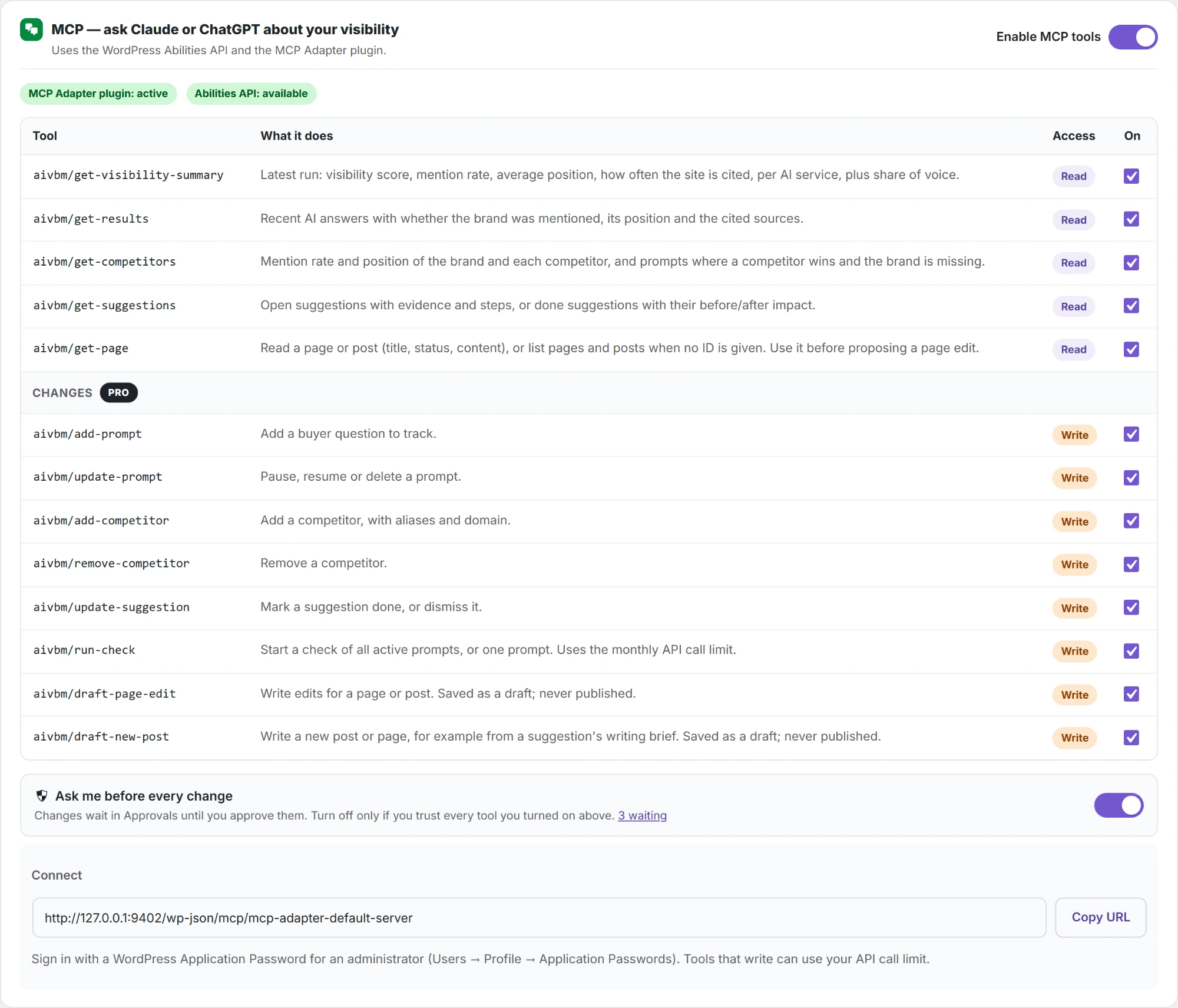
- Turn on each tool. In Settings → MCP, every change tool is off until you tick it. A tool you did not tick cannot be used.
- Approve each change. Ask me before every change is on by default. Every change waits on the Approvals page until you approve it.
How a change works
- You ask, for example: “Add text to the Features page so ChatGPT names us.”
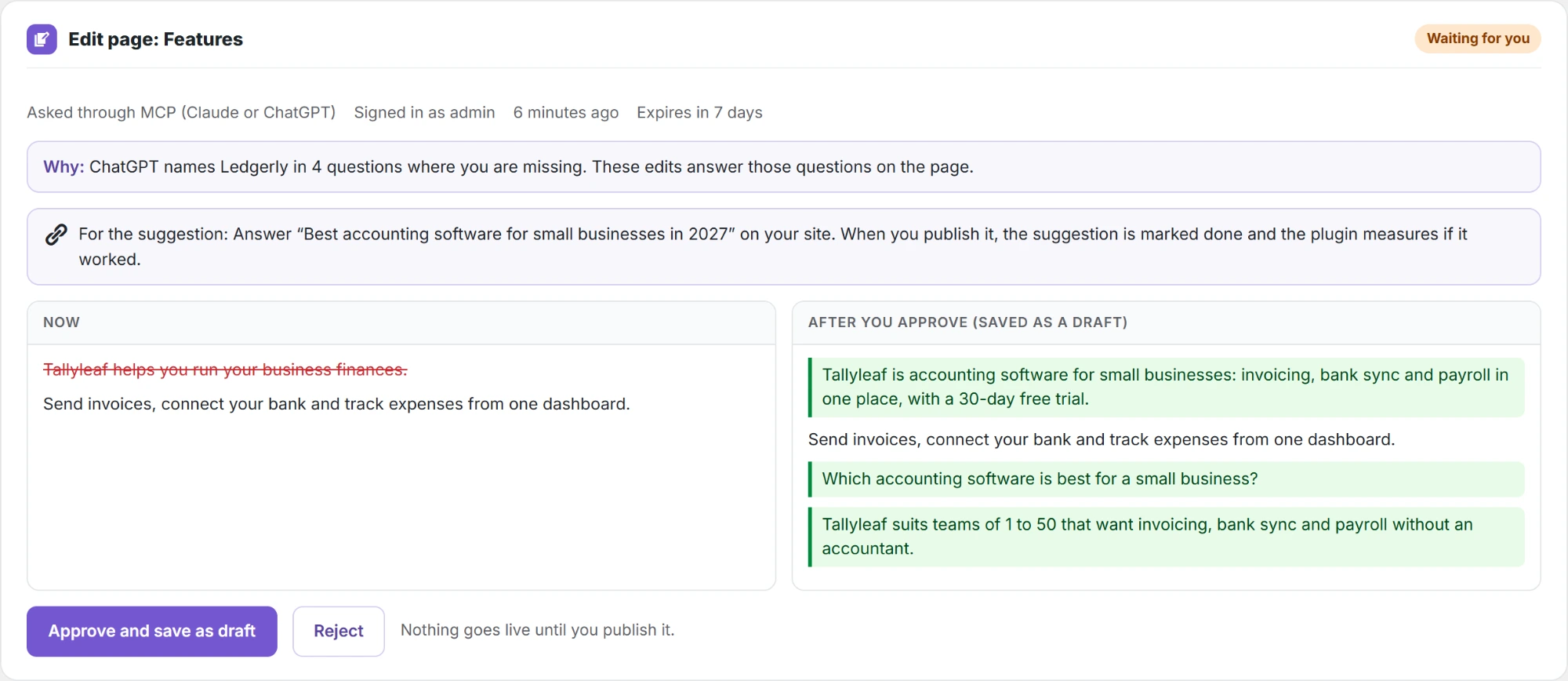
- The assistant reads the page, writes the edit and sends it, with a short reason. The plugin replies waiting for approval with a link; the assistant shows you the link.
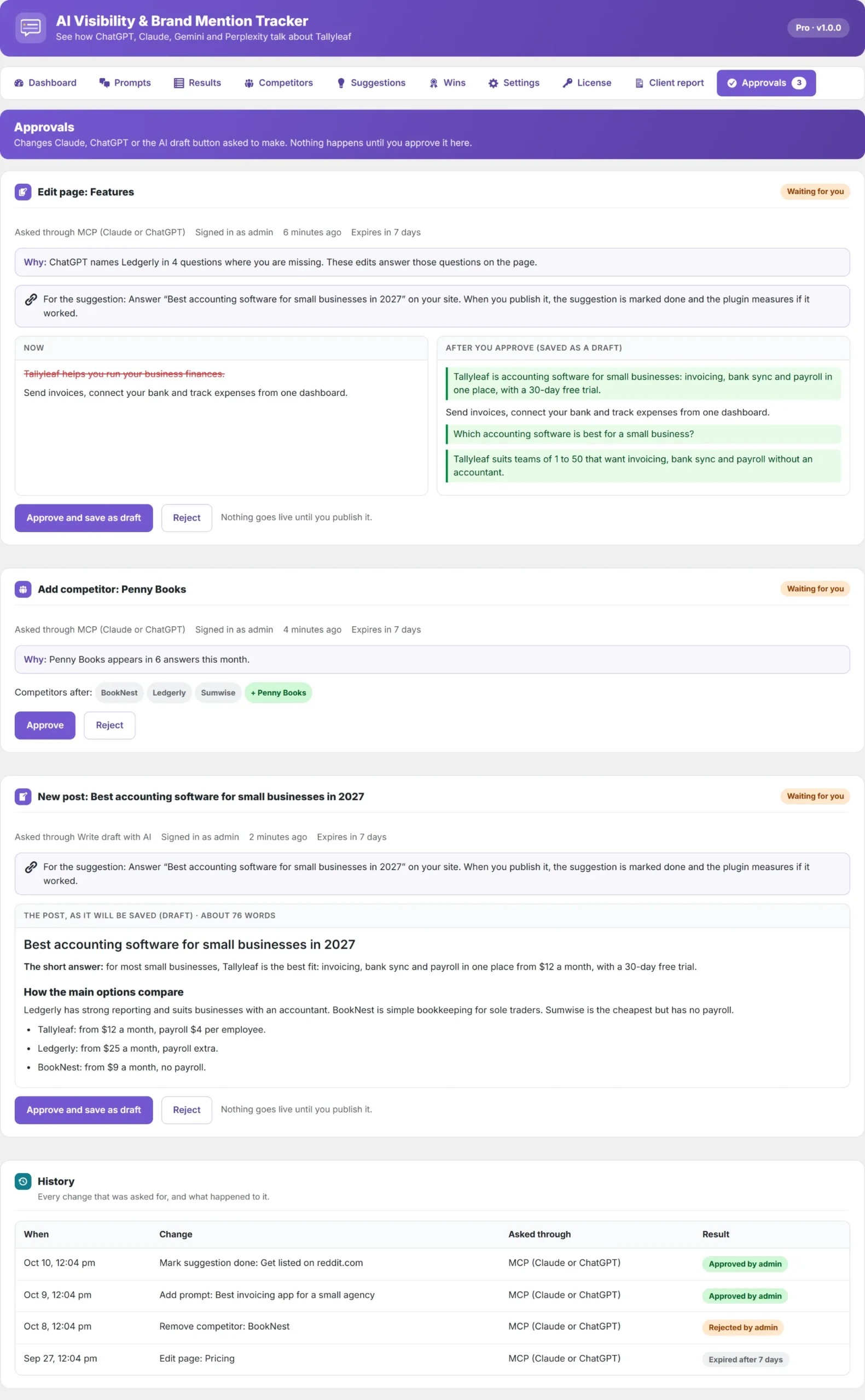
- Open AI Visibility → Approvals. The red number on the tab shows how many changes wait. Each one says who asked, why, and what changes.
- Click the approve button, or Reject. The button says what will happen: Approve and save as draft for pages and posts, Approve and run for a check, Approve for everything else.
Pages are never changed live
- New posts are saved as drafts. You publish them yourself.
- Edits to a draft update the draft.
- Edits to a live page are saved as an autosave. Click Review the change in History to compare it with the live text, then Restore This Autosave and Update to publish it.
History
Under the waiting changes, History lists every change that was asked for: when, what, whether it came through MCP or the AI draft button, and what happened:
| Result | Meaning |
|---|---|
| Approved by [user] | The change was made. |
| Rejected by [user] | Nothing was changed. |
| Expired after 7 days | Nobody decided within 7 days, so it was dropped. |
| Done without approval | Made at once because Ask me before every change was off. |
| Failed: [reason] | Approved, but it could not be made, for example because the page was deleted meanwhile. |
Turning off Ask me before every change lets the tools you ticked change things at once (they are still logged in History). Pages are still saved only as drafts. Keep it on unless you trust every tool you ticked.