
AI Visibility → Results has every AI answer word for word, with where you appear and which sites the AI used. Reading them shows you why AI recommends a competitor, not just that it does.
Find answers
Filter by Run, Service and whether you were Mentioned, then click Filter. The list on the left shows each answer with its service, date and your position.

Read one answer
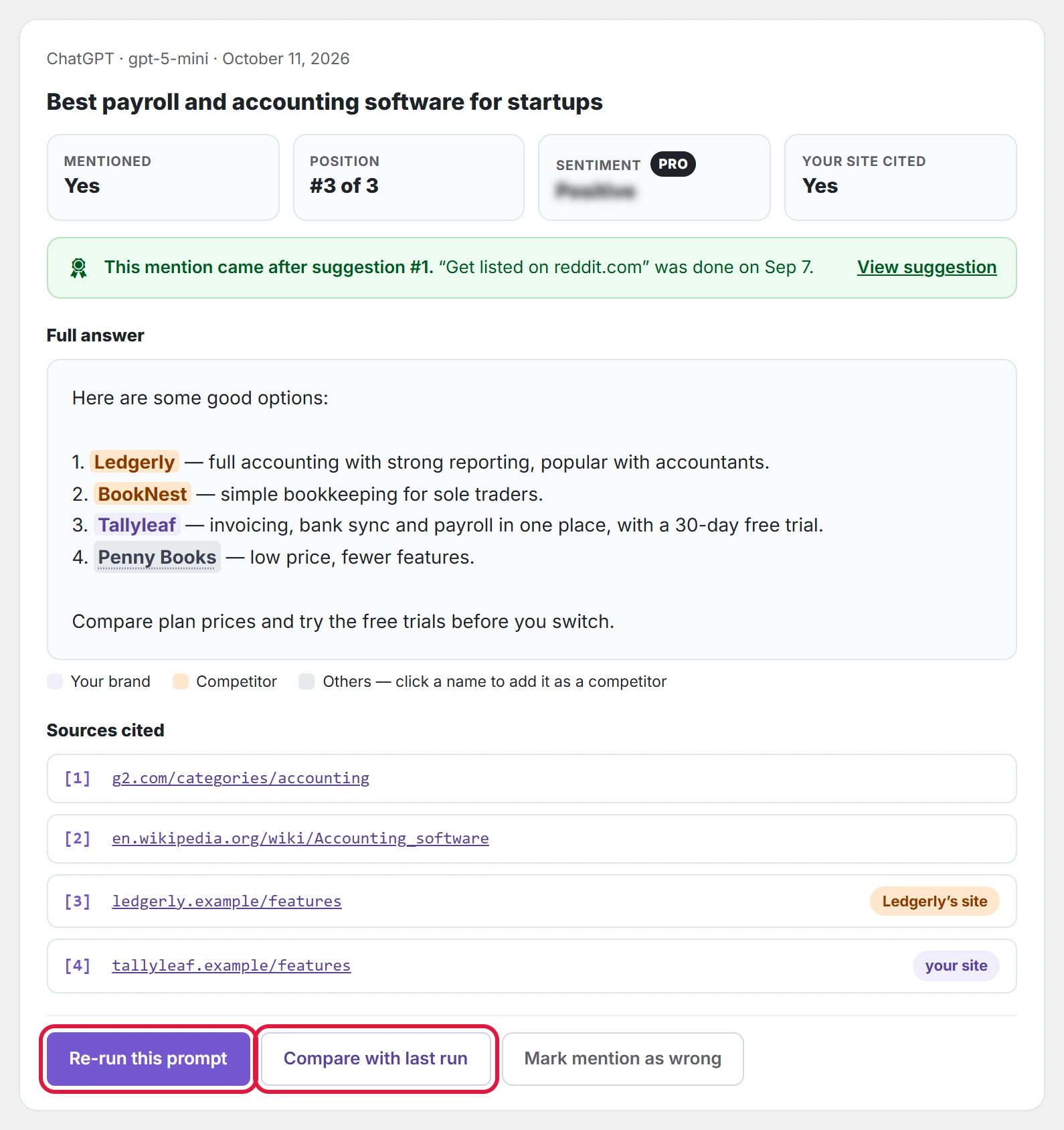
- Mentioned, Position, Your site cited: the result of this answer at a glance.
- Sentiment PRO: whether the answer praises or warns against you. The free version shows where it would be.
- Full answer: your brand, your competitors and other brands are highlighted in different colours. Click an other brand to add it as a competitor in one click.
- If the mention came after a suggestion you finished, a green note links to it.
Sources cited, with labels
Under the answer, Sources cited lists the pages the AI used. A label shows whose page it is, so you see at once who shapes the answer:
| Label | What it means |
|---|---|
| your site | A page on your own website. AI uses you as a source. |
| about you | A page on another site with your brand in its address, such as a review or profile. |
| [Competitor]’s site | A page on a competitor’s own website. |
| about [Competitor] | A page on another site about a competitor, such as its review page. |
Pages with no label are review sites, lists and forums; those are the places to get listed on.
Compare with the last run
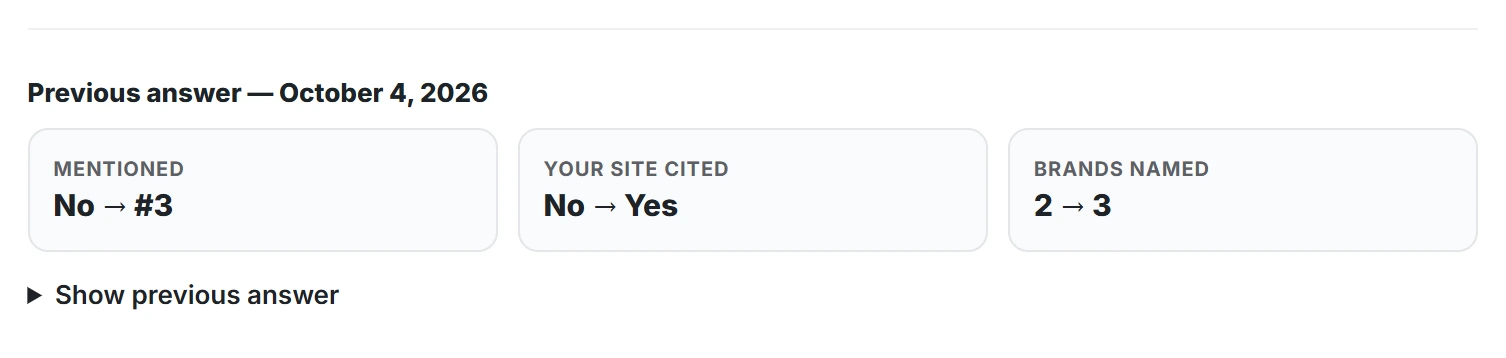
Compare with last run shows the previous answer from the same service to the same prompt, with what changed: mentioned or not, your site cited or not, and how many brands were named. Show previous answer opens its full text.
Other actions
- Re-run this prompt: asks the same service again now.
- Mark mention as wrong: for a match that is not really your brand, as marking a mention as wrong explains.