
After each full run, the plugin writes suggestions from your latest answers: what to do so AI names you more. Each one shows Why (the evidence from the answers) and How (the steps), so you work on what matters first.
Suggestion types
| Type | Suggestion | When it appears | Button |
|---|---|---|---|
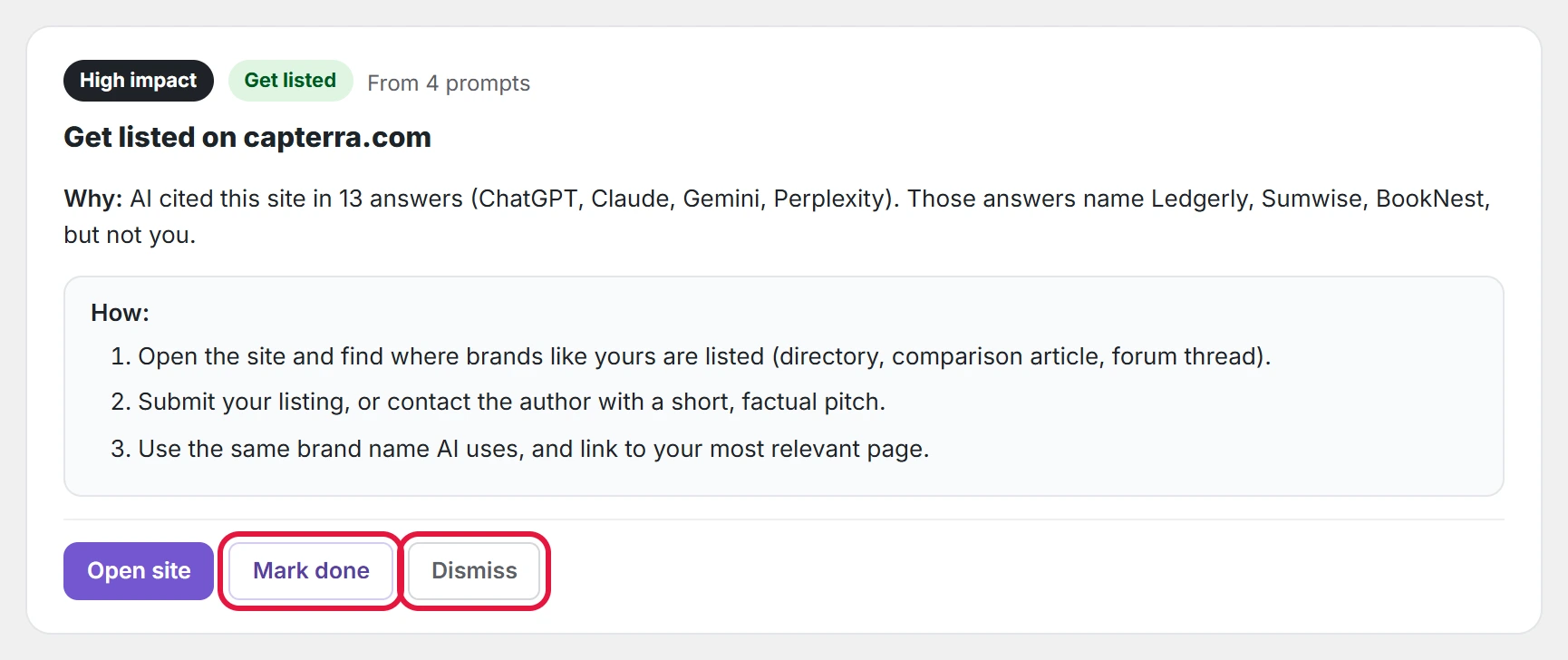
| Get listed | Get listed on [site] | AI cites a site in several answers that name your competitors but not you. Being listed there gets you into those answers. | Open site |
| Content | Answer “[question]” on your site | AI names competitors for a question and not you. | Create page, or Edit page once a page is linked |
| Technical | Allow [bot] in robots.txt | Your robots.txt blocks AI crawlers (OAI-SearchBot, ChatGPT-User, GPTBot, Claude-SearchBot, ClaudeBot, PerplexityBot), or all crawlers. The plugin reads the robots.txt your site really serves, including rules added by SEO plugins. | View robots.txt |
| Technical | Your site asks search engines not to index it | “Discourage search engines” is on in Settings → Reading. | Open Reading settings |
| Reputation PRO | Fix how [services] describe you | AI describes your brand negatively, with a quote of what it said. | See answers |
Impact: what to do first
Each suggestion has a High, Medium or Low impact label, and the list is sorted high first.
- Get listed: High when the site is cited in 8 or more answers, Medium at 5 to 7, Low below that.
- Content: High when no AI service names you for that question while competitors are named; otherwise Medium.
- Technical: High when search engines or all crawlers are blocked; Medium when one AI crawler is blocked.
- Reputation PRO: Medium.
Tabs
Use the tabs to see Open, Done and Dismissed suggestions, or one type.

Actions on a suggestion
- Open site, Create page, Edit page, View robots.txt or Open Reading settings: go where the work is done.
- Page that answers this (content suggestions): pick the page that should answer the question and click Link page. Saving that page later marks the suggestion done on its own.
- Copy brief for ChatGPT (content suggestions): copies a ready writing brief for the missing page; in Pro, Write draft with AI PRO writes it for you, as writing the missing page with a brief or an AI draft shows.
- Mark done: you did it, and the plugin starts measuring whether the suggestion worked.
- Dismiss: hide it. It can be reopened from the Dismissed tab.
Next to the list, Quick tips sums up what gets brands named by AI, and Pro adds the Deep AI review PRO for page-by-page edits.