
When you finish a suggestion, the plugin watches the prompts it affects and tells you whether it worked.
Mark a suggestion done
- Do the work (for example, publish the answer page or get listed).
- Click Mark done. For content suggestions, linking the page and saving it marks it done automatically.
How the result is decided
For six weeks, the plugin compares the suggestion’s prompts with prompts you did not touch. A suggestion worked when either:
- an answer cites the exact page you edited, or
- the mention rate of its prompts rose at least 15 points more than the untouched prompts, two runs in a row.
The untouched prompts filter out general ups and downs in AI answers, so a win is not just luck.
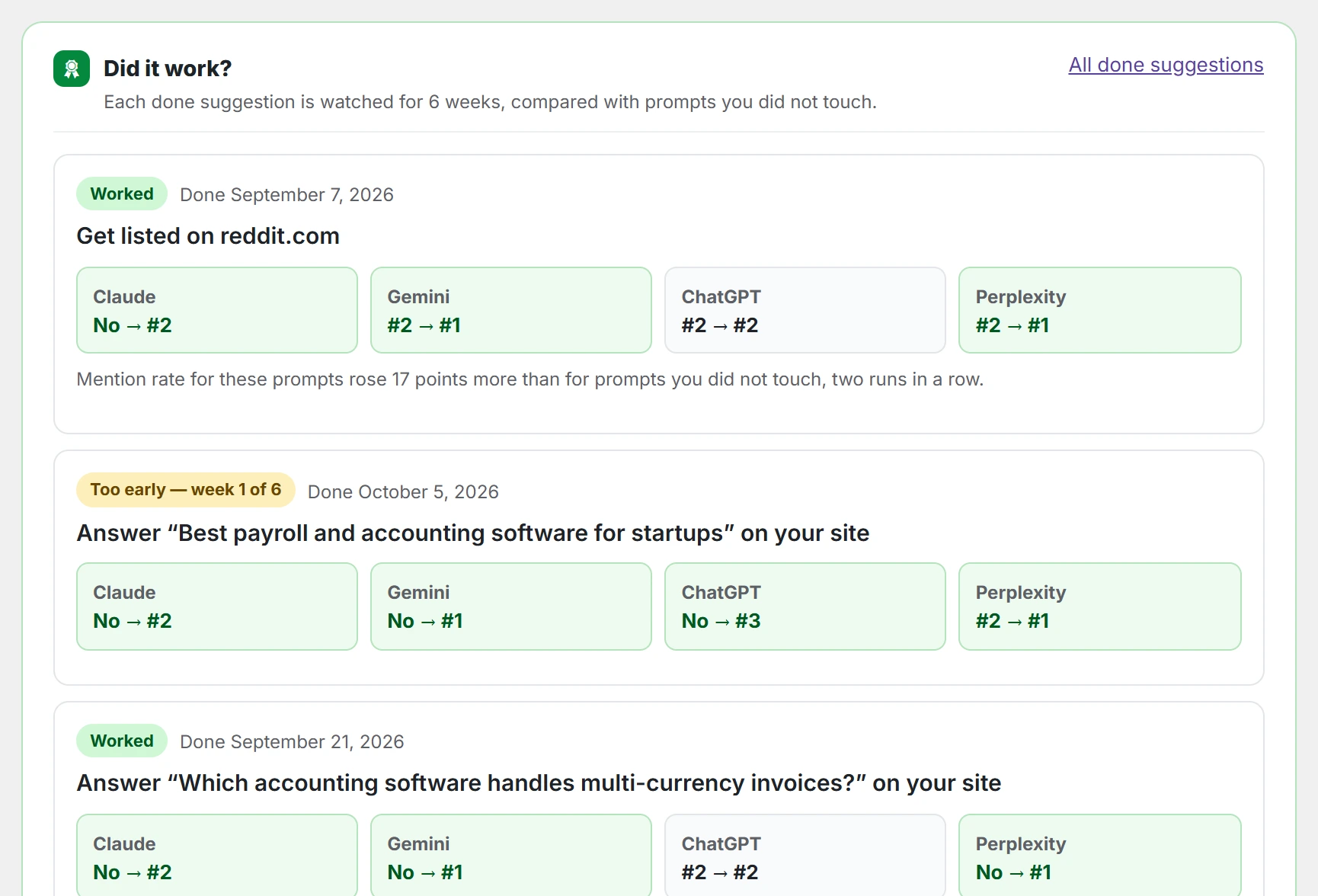
| Label | Meaning |
|---|---|
| Worked | The rule above was met. It moves to the Wins page. |
| Too early — week X of 6 | Still being watched. |
| No change | Six weeks passed without a clear improvement. |
Measure for weeks, not days. AI answers vary from run to run; watch the trend.