
All sections
Advanced Pagination controls how shoppers move through pages of products: page numbers, a Load More button, or products that keep loading as they scroll. It also fixes pagination on themes with unusual page numbers. Most shops can leave it off.
You can try the numbered, Load More and infinite scroll demos.
Which mode should you use?
| Mode | What shoppers see | Good for |
|---|---|---|
| Number | Page numbers | Most shops. Shoppers know where they are. |
| Number + Prev/Next | Page numbers with next and previous buttons | Large shops |
| Load More | A button that adds more products | Phones, and fashion or gift shops |
| Infinite Scroll | More products as they scroll | Browsing visually. It makes the page footer hard to reach. |
Set it up
- Go to Product Filters > Advance Settings.
- Find Pagination Selector. It points to the box holding your page numbers, and the default
.woocommerce-paginationsuits most themes. - Click the settings button beside it. A popup opens.
- Turn on Enable Advanced Pagination.
- Choose a Pagination Mode.
- Click Save Changes in the popup.

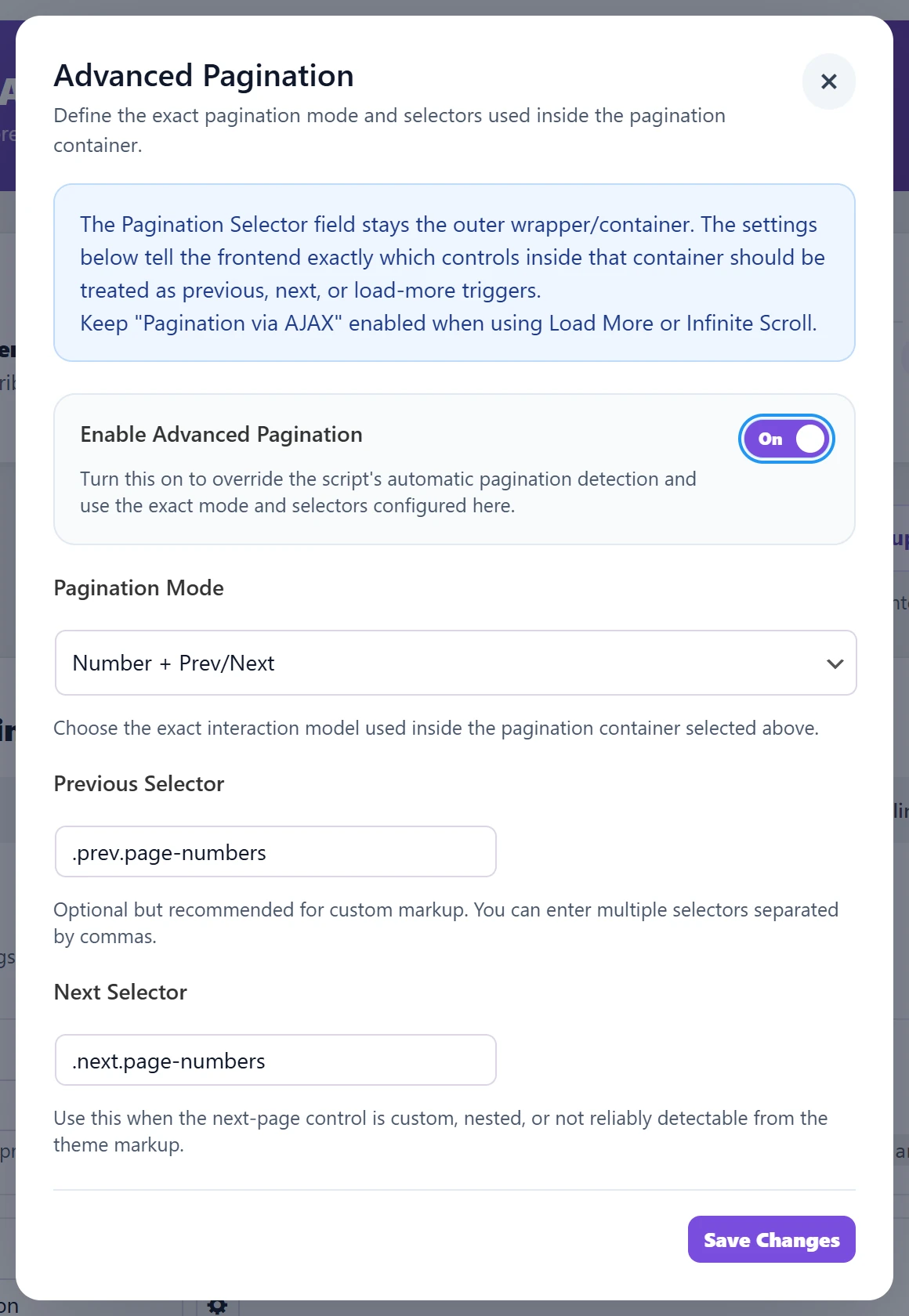
For Load More and Infinite Scroll, Pro users should keep Pagination via AJAX turned on as well. Our guide to AJAX pagination explains it.
The selector fields (only if you need them)
Which fields appear depends on the mode you choose. Number shows none. Leave them empty unless the mode does not work with your theme. Each one points to a button on the page:
- Previous Selector and Next Selector: the previous and next links. You can enter several, separated by commas.
- Next Trigger Selector (Load More Trigger Selector and Infinite Scroll Trigger Selector in the free plugin): what loads the next page. It may sit outside the page-number box.
To find a selector, right-click the button on your shop page and choose Inspect. If you are unsure, your theme’s support or ours can help.
If something looks wrong
- Clicking a page reloads everything: in Pro, turn on Pagination via AJAX. In either version, check the Pagination Selector.
- Load More does nothing: check Pagination Selector, then set the trigger selector.
- The same products repeat: check your product selector.