
Dynamic AJAX Product Filters for WooCommerce Pro gives you access to all premium features, advanced filter options, and future Pro updates. After purchasing the Pro version, you can download and activate it using any of the methods below.
How to Get the Pro Version
There are several ways to download the Pro version after completing your purchase.
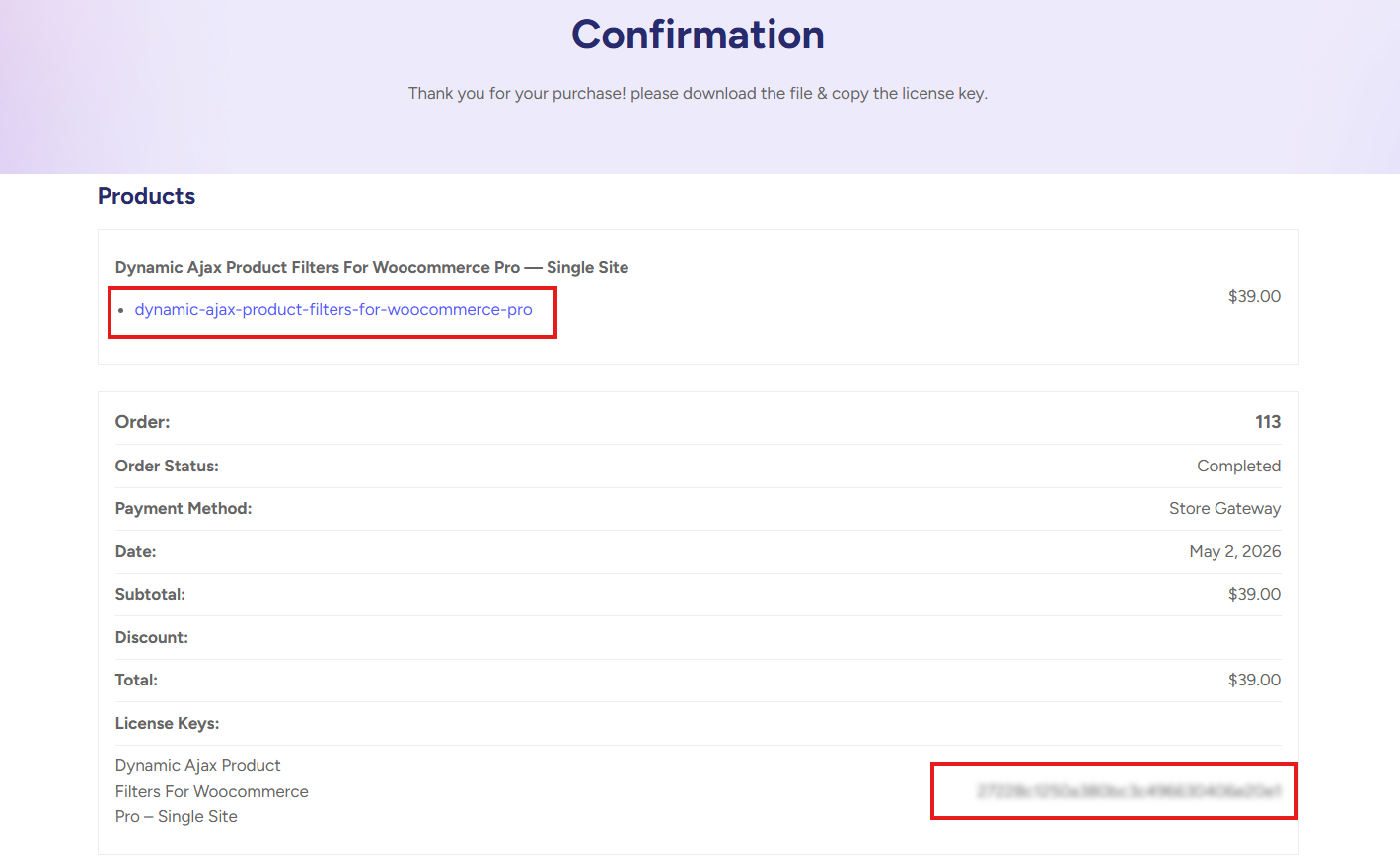
Method 1: Download from the Thank You Page
After completing your purchase, you will be redirected to the Thank You page.
From this page, you can:
- Download the Pro version plugin ZIP file.
- Copy your license key.
- Install and activate the Pro version on your website.
Method 2: Download from the Purchase Email
After completing your purchase, you will receive an email containing your order details.
This email includes:
- Your license key.
- The Pro version download link.
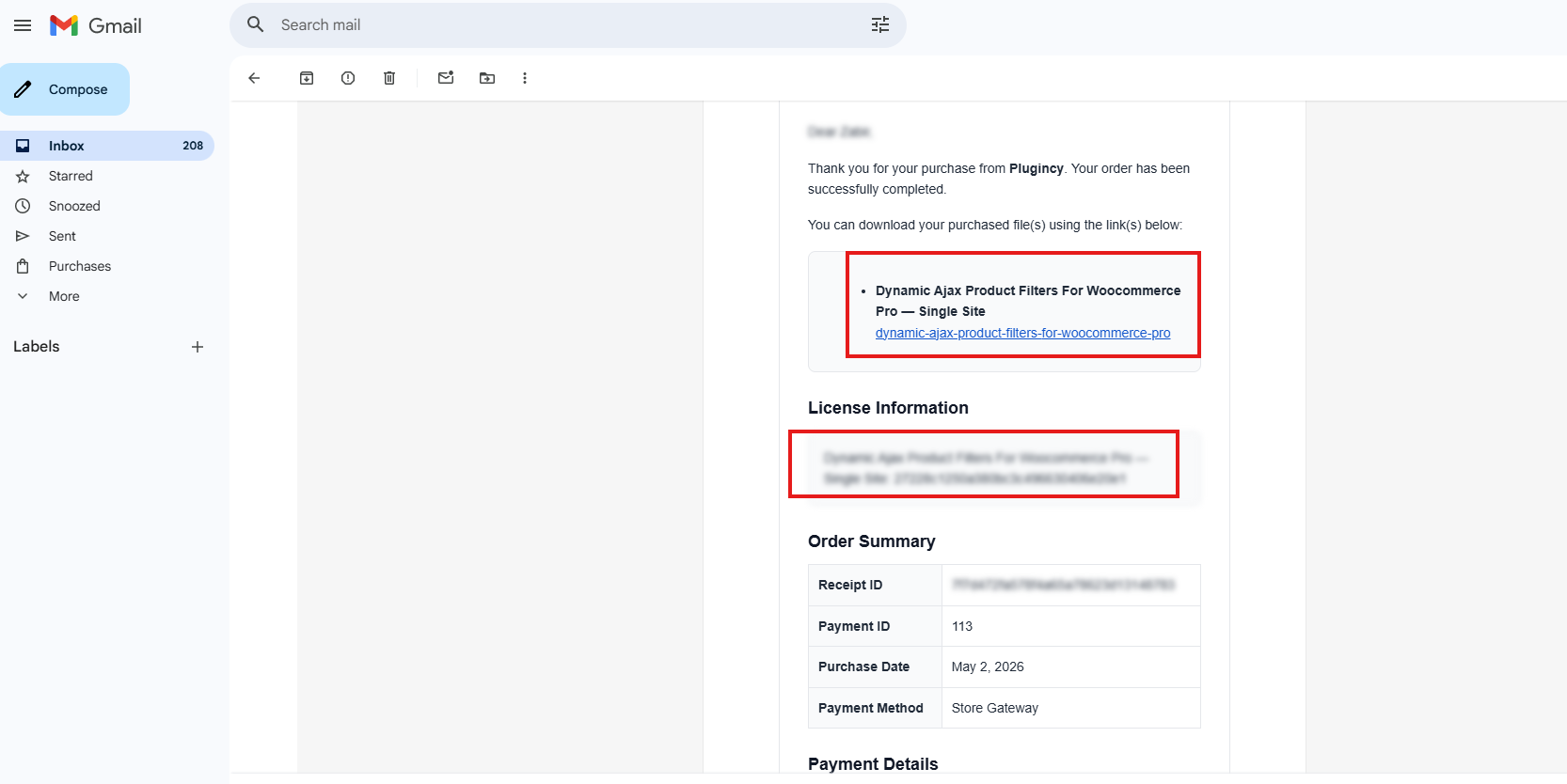
Download the Pro plugin ZIP file from the email and use the license key to activate the Pro version.
Method 3: Upgrade from Free Version to Pro Version
You can also upgrade directly from the Free version.
To do this:
- Make sure the Free version of Dynamic AJAX Product Filters for WooCommerce is installed and activated.
- Go to Product Filters → Plugin License.
- Enter your license key.
- Click Activate License & Install Pro.
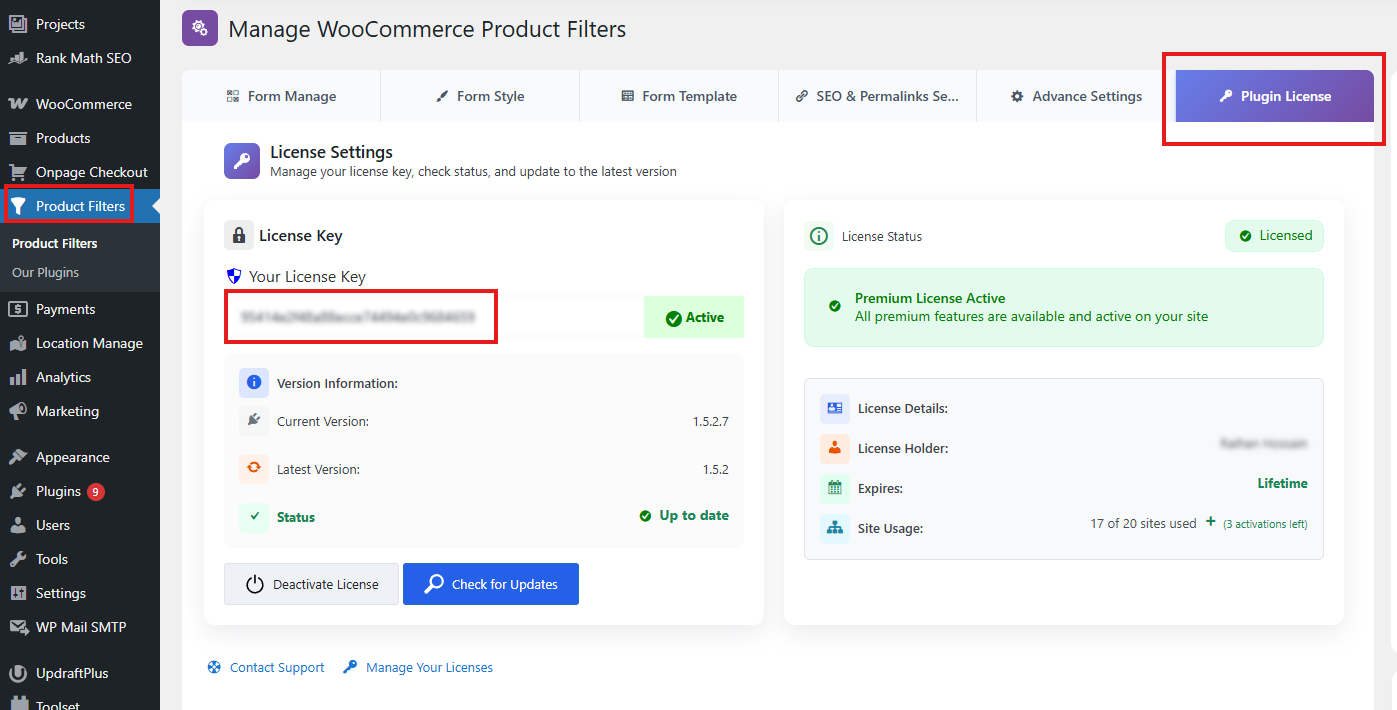
The Pro version will be automatically downloaded, installed, and activated for you.
Method 4: Download from Your Plugincy Account
You can download the Pro version anytime from your Plugincy account.
To download it:
- Go to https://plugincy.com/my-account/.
- Log in to your account.
- Go to Orders.
- Click View Order Details.
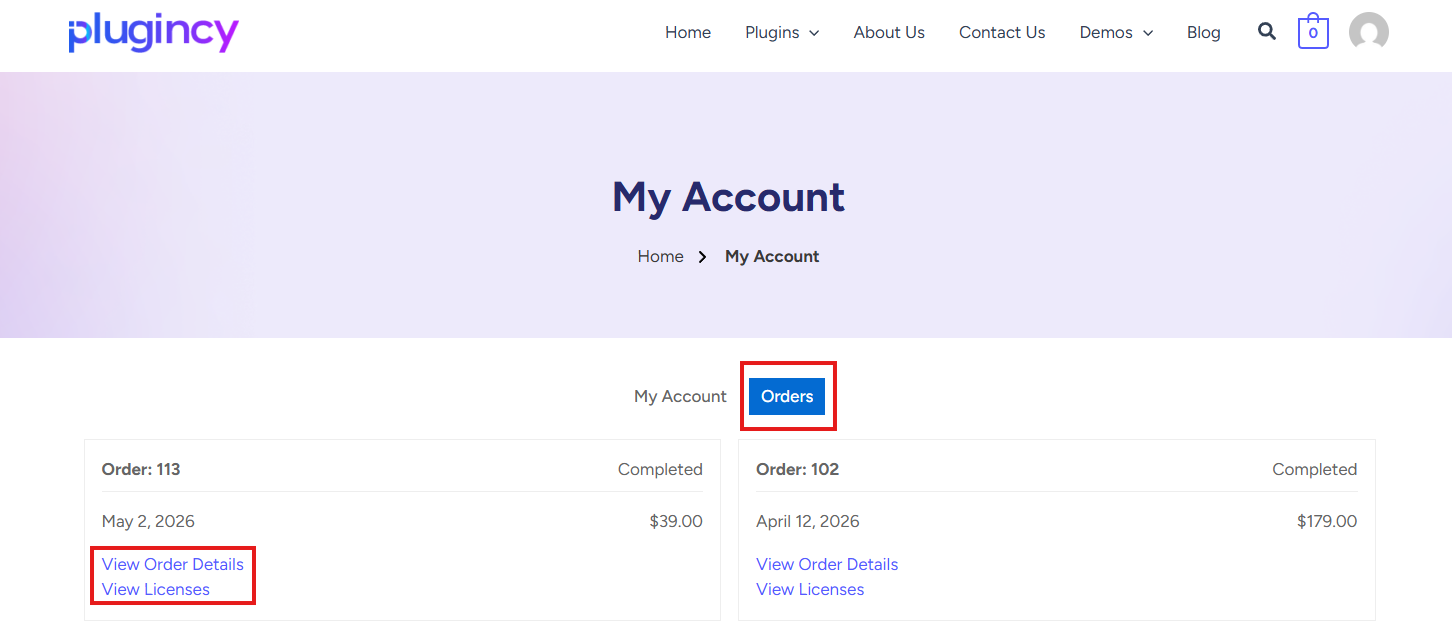
- Find the product name.
- Click the product/download link to download the Pro version.
- Copy the license key mentioned in the order details.
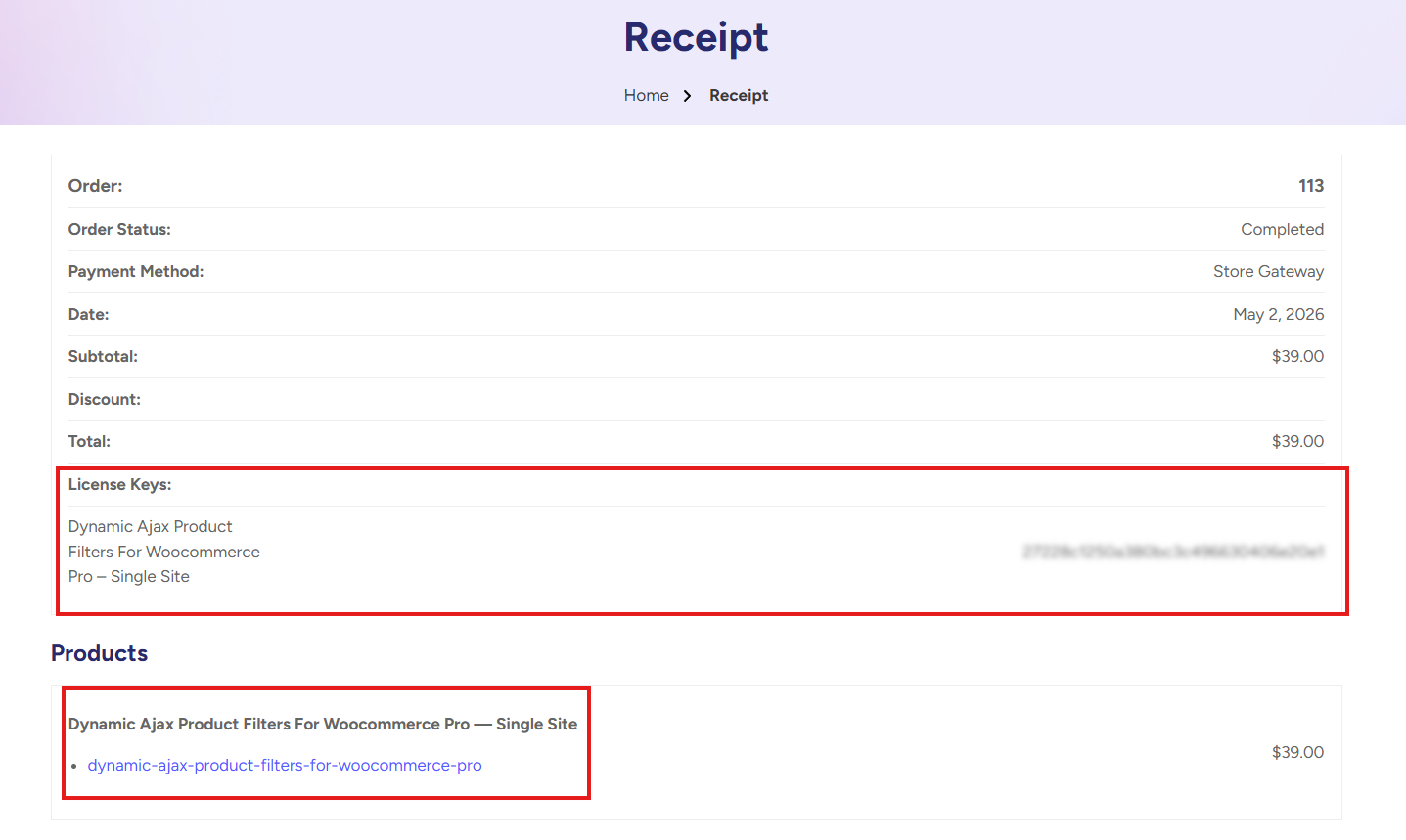
You can use this license key to activate the Pro version on your website.
How to Install the Pro Version Manually
If you already downloaded the Pro plugin ZIP file, follow these steps:
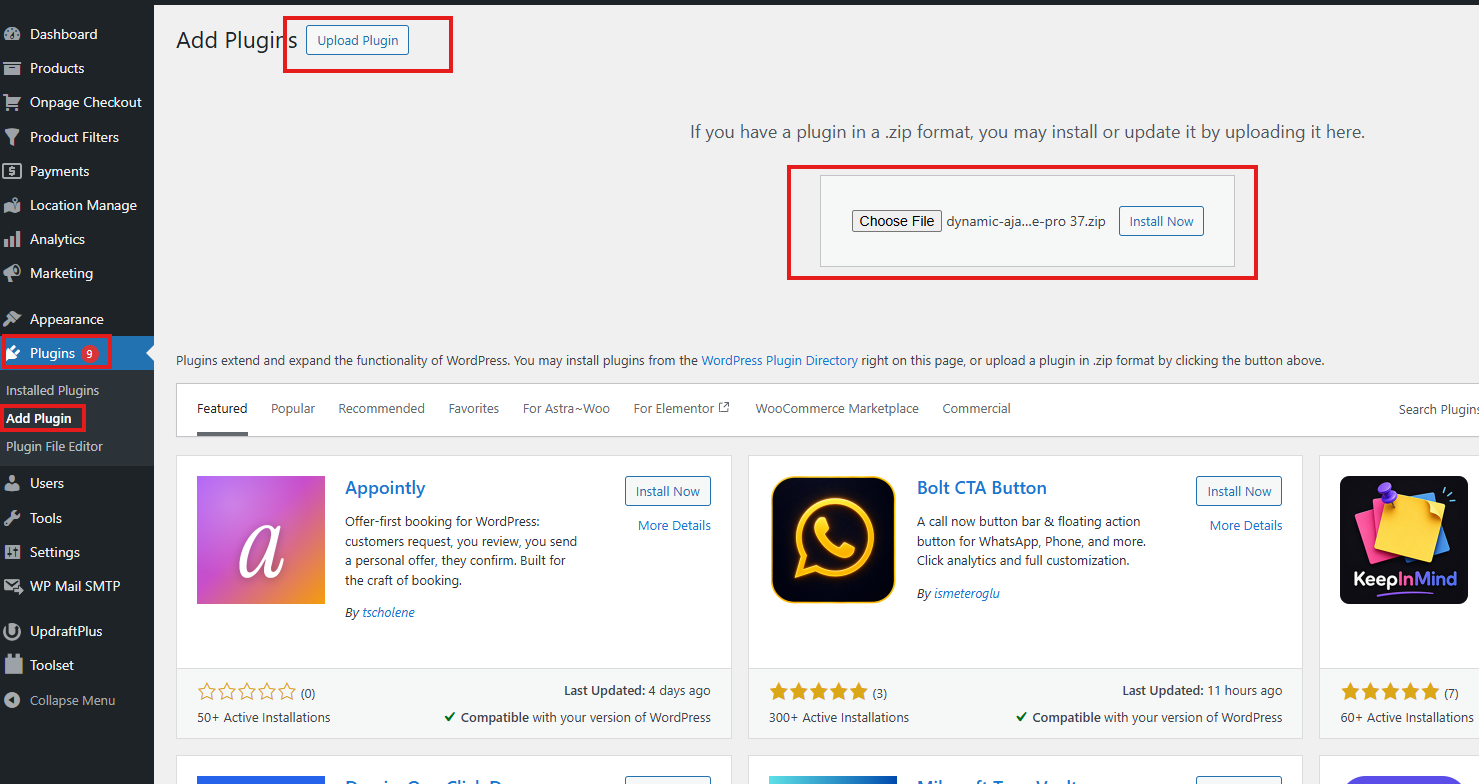
- Go to your WordPress Admin Dashboard.
- Navigate to Plugins → Add New Plugin.
- Click Upload Plugin.
- Click Choose File and select the Pro version ZIP file.
- Click Install Now.
- After installation is complete, click Activate Plugin.
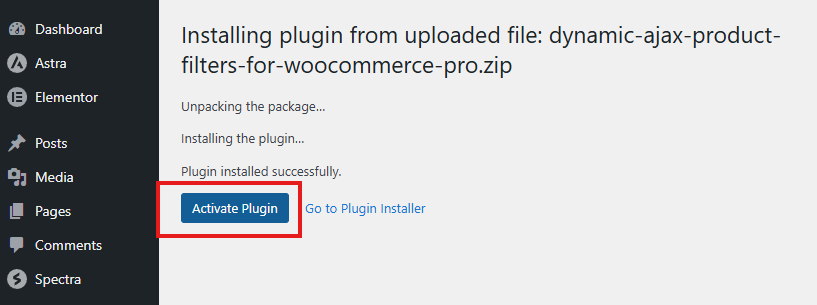
Once activated, you can proceed with license activation.
How to Activate the License
To activate your Pro license:
- Go to your WordPress Admin Dashboard.
- Navigate to Product Filters → Plugin License.
- Enter your license key in the license input field.
- Click Activate License & Install Pro.
After successful activation, the Pro version will be installed and activated, and all Pro features will be unlocked.
Verify Pro Activation
Once the license is activated successfully, you will be able to access the Pro features of Dynamic AJAX Product Filters for WooCommerce.
You will also be able to receive future Pro updates as long as your license is valid.
Troubleshooting
If the Pro version does not install automatically after activating the license:
- Make sure your license key is correct.
- Check that your website can connect to Plugincy’s server.
- Make sure the Free version is already installed and activated.
- Try downloading the Pro version manually from your Plugincy account.
- If the issue continues, contact Plugincy support.
Your Dynamic AJAX Product Filters for WooCommerce Pro version is now ready to use.