
The API & Webhooks module enables seamless integration with external systems such as WMS (Warehouse Management Systems), POS, or ERP platforms. It allows secure, automated syncing of inventory, pricing, and location-based product data across multiple locations.
This integration supports bulk inventory sync, single product updates, CSV import/export, and real-time webhook updates.
How to Access API & Webhooks Settings
To configure this feature:
- Go to Location Manage →Settings →Advanced
- Find the API & Webhooks panel
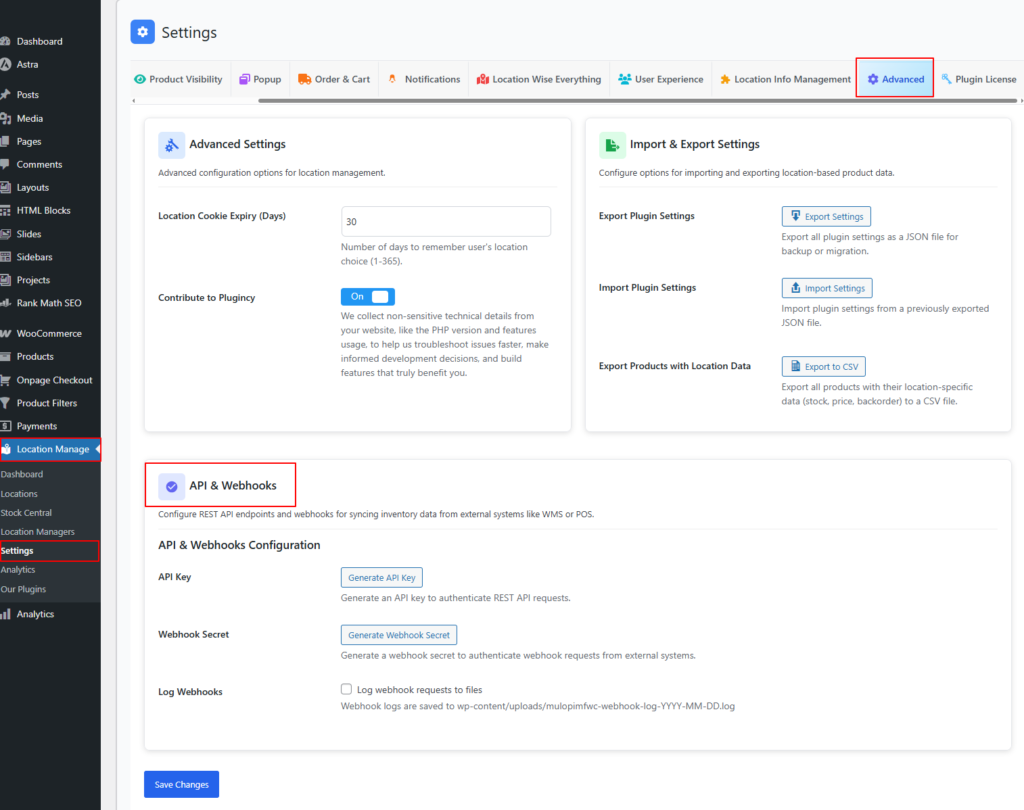
API & Webhooks Configuration
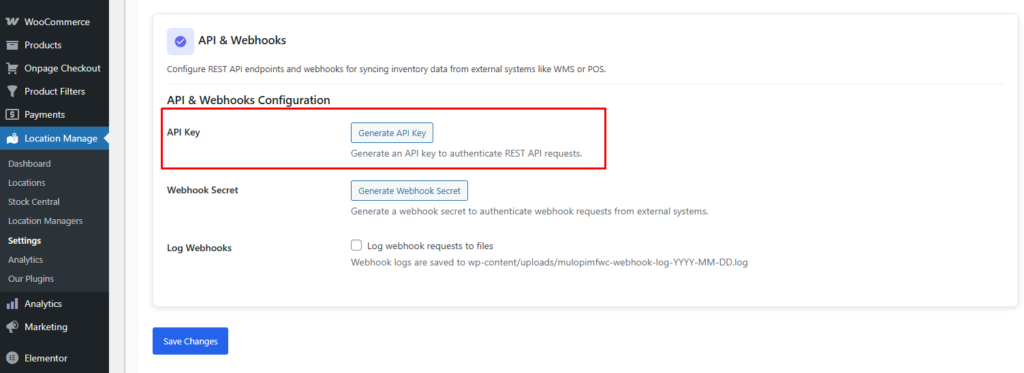
API Key
Action: Generate API Key
Generates a secure API key required to authenticate all REST API requests.
Usage:
- Must be included in the request header as
X-API-Key - Grants access to inventory, product, and location endpoints
Security Note:
API keys are shown only once. Store them securely.
REST API Base URL and Namespace
The plugin registers its REST API under the following namespace:
mulopimfwc/v1The base API URL follows the standard WordPress REST API format:
https://example.com/wp-json/mulopimfwc/v1Replace https://example.com with your own website URL.
Authentication Headers
API requests must include the correct authentication header.
| Header | Used For | Required |
|---|---|---|
X-API-Key | Inventory, product, and location REST API requests | Yes |
X-Webhook-Secret | Incoming webhook inventory update requests | Yes, for webhook endpoint |
The API key is used for standard REST API requests. The webhook secret is used only for incoming webhook requests from external systems such as POS, ERP, or WMS platforms.
Available API Endpoints
| Method | Endpoint | Purpose |
|---|---|---|
POST | /inventory/bulk-sync | Bulk update inventory, pricing, backorders, or disabled status across multiple products and locations. |
POST | /inventory/update | Update one product or variation for one location. |
GET | /inventory/export | Export location-wise inventory data. |
POST | /webhook/inventory-update | Receive incoming inventory updates from external systems. |
GET | /locations | Get available store locations. |
GET | /products | Get products and location inventory data for integration use. |
Full endpoint URL example:
https://example.com/wp-json/mulopimfwc/v1/inventory/updateSupported Inventory Fields
The inventory update endpoints can work with product, location, stock, price, backorder, and availability fields.
| Field | Description |
|---|---|
product_id | WooCommerce product or variation ID. |
sku | Product or variation SKU. Can be used instead of product ID when supported. |
location_id | Store location ID. |
location_slug | Store location slug. Can be used instead of location ID when supported. |
stock | Location-wise stock quantity. |
regular_price | Location-wise regular price. |
sale_price | Location-wise sale price. |
backorders | Location-wise backorder setting. |
disabled | Whether the product is disabled for the selected location. |
Product ID vs SKU
When updating inventory, you can identify a product by product_id or sku.
- Use
product_idwhen your external system stores the WooCommerce product or variation ID. - Use
skuwhen your POS, ERP, or WMS uses SKU as the main product identifier. - Make sure SKUs are unique, especially for product variations.
Location ID vs Location Slug
Location-wise inventory must be connected to a specific store location. You can identify the location by location_id or location_slug.
- Use
location_idwhen your external system stores the internal location ID. - Use
location_slugwhen you want a more readable location identifier. - Make sure the location exists and is active before sending inventory updates.
Variation Product Support
The API can be used with WooCommerce variation products. When updating or exporting inventory for variable products, each variation should be treated as its own inventory item.
- Use the variation ID as
product_idwhen updating a specific variation. - Use the variation SKU if your external system identifies variations by SKU.
- Do not update only the parent variable product if the stock belongs to individual variations.
Bulk Sync Limit and Rollback Behavior
The bulk inventory sync endpoint supports large updates, but the default maximum number of items per request is 1000.
If a bulk sync request contains too many invalid or failed items, the plugin can roll back the operation to prevent partial or inconsistent inventory updates.
For large POS, ERP, or WMS integrations, send inventory updates in batches and review the API response for failed items.
Common Error Responses
| Error Type | Possible Cause | How to Fix |
|---|---|---|
| Unauthorized | Missing or invalid API key. | Send the correct X-API-Key header. |
| Invalid webhook secret | Missing or invalid webhook secret. | Send the correct X-Webhook-Secret header. |
| Product not found | The product ID or SKU does not match an existing product. | Check the product ID, variation ID, or SKU. |
| Location not found | The location ID or location slug does not match an existing location. | Check the location ID or slug. |
| Invalid stock value | The stock value is missing or not valid. | Send a valid numeric stock quantity. |
| Too many items | The bulk sync request exceeds the allowed item limit. | Split the request into smaller batches. |
Recommended Integration Workflow
- Generate an API key and webhook secret from the plugin settings.
- Fetch store locations using the locations endpoint.
- Map your POS, ERP, or WMS locations to the plugin’s location IDs or slugs.
- Fetch products or map products using WooCommerce product IDs, variation IDs, or SKUs.
- Send test updates to a staging site first.
- Use single update for small real-time updates.
- Use bulk sync for scheduled stock imports or large inventory updates.
- Use webhook updates when the external system needs to push inventory changes automatically.
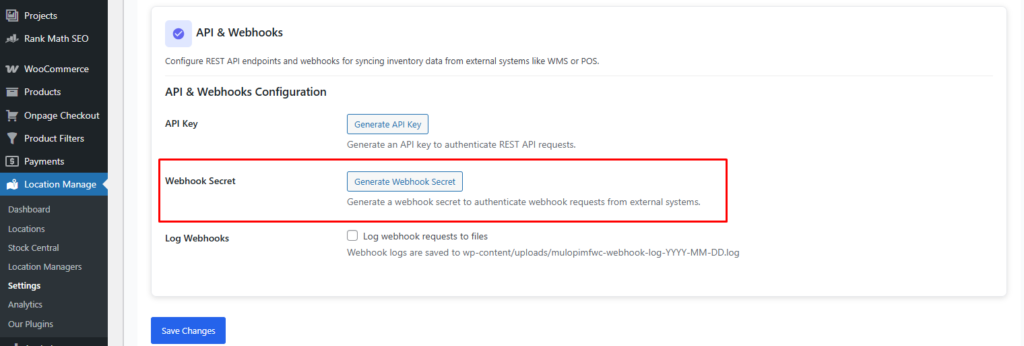
Webhook Secret
Action: Generate Webhook Secret
Generates a secret used to authenticate incoming webhook requests from external systems.
Usage:
- Must be included in webhook headers as
X-Webhook-Secret - Prevents unauthorized webhook calls
Log Webhooks
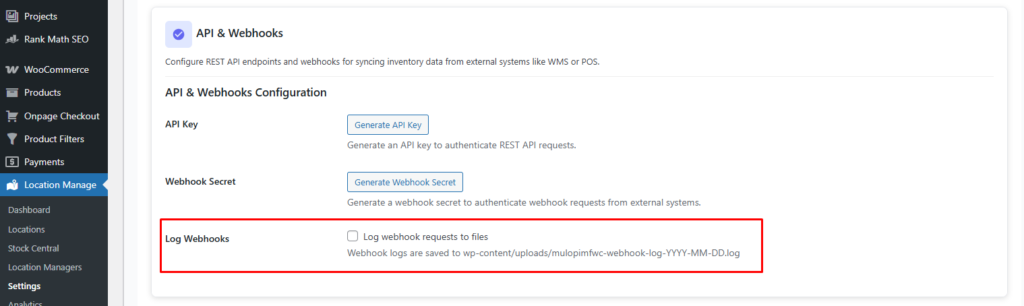
Option: Enable / Disable
Logs all webhook requests for debugging and monitoring.
Log File Location:
wp-content/uploads/mulopimfwc-webhook-log-YYYY-MM-DD.log
Recommendation:
Enable during development or troubleshooting. Disable in production if not required.
API & Webhook Integration: Bulk Inventory Sync
This guide covers how to integrate external systems using REST APIs and webhooks to automate inventory management across multiple locations.
Topics Covered
- REST API
- Webhooks
- WMS Integration
- POS Integration
- Bulk Sync
- CSV Import / Export
- Inventory Automation
- API Authentication