
All sections
IntroductionGetting StartedLocation ManagementDisplay LocationShortcodes ReferenceLocation ArchiveLocation base Product DisplayOrder & CartUI CustomizationPayment & ShippingTax & DiscountLocation based reviewSEOEmail & NotificationUser ExperienceStore locator mapReports & AnalyticsInvestment CalculationRole Management and Access ControlDashboardStock CentralProduct FilterAdvanced SettingsImport & ExportAPI & Webhooks IntegrationDebuging / Troubleshooting
On this page
This feature shows a store choice on each product page, so shoppers can pick where to buy. Go to Location Manage > Settings > Location Info Management and find Location Selection Display. You can see it on the live demo.
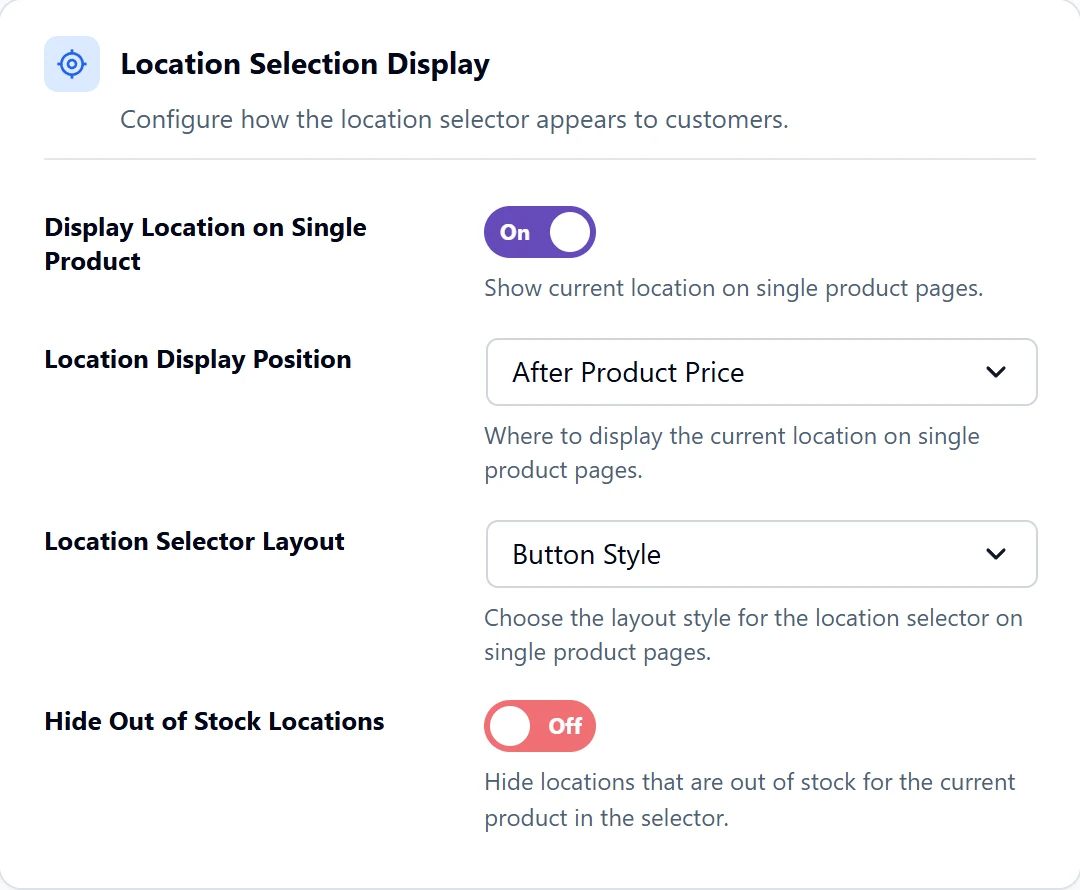
The settings
| Setting | Choices | Default | Version |
|---|---|---|---|
| Display Location on Single Product | On or off | On | Free and Pro |
| Location Display Position | After Product Title, After Product Price, Before Add to Cart Button, After Add to Cart Button, In Product Meta Section | After Product Price | Free and Pro |
| Location Selector Layout | List View, Button Style, Select Dropdown | List View | Free has List View only |
| Hide Out of Stock Locations | On or off | Off | PRO |
Click Save Changes, then open a product. After a shopper picks a store, the price and stock change to that store’s.
Good to know
- These settings are ignored when the plugin picks the store, with Inventory Based, Proximity Based or Manual Assignment with Optional Location Selection off.
- Block themes place the selector through their own blocks, so the position can differ a little.
- For a page builder layout, use the per product shortcode, which takes
layout="list",layout="buttons"orlayout="select".