
All sections
IntroductionGetting StartedLocation ManagementDisplay LocationShortcodes ReferenceLocation ArchiveLocation base Product DisplayOrder & CartUI CustomizationPayment & ShippingTax & DiscountLocation based reviewSEOEmail & NotificationUser ExperienceStore locator mapReports & AnalyticsInvestment CalculationRole Management and Access ControlDashboardStock CentralProduct FilterAdvanced SettingsImport & ExportAPI & Webhooks IntegrationDebuging / Troubleshooting
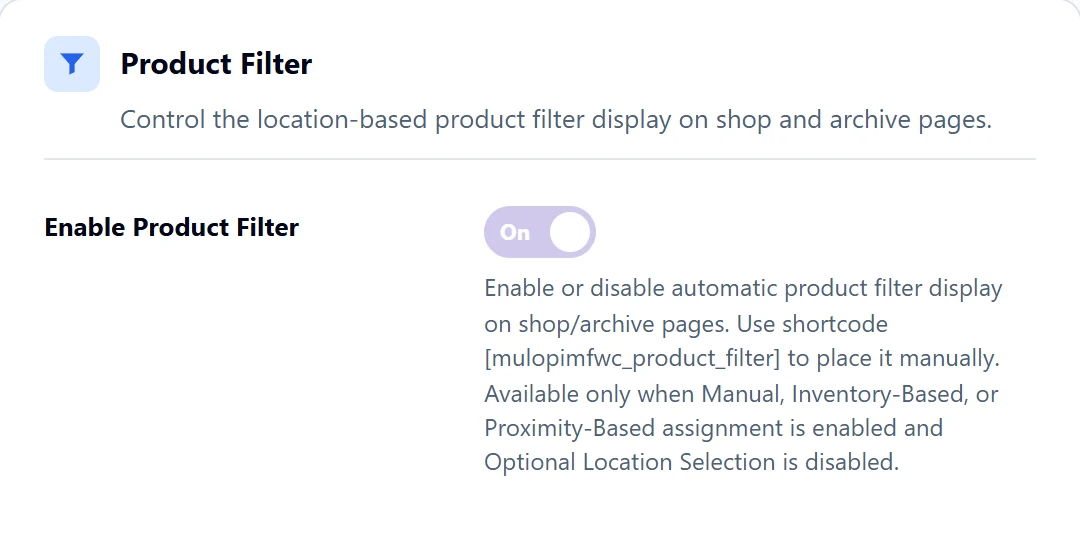
Enable Product Filter PRO adds a store and stock filter above your products on shop, category and tag pages. Go to Location Manage > Settings > Location Info Management and find Product Filter.
Set it up
- Go to Order & Cart and set Order Assignment Method to Inventory Based, Proximity Based or Manual Assignment.
- Keep Optional Location Selection off, then save.
- Go back to Location Info Management and turn on Enable Product Filter.
- Save, then open your shop.
The switch stays greyed out in other modes. The screen says: “Available only when Manual, Inventory-Based, or Proximity-Based assignment is enabled and Optional Location Selection is disabled.” In those modes shoppers do not choose a store, so the filter lets them narrow products instead. You can see this mode on the live demo.
To place the filter yourself, use the filter shortcode, which needs the same mode.