
All sections
IntroductionGetting StartedLocation ManagementDisplay LocationShortcodes ReferenceLocation ArchiveLocation base Product DisplayOrder & CartUI CustomizationPayment & ShippingTax & DiscountLocation based reviewSEOEmail & NotificationUser ExperienceStore locator mapReports & AnalyticsInvestment CalculationRole Management and Access ControlDashboardStock CentralProduct FilterAdvanced SettingsImport & ExportAPI & Webhooks IntegrationDebuging / Troubleshooting
On this page
Cash on Pickup PRO is a payment method for shoppers who pay when they collect their order. The plugin adds it to WooCommerce. You can see it on the live demo.
Set it up
- Set up local pickup first.
- Go to WooCommerce > Settings > Payments, turn on Cash on Pickup and click Manage.
- Check the settings below and save.
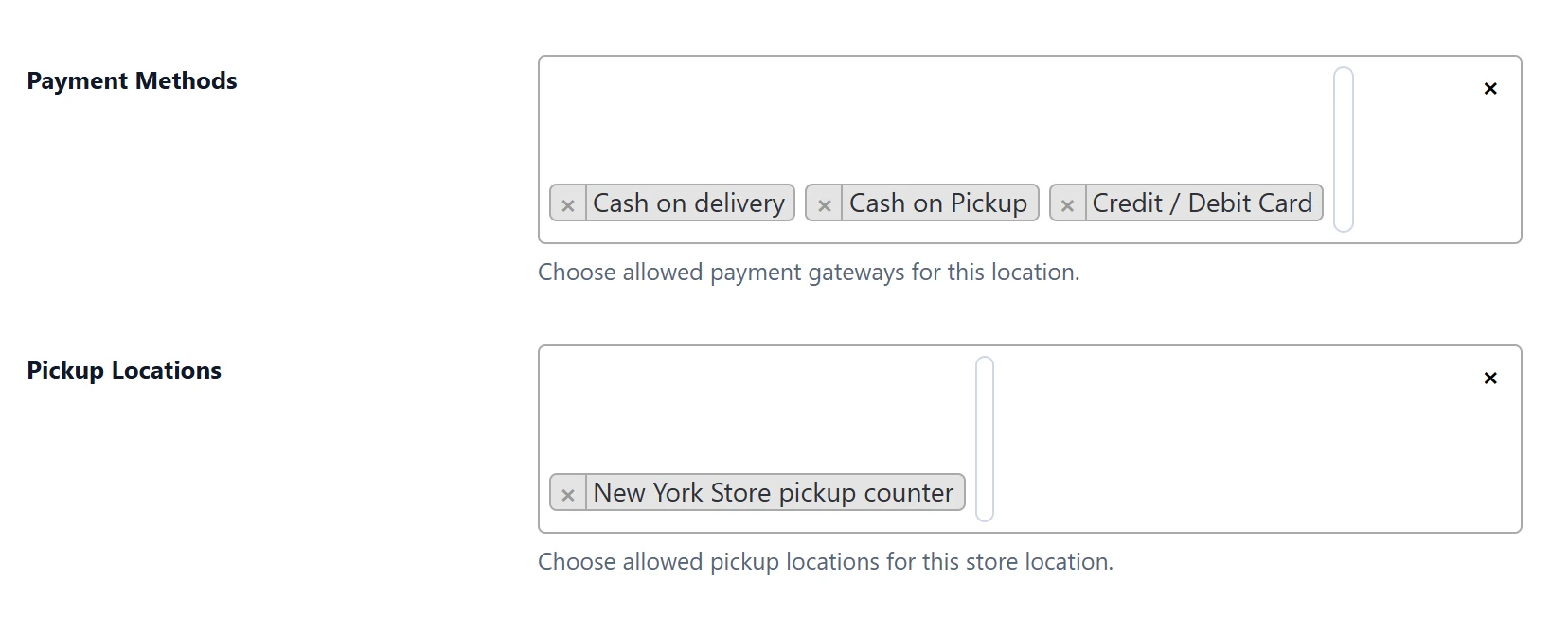
- If you use location-wise payment, add Cash on Pickup to each store’s Payment Methods.
- Test by choosing pickup at checkout.
The settings
| Setting | What it does | Default |
|---|---|---|
| Enable/Disable | Turns it on. | Off |
| Title | The name shoppers see. | Cash on Pickup |
| Description | The text at checkout. | Pay with cash when you pick up your order from the store location. Powered by Plugincy. |
| Instructions | The text on the thank you page and in emails. | Please have exact cash ready when you pick up your order from the store location. |
| Enable for shipping methods | Which pickup methods offer it. | All Shipping Methods |
How it behaves
- It appears only when every package in the order is for pickup.
- The order goes On hold until you take payment.
- When you have location-wise payment on, it follows each store’s Payment Methods.
- The thank you page shows “Payment method powered by Plugincy”.
An example
A California store and a New York store both offer pickup. With Cash on Pickup on both, a shopper who selects the California store chooses pickup, picks Cash on Pickup, and pays at the counter. Staff then mark the order as paid.