
All sections
IntroductionGetting StartedLocation ManagementDisplay LocationShortcodes ReferenceLocation ArchiveLocation base Product DisplayOrder & CartUI CustomizationPayment & ShippingTax & DiscountLocation based reviewSEOEmail & NotificationUser ExperienceStore locator mapReports & AnalyticsInvestment CalculationRole Management and Access ControlDashboardStock CentralProduct FilterAdvanced SettingsImport & ExportAPI & Webhooks IntegrationDebuging / Troubleshooting
The [mulopimfwc_location_info] shortcode PRO shows store details and maps on any page, such as a contact page or a “Find a store” page. You can see it on the live demo.
Examples
All stores, in tabs:
[mulopimfwc_location_info]One store by ID:
[mulopimfwc_location_info id="12"]One store by slug, as a small card:
[mulopimfwc_location_info slug="new-york" compact="yes"]Several stores in a grid, with search:
[mulopimfwc_location_info layout="grid" search="yes"]The store the shopper has chosen:
[mulopimfwc_location_info id="selected"]The first five stores, by display order:
[mulopimfwc_location_info limit="5" orderby="display_order"]In a theme file:
<?php echo do_shortcode( '[mulopimfwc_location_info id="12"]' ); ?>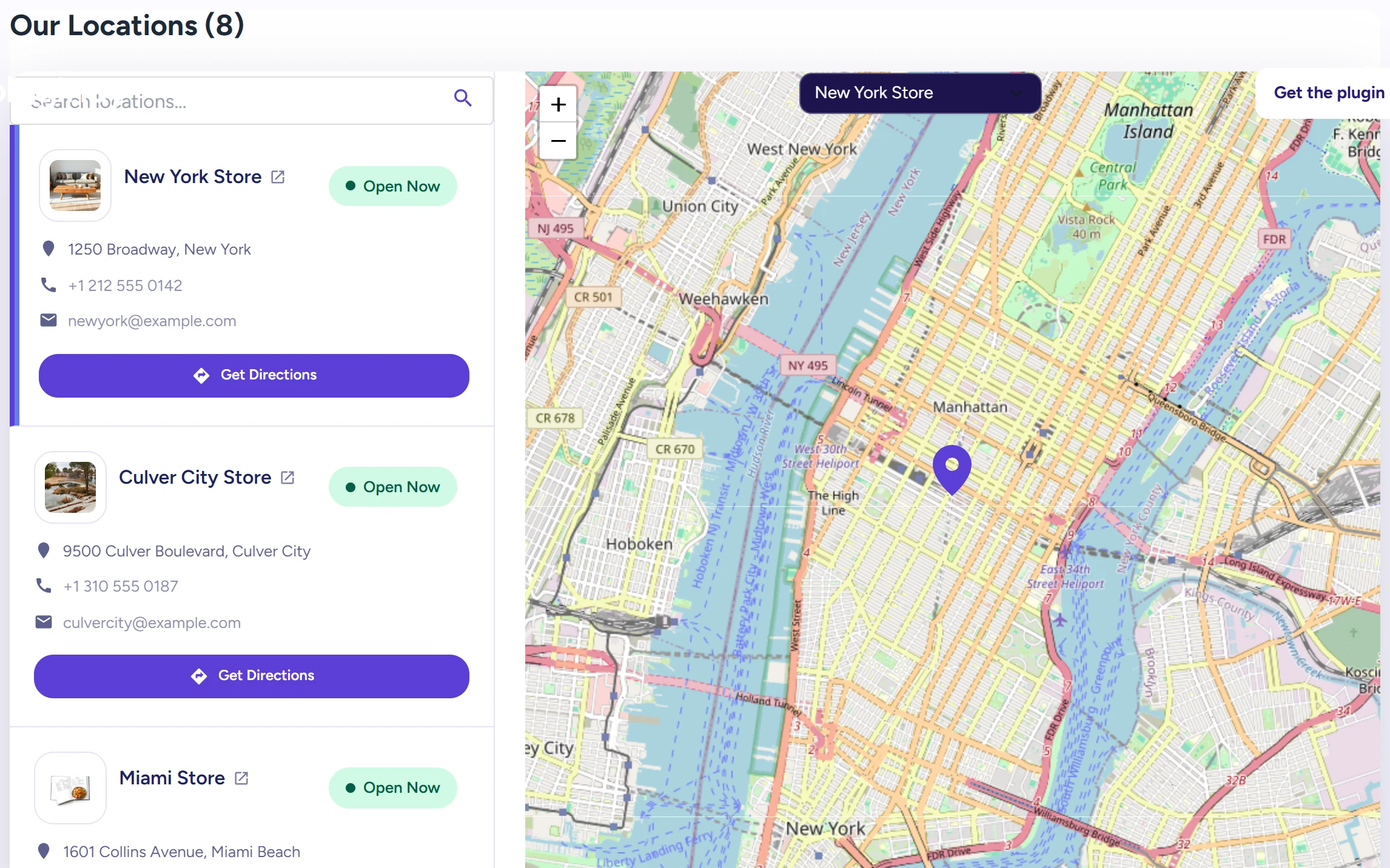
The store information shortcode guide lists every option. When you use id, slug or location, the plugin shows those stores and ignores limit, orderby and order.
The maps use OpenStreetMap, and need Enable Store Locator on and each store’s latitude and longitude. For styling, the lists use the classes .mulopimfwc-shortcode-locations-wrapper and .mulopimfwc-tabbed-locations-wrapper.