
All sections
IntroductionGetting StartedLocation ManagementDisplay LocationShortcodes ReferenceLocation ArchiveLocation base Product DisplayOrder & CartUI CustomizationPayment & ShippingTax & DiscountLocation based reviewSEOEmail & NotificationUser ExperienceStore locator mapReports & AnalyticsInvestment CalculationRole Management and Access ControlDashboardStock CentralProduct FilterAdvanced SettingsImport & ExportAPI & Webhooks IntegrationDebuging / Troubleshooting
Strict Location Filtering decides whether the shop shows only the chosen store’s products. It works in the free plugin too. Go to Location Manage > Settings > Product Visibility and find Location Filtering Settings. You can see it on the live demo.
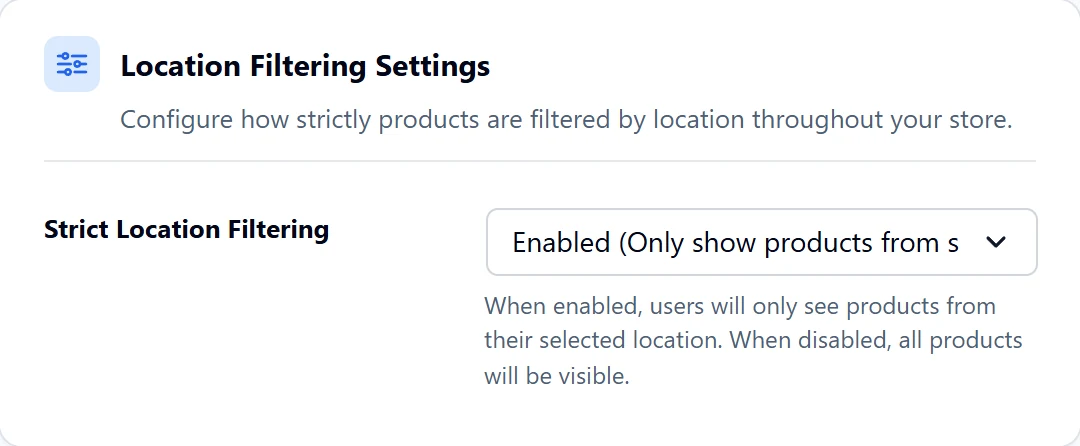
The choices
- Enabled (Only show products from selected location), the default: shoppers see only that store’s products.
- Disabled (Show all products regardless of location): everything shows, whatever the store.
How it works
- It applies to the shop, categories, tags, search, related products, upsells and cross-sells.
- With no store chosen, nothing is filtered.
- Global products, with no store, still show while Show Global Products is on. This is by design.
Admin Visibility Controls
Show All Products in Admin is off by default. When on, staff get an “All Products” choice in the store selector, to see everything while testing. It does not change the admin product list.
Use cases
- Stores with different ranges, such as a city shop and a warehouse.
- Pickup shops, where shoppers should see only what their store holds.
Click Save Changes, choose a store, and check your shop.