
All sections
You can export all products with their stock and prices per store to a CSV file, edit it in a spreadsheet, and import it again. This is PRO, for administrators and shop managers. There are two places to do it, with the same result.
Place 1: the Advanced tab
Go to Location Manage > Settings > Advanced and find Export Products with Location Data.
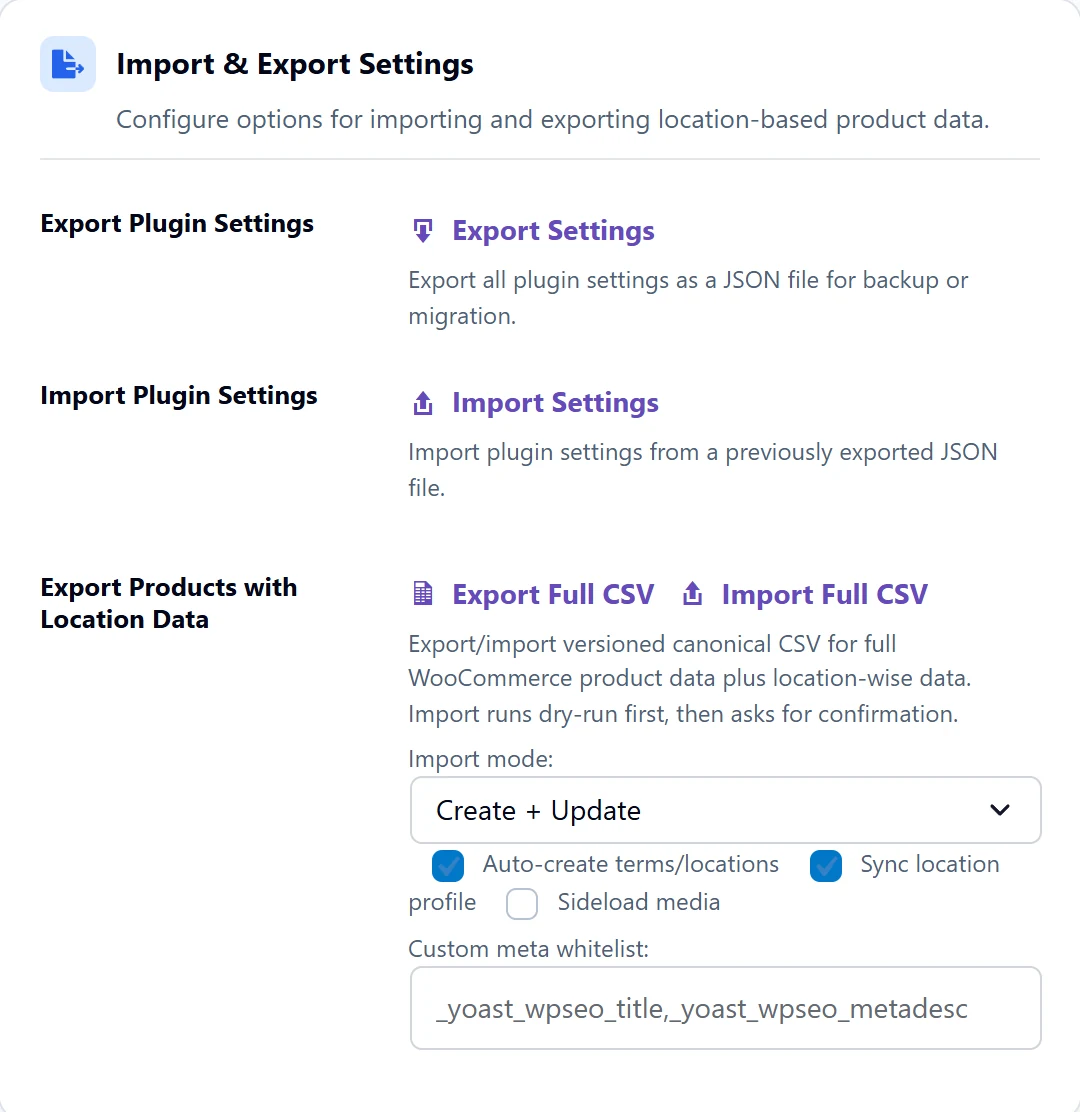
- Export Full CSV downloads the file.
- Import Full CSV loads a .csv or .zip file.
Place 2: Stock Central
Go to Location Manage > Stock Central, click Import / export, and open Stock Central Migration. It has an Export tab and an Import tab, where you drop a file on “Drag & drop CSV/ZIP file here” and click Select File & Import. Below are Active Import Export Queue, with View Log, Pause, Resume and Cancel, and Import Export Log.
Import options
| Option | What it does | Default |
|---|---|---|
| Import mode | Create + Update adds new products and updates existing ones. Update Only changes existing products only, and turns off the next option. | Create + Update |
| Auto-create terms/locations | Creates missing categories, tags and stores. | On |
| Sync location profile | Updates store details from the file. | On |
| Sideload media | Downloads pictures from the links in the file. Leave it off for faster imports. | Off |
| Custom meta whitelist | Extra product fields to include, separated by commas, such as _yoast_wpseo_title,_yoast_wpseo_metadesc to keep Yoast SEO titles and descriptions. | Empty |
In Stock Central, the first three read Auto-create missing terms/locations, Sync full location profile and Sideload media from URL refs. Custom meta whitelist is on the Advanced tab only.
Steps
- Export first, to keep a backup.
- Edit the file, without changing the column names.
- Import it and choose a mode.
- Read the dry run result. The plugin tests the file first, then asks “Dry run completed. Continue with actual import now?”
- Confirm. If some rows fail, download
mulopimfwc-import-failed-rows.csvto see why.
Files can be up to 2 GB. Downloads are kept for 14 days, and logs for 90. The file includes each product’s purchase price.