
All sections
IntroductionGetting StartedLocation ManagementDisplay LocationShortcodes ReferenceLocation ArchiveLocation base Product DisplayOrder & CartUI CustomizationPayment & ShippingTax & DiscountLocation based reviewSEOEmail & NotificationUser ExperienceStore locator mapReports & AnalyticsInvestment CalculationRole Management and Access ControlDashboardStock CentralProduct FilterAdvanced SettingsImport & ExportAPI & Webhooks IntegrationDebuging / Troubleshooting
On this page
This PRO feature lets each store offer its own payment methods. For example, a pickup store can take cash, while a warehouse takes cards only. You can see it on the live demo.
Set it up
- Turn on your payment methods under WooCommerce > Settings > Payments.
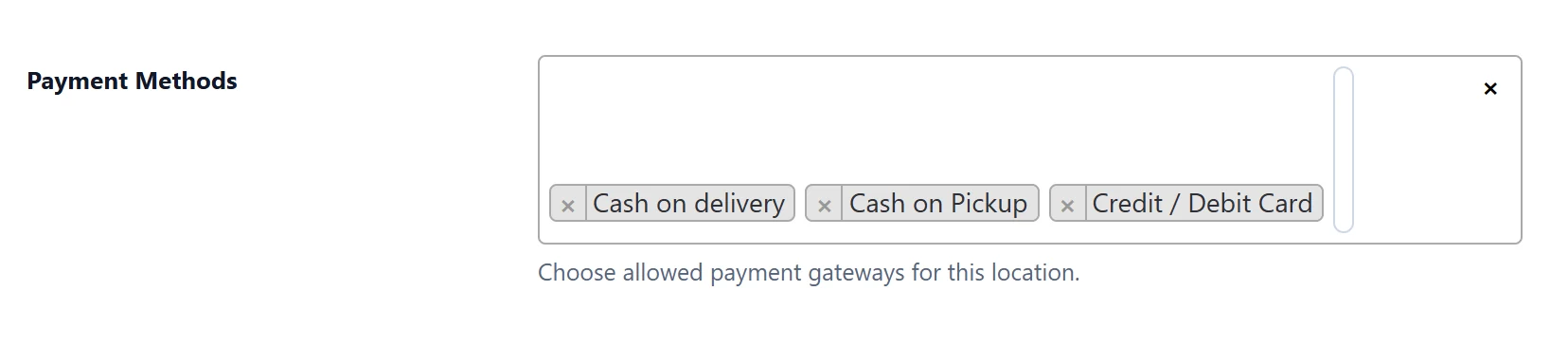
- Go to Location Manage > Locations, edit a store, and choose its Payment Methods.
- Go to Location Manage > Settings > Location Wise Everything > Payments, and turn on Enable Location-wise Payment.
- Click Save Changes, then test with each store.

How it works
- A store with an empty list has no limits.
- With products from several stores in the cart, a method must be allowed by all of them.
- If no method is shared, checkout shows: “No payment method is available because the items in your cart come from stores that do not accept a common payment method”.
Example setups
| Store | Payment methods |
|---|---|
| Pickup shop | Cash on pickup, card |
| Warehouse | Card, bank transfer |
| Regional store | A local payment service |
Good habits
- Give every store at least one method that the others have, if you allow mixed carts.
- Test after adding a new payment method, since it needs adding to each store’s list.
This feature is off when the plugin picks the store, unless Optional Location Selection is on. The free plugin shows it locked.