
All sections
IntroductionGetting StartedLocation ManagementDisplay LocationShortcodes ReferenceLocation ArchiveLocation base Product DisplayOrder & CartUI CustomizationPayment & ShippingTax & DiscountLocation based reviewSEOEmail & NotificationUser ExperienceStore locator mapReports & AnalyticsInvestment CalculationRole Management and Access ControlDashboardStock CentralProduct FilterAdvanced SettingsImport & ExportAPI & Webhooks IntegrationDebuging / Troubleshooting
Moving stock between your stores costs money. With this PRO feature, you can charge shoppers for it when an order needs it. You set a price for each route, and it appears as a separate line at checkout, such as “Inter-location Transfer (A to B)”. You can see it on the live demo.
Set it up
This feature needs three things:
- Allow Mixed-Location Cart is on.
- Split Order by Location is off.
- Shipping Calculation Method is Nearest with inter-hub transfer cost.
- Go to Location Manage > Settings > Location Wise Everything > Shipping.
- Find Inter-Location Transfer Costs.
- Fill in the cost for each From and To pair.
- Click Save Changes, and test with a mixed cart.
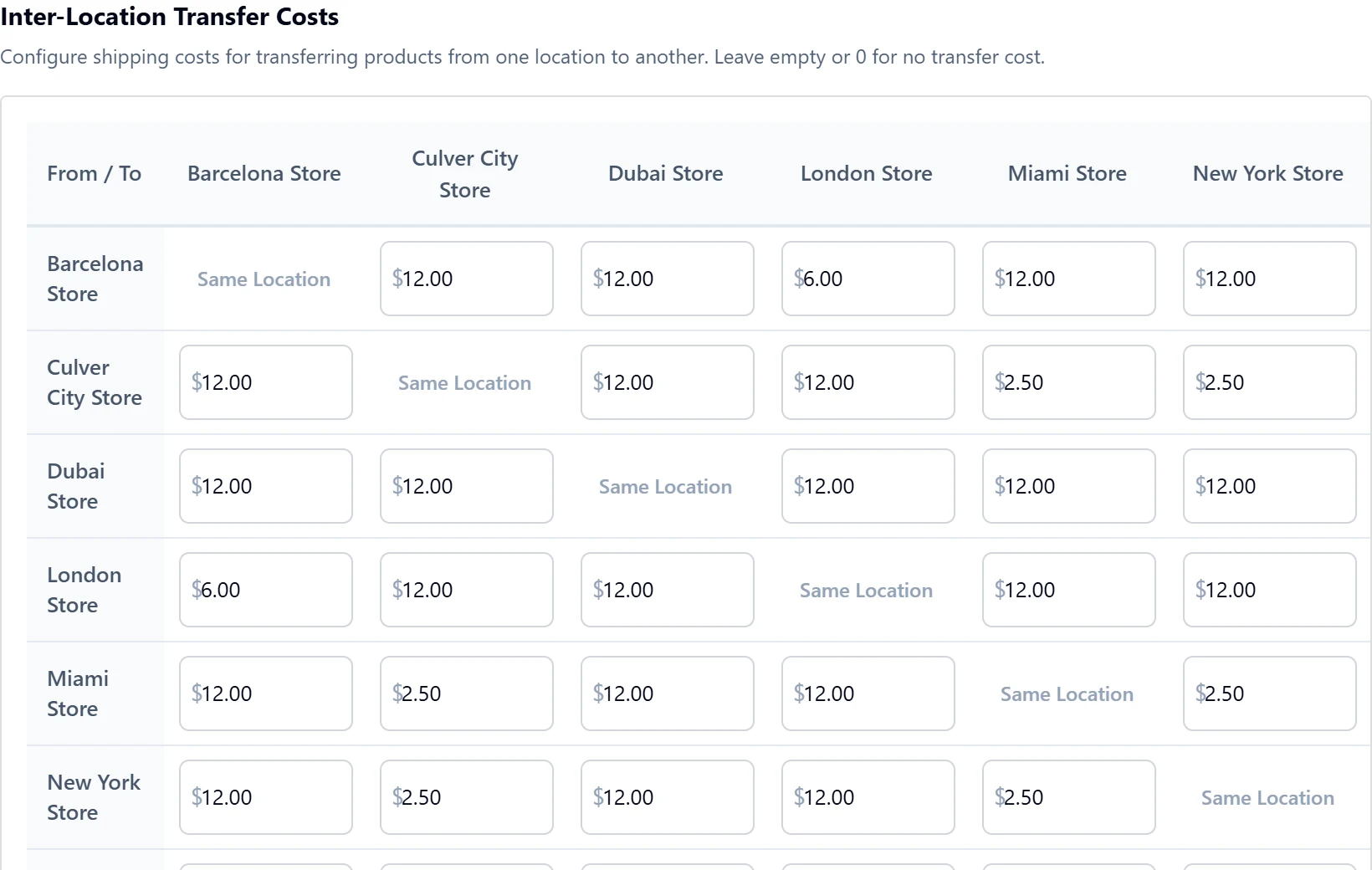
Reading the table
- Each row is where stock comes from, and each column is where it goes.
- Costs are one-way, so A to B can differ from B to A.
- The diagonal reads “Same Location” and has no cost.
- Set Default Cost for All fills every cell, and Clear All Costs empties them.
- The currency is your store’s base currency.
How the fee is worked out
The destination is the store nearest the shipping address, or the selected store if the address gives no answer. The fee can be taxed. Admins can also see it in a box on the order.
An example
| From | To | Cost |
|---|---|---|
| Store A | Store B | $5 |
| Store B | Store C | $8 |
| Store A | Store C | $12 |
When setting costs, think about distance, weight and what your courier charges. Our guide to location-based shipping covers the rest of this tab.