
This setting controls how products not assigned to any location (also called Global Products) are displayed when users select a specific store/location.
Global Products are items that:
- Are available to all locations
- Do not require location-specific inventory
- May be digital goods, services, or universally stocked products
How to Manage Non-Location Product Display
To configure this:
- Go to Location Manage → Settings
- Open the Product Visibility section
- Find the Product Visibility Rules panel
Here, you will see the main control:
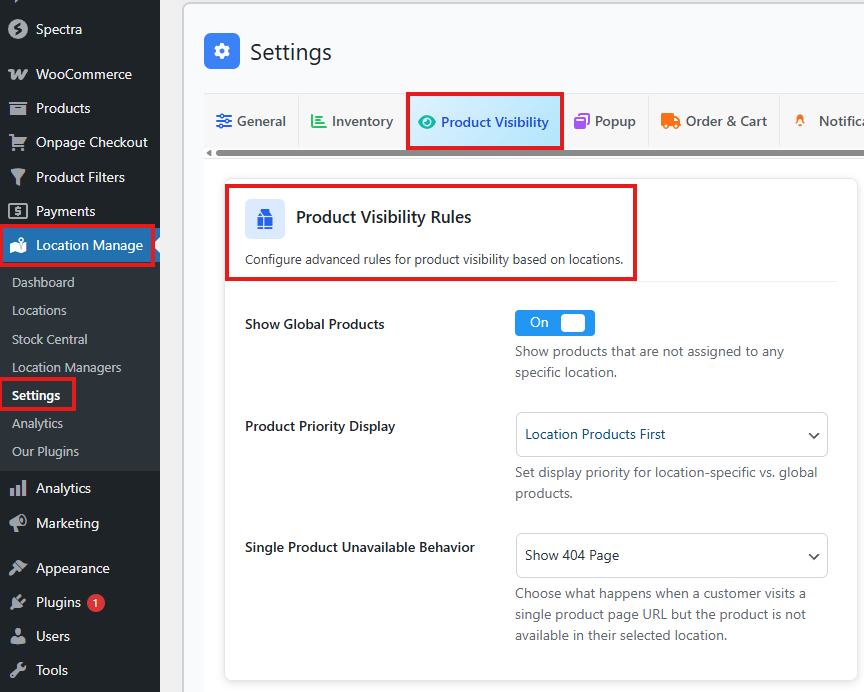
Show Global Products
ON / OFF
- ON
Global products (products not assigned to any location) will still appear in the store.
Useful when you want universally available products always visible. - OFF
Global products are hidden unless they are assigned to the selected location.
Use this when you want strict location-based product availability.
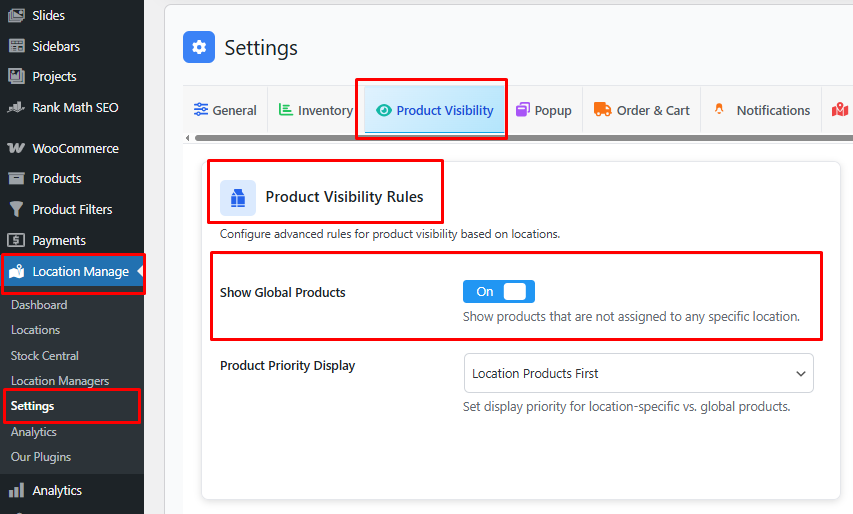
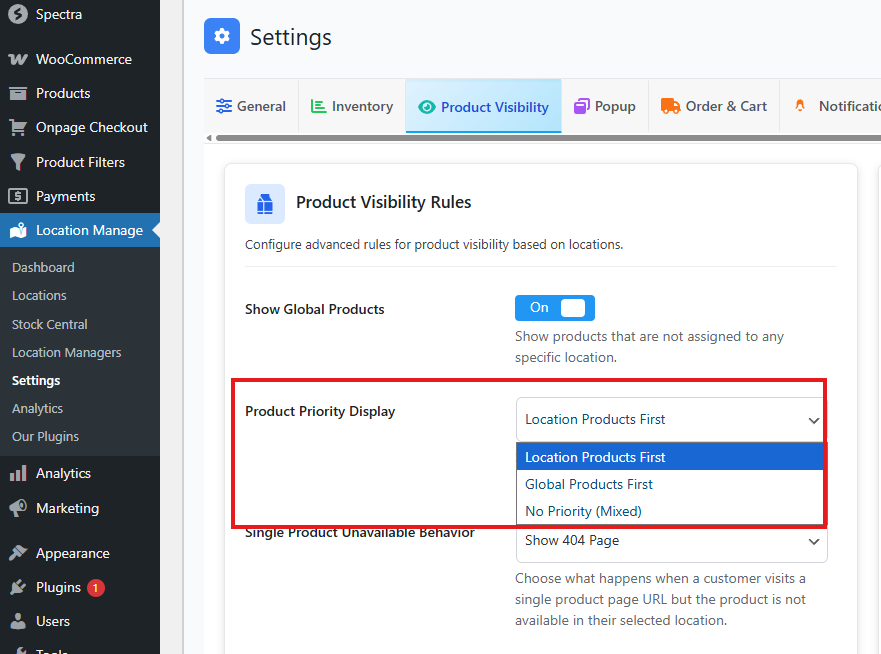
Product Priority Display
Choose one of the three options:
- Location Product First: Displays assigned location products first, followed by non-location products.
- Global Product First: Displays non-location products first, followed by assigned location products.
- No Priority (Mixed): Displays all products together, regardless of location assignment.
- Click Save Changes.
When to Enable Show Global Products
Enable it when:
✔ You have products available across all locations
✔ You sell digital goods or subscriptions
✔ You want customers to see all general products regardless of location
✔ You don’t manage inventory per location for some items
When to Disable Show Global Products
Turn it off when:
✔ You want strict location-controlled product visibility
✔ You manage stock separately for each warehouse/store
✔ You want customers to see only location-specific products
✔ You want to avoid showing unavailable products in a selected location
Tips for Best Use
- If you enable Strict Location Filtering, you may still allow global products with this option.
- Combine this with Product Priority Display to manage ordering of location vs. global products.
- Test on frontend by switching locations to confirm behavior.
This setting gives you full control over how your WooCommerce store displays non-location (global) products, helping you create a clearer shopping experience aligned with your inventory and business logic.