
A Location-Based Archive Page displays products filtered by a specific store or warehouse location. Each location can have its own archive URL, making it useful for SEO, navigation, and customer experience.
Follow the steps below to properly configure and access location-based archive pages.
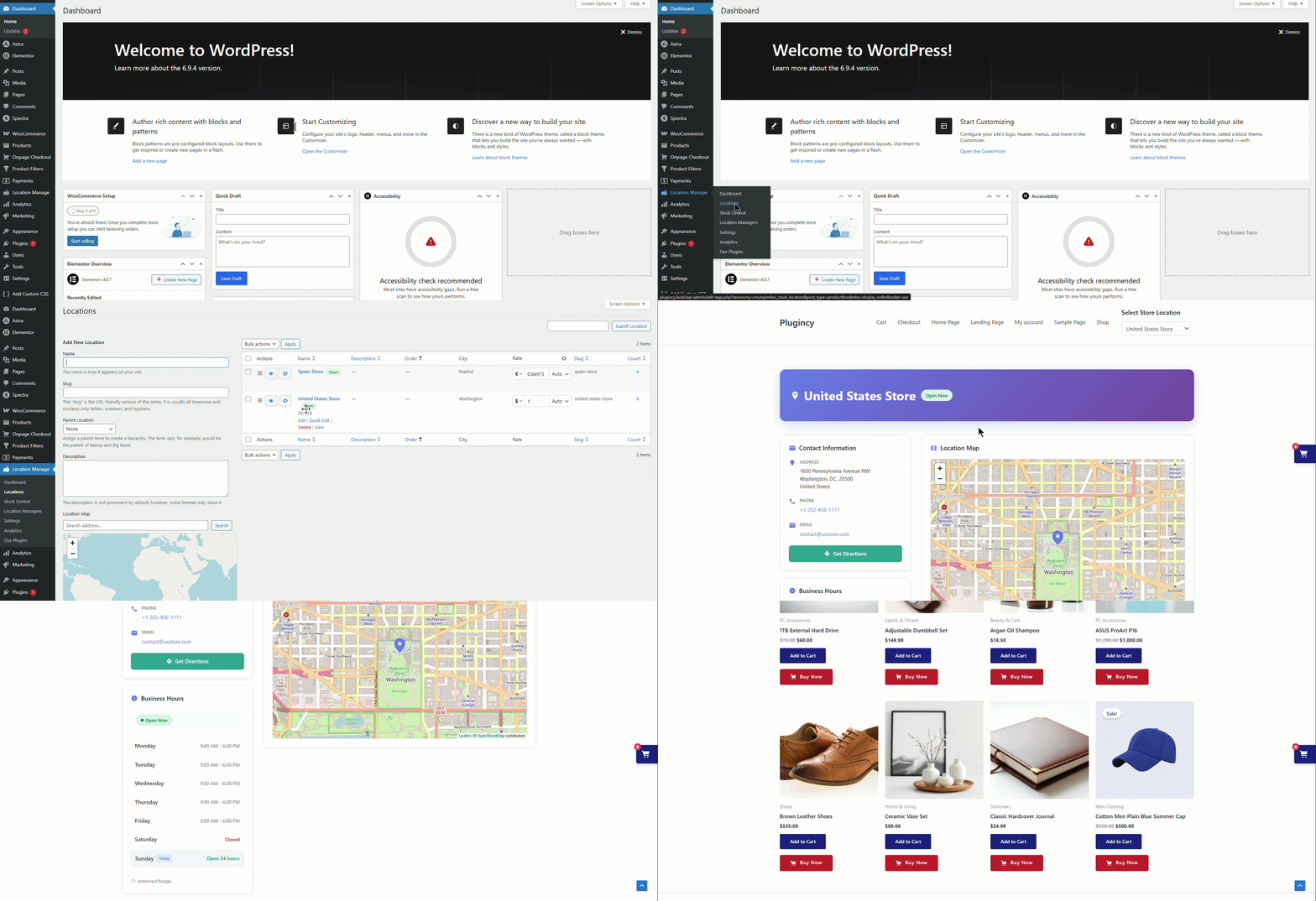
How to Access a Location Archive Page
- Go to Location Manage → Locations
- Hover over a location
- Click View
This will open the location archive page on the frontend, showing products assigned to that location.
If the “View” Option Is Not Visible
If you do not see the View link, location URLs are not yet enabled.
Follow the steps below to configure them.
Enable Location Archive URLs
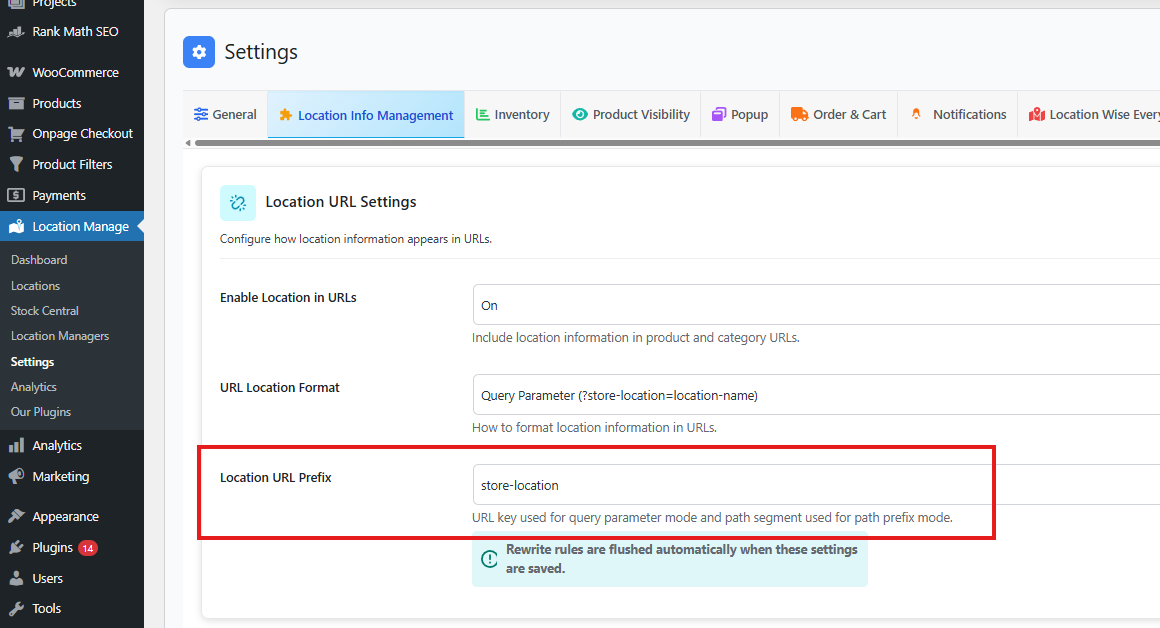
- Go to Location Manage → Settings
- Open the Location Info Management tab
- Locate the Location URL Settings panel
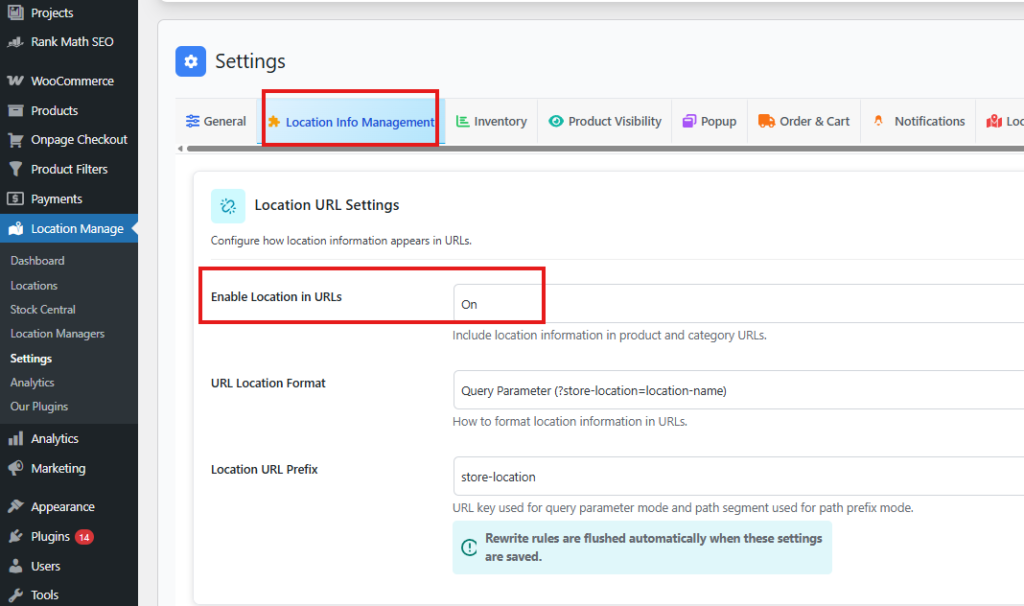
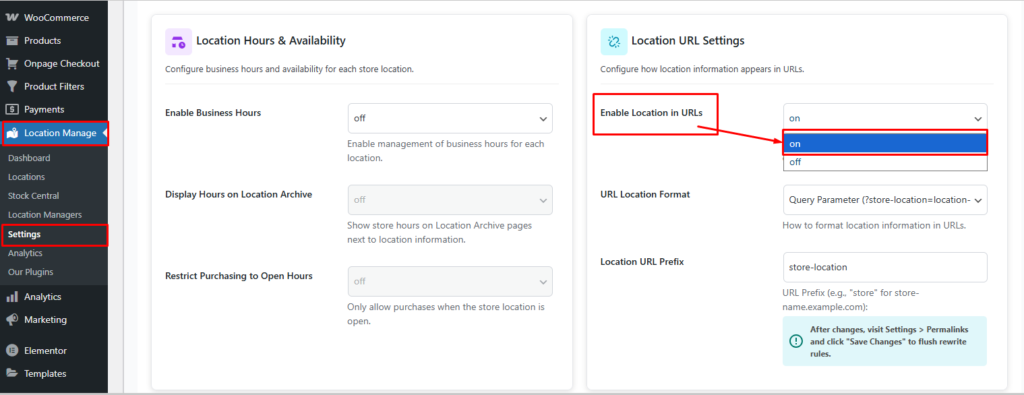
Configure the following options:
Enable Location in URLs
- ON
- Includes location information in product and category URLs
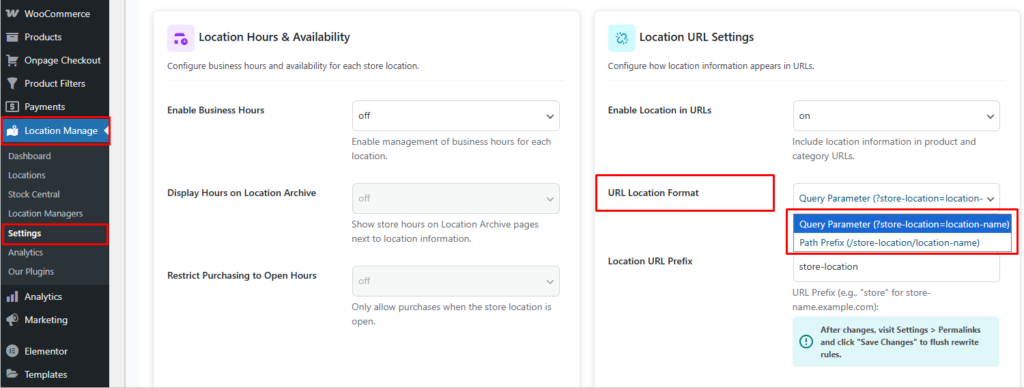
URL Location Format
Choose how the location appears in the URL:
- Query Parameter
?store-location=location-name - Path Prefix
/store-location/location-name
(Recommended for SEO: Path Prefix)
Location URL Prefix
- Default:
store-location - Example URL structure:
yoursite.com/store-location/location-name/
Flush Permalink Rules (Required)
After saving the settings:
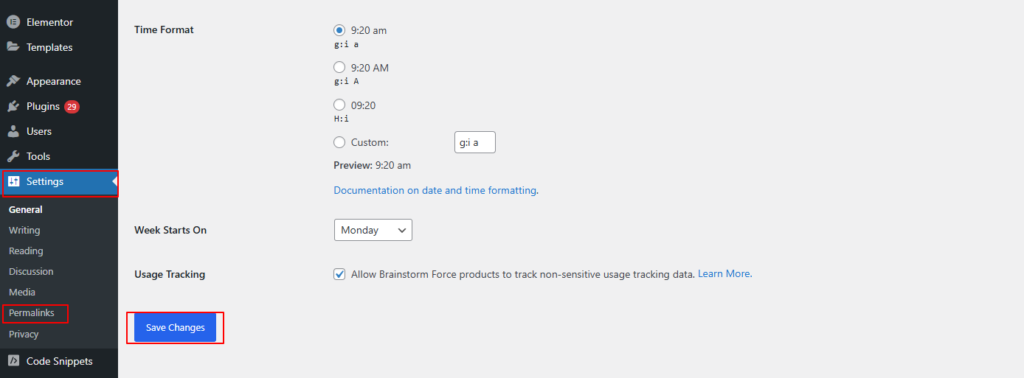
- Go to WordPress Dashboard → Settings → Permalinks
- Click Save Changes
(No need to change anything)
This flushes rewrite rules and activates the new location URLs.
Visit the Location Archive Page
- Return to Location Manage → Locations
- Click View on any location
- The archive page should now load correctly
Fix 404 or Page Not Found Errors
If the location archive page shows a 404 error or does not load correctly:
- Go to Settings → Permalinks
- Click Save Changes again
This resolves most permalink and rewrite-related issues.
Best Practices
- Use Path Prefix URLs for better SEO and cleaner links
- Keep location slugs short and readable
- Always flush permalinks after changing URL settings
- Test multiple locations to ensure archives load correctly
Once configured, Location-Based Archive Pages allow customers and search engines to browse products by specific store or warehouse—improving discoverability, SEO structure, and location-focused shopping experiences.