
The Multi Location Product & Inventory Management for WooCommerce plugin provides REST API endpoints and webhooks to sync inventory data with external systems like WMS (Warehouse Management Systems) or POS (Point of Sale). Authentication failures are one of the most common issues when integrating these systems. This guide provides quick checks for headers, secrets, and endpoint routes to help you diagnose and resolve problems.
1. Check Request Headers
- Authorization Header: Ensure the API key is included in the request header.
Example:Authorization: Bearer YOUR_API_KEY - Correct Header Name: The plugin expects the key in the
Authorizationheader. Using the wrong header name will cause failures. - Formatting: Watch for typos, extra spaces, or incorrect casing. Even small mistakes can break authentication.
- Content-Type: For POST/PUT requests, confirm you are sending
Content-Type: application/json.
2. Validate Secrets (API Key)
- Generate Key: From the plugin’s API & Webhooks Configuration screen, click Generate API Key.
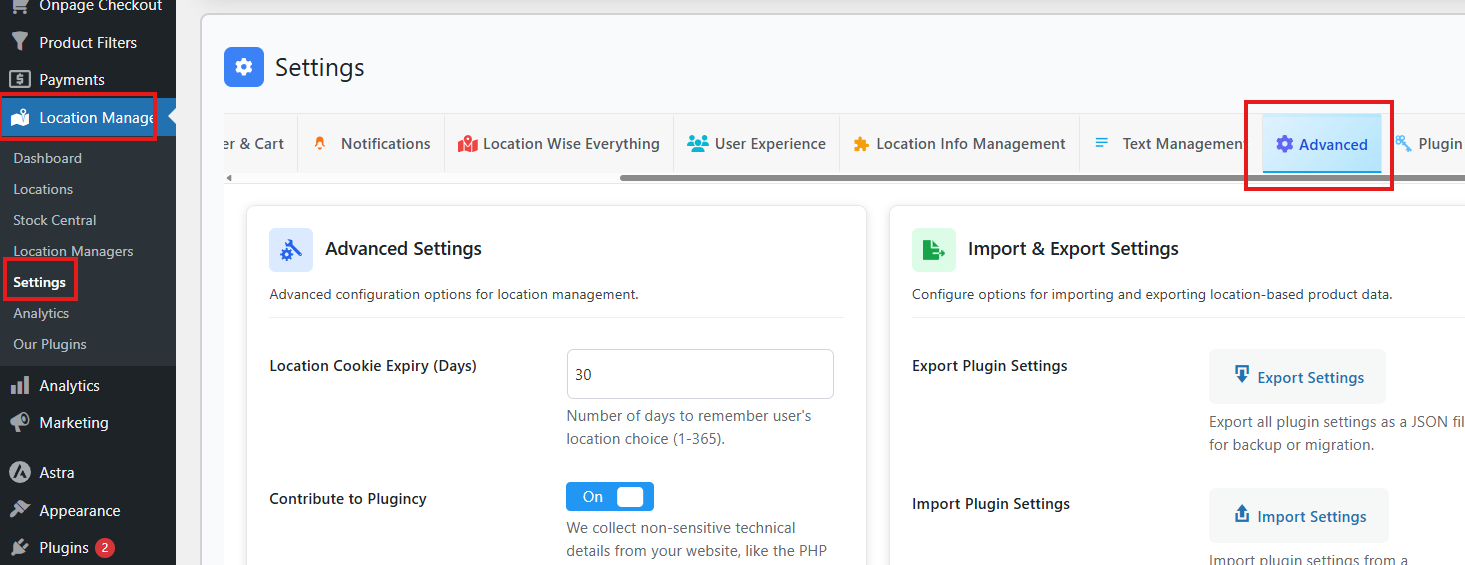
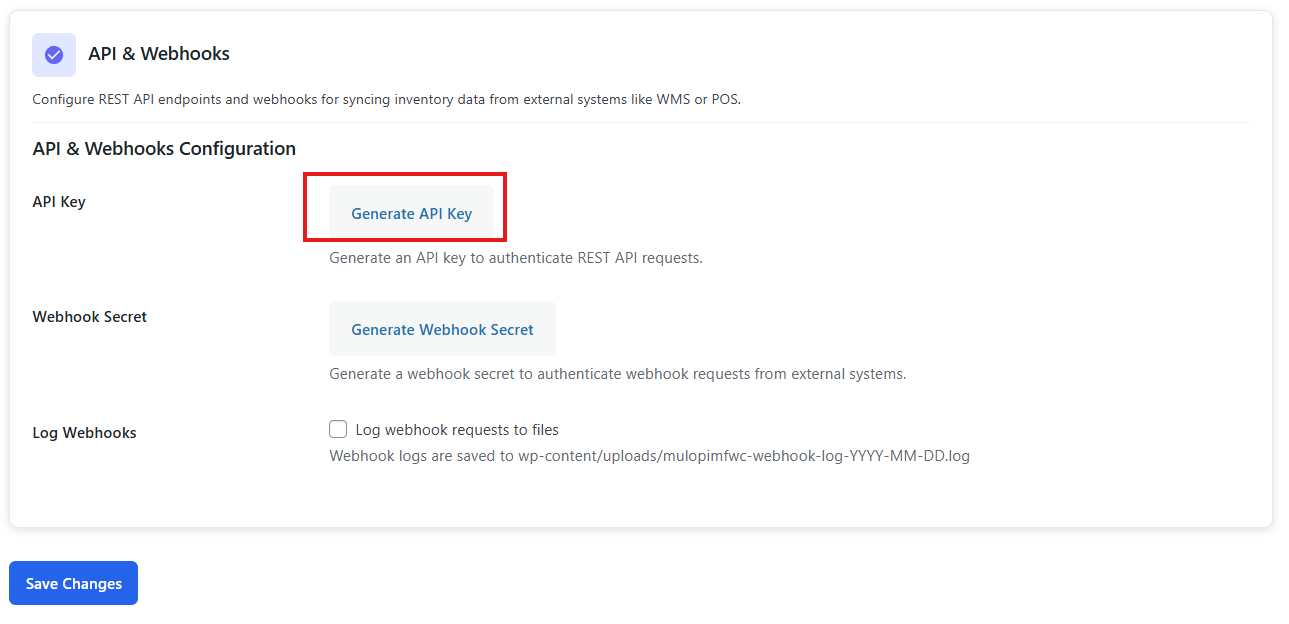
- Update External Systems: If you regenerate the key, update all connected systems (POS/WMS) with the new key.
- Expiration/Revocation: Check if the key has expired or been revoked.
- Secure Storage: Never expose the key in client-side code. Store it securely in server-side configuration.
3. Confirm Endpoint Routes
- Correct Path: Verify that the request is sent to the right REST API endpoint.
Example:https://yourstore.com/wp-json/location-plugin/v1/inventory - Trailing Slashes: Avoid unnecessary trailing slashes in URLs.
- Versioning: Ensure you’re using the correct API version (
/v1/). - Testing: Use a REST client (like Postman) to test endpoints directly and confirm they respond correctly.
4. Debugging Steps
- Server Logs: Check logs for HTTP status codes (401 Unauthorized, 403 Forbidden).
- Fresh Key: Generate a new API key and test again.
- Caching/CDN: Some caching layers strip headers. Disable caching temporarily to confirm.
- HTTPS: Ensure your site uses HTTPS. Insecure connections may block authentication headers.
- Security Plugins: Some WordPress security plugins block custom headers. Whitelist the API routes if necessary.
Best Practices
- Always generate API keys from the plugin’s configuration screen.
- Use HTTPS for all API calls to protect secrets.
- Rotate API keys periodically and update external systems.
- Document endpoint routes and authentication requirements for your team.
- Test API calls in staging before connecting production systems.