
The Location Switcher in Cart feature allows customers to change the location for products in their cart if the product is available in multiple locations. This ensures that customers can select the most convenient location before completing their purchase.
Benefits
Enabling the Location Switcher in Cart provides several advantages:
- Customer Flexibility: Customers can change product location directly in the cart.
- Improved Accuracy: Ensures customers see stock availability based on their chosen location.
- Enhanced Shopping Experience: Provides transparency and control during checkout.
Real-World Example
Imagine a customer adding a product to their cart that is available in multiple warehouses. By enabling the Location Switcher in Cart, the customer can select the warehouse closest to them, ensuring faster delivery and accurate stock management.
How to Enable / Disable Location Switcher in Cart
Go to:
WordPress Admin → Location Manage → Settings → Order & Cart
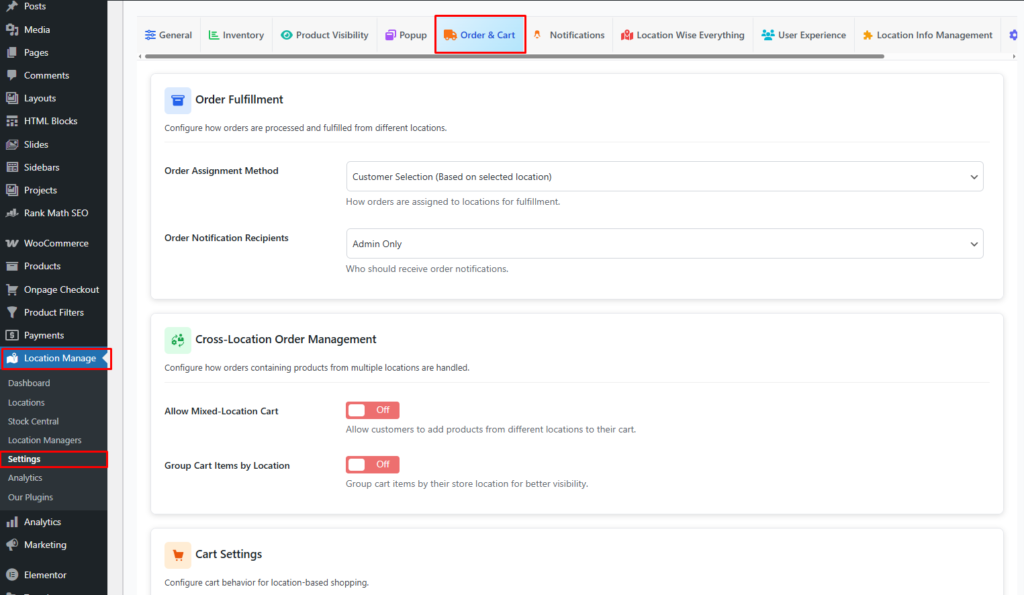
Setting Option
Allow Location Change in Cart
On / Off
Description:
Allow customers to change the location for products in their cart if the product is available in multiple locations.

Troubleshooting
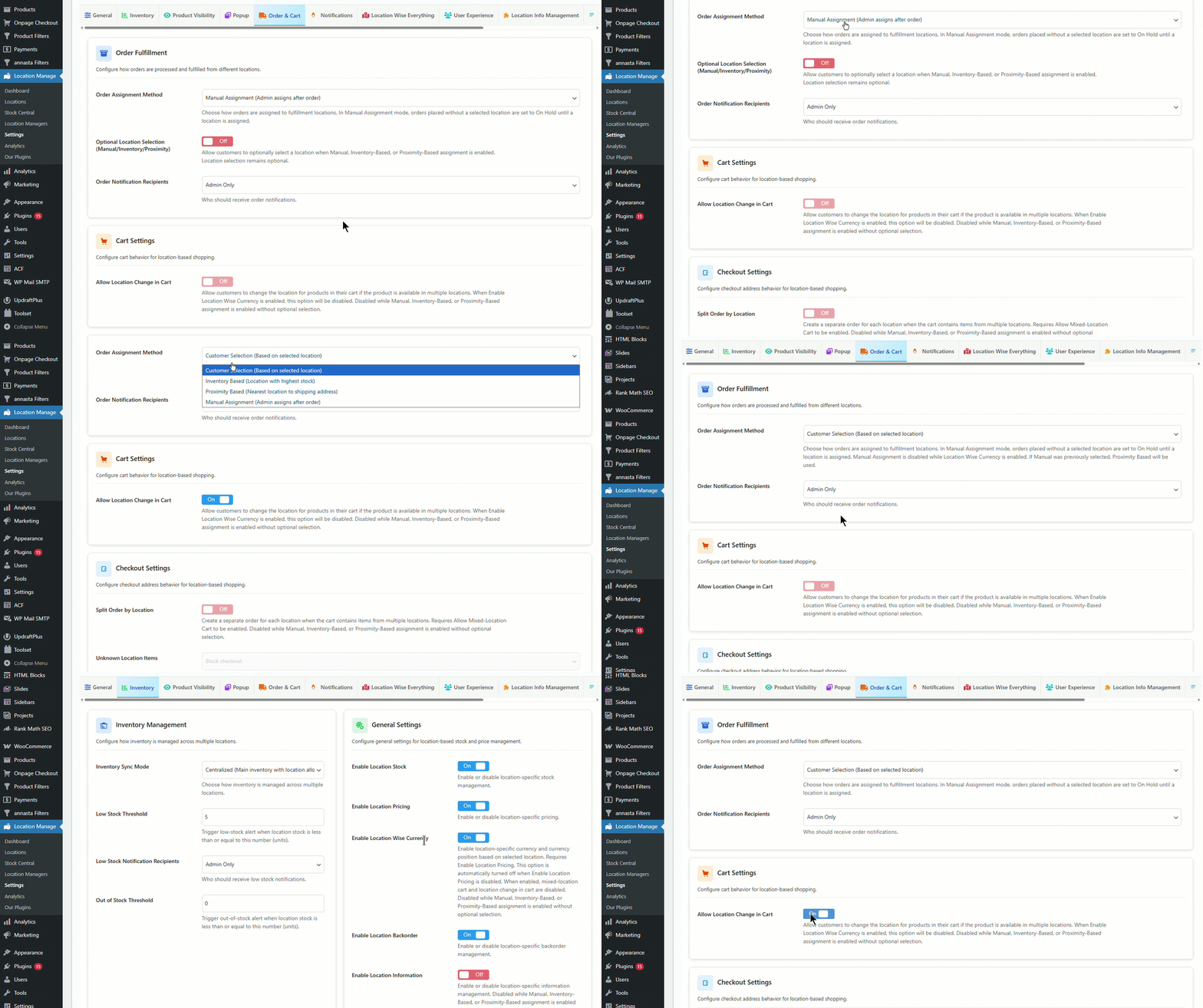
You may face an issue where the Allow Location Change in Cart button is not clickable. This usually occurs when conflicting settings are enabled.
Common Causes
- Location Wise Currency is enabled.
- Manual, Inventory-Based, or Proximity-Based assignment is enabled without optional selection.
Solution
- Disable Location Wise Currency.
- For order assignment, choose Customer Selection.
- Save changes.
- Check again if the Allow Location Change in Cart option is clickable.
Adjusting these settings ensures that the Location Switcher in Cart can be enabled without issues.
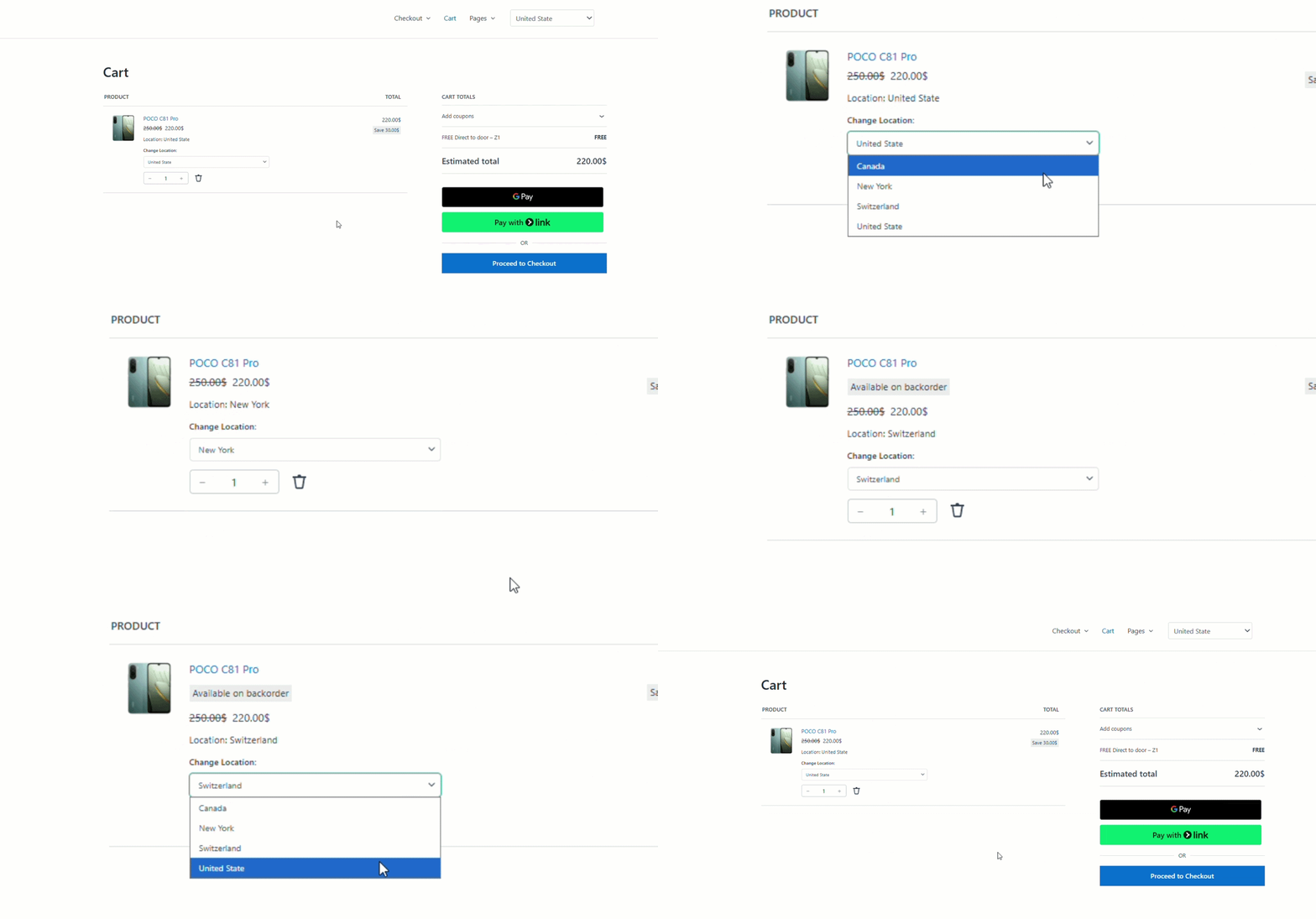
How It Works (Frontend)
- When this option is enabled:
- A location switcher appears for each cart item
- Customers can select a different available location directly in the cart
- Stock availability is checked instantly before allowing the change
- Cart updates dynamically (AJAX) without page reload
- When this option is disabled:
- The selected location is shown as read-only
- Customers cannot change the location from the cart
- Location can only be changed from the product page (if allowed)
Availability Rules
- The location switcher appears only if:
- The product exists in more than one location
- The product has available stock in the target location
- If a product is available in only one location, the switcher is hidden.
Use Cases
- Customers want to switch pickup store
- Customers prefer a closer or faster-fulfillment location
- Multi-warehouse stores optimizing delivery
Notes & Behavior
- Location changes respect:
- Stock availability
- Location-based visibility rules
- Mixed-location cart rules (if enabled)
- If switching location makes the product unavailable:
- The change is blocked, or
- The cart item is updated/removed (based on your configuration)
Testing the Feature
Testing ensures the Location Switcher in Cart works correctly.
- Add a product available in multiple locations to the cart.
- Check if the location selector appears in the cart.
- Change the location and verify that product availability updates accordingly.
Testing confirms that customers can successfully change product locations in the cart.