
The [mulopimfwc_location_status] shortcode provides a quick way to display whether a store location is currently open or closed, based on its configured business hours. It’s designed to be placed in visible areas like headers, sidebars, or location detail pages, helping customers instantly know a branch’s status without extra clicks.
Purpose of the Location Status Badge
The [mulopimfwc_location_status] shortcode is used to display a business-hours status badge (Open/Closed) for a specific store location. This helps customers quickly see whether a branch is currently operating, without needing to check schedules manually.
It’s especially effective when placed in high-visibility areas such as:
- Headers → Show the status of your main store at the top of every page.
- Sidebars → Provide quick visibility for multiple branches.
- Footers → Add badges for all locations at the bottom of your site.
- Location detail pages → Display the live status alongside address and contact information.
Shortcode Basics
Example Shortcode
[mulopimfwc_location_status slug="new-york"]
This will show the open/closed badge for the location with the slug new-york.
Parameters
| Parameter | Values | Description | Example |
|---|---|---|---|
| id | Location term ID | Target a location by its numeric ID. | id="123" |
| slug | Location term slug | Target a location by its slug (recommended). | slug="new-york" |
👉 Important: You can use either slug or id — there’s no need to use both. Choose whichever fits your store setup best.
How to find the location ID and slug?
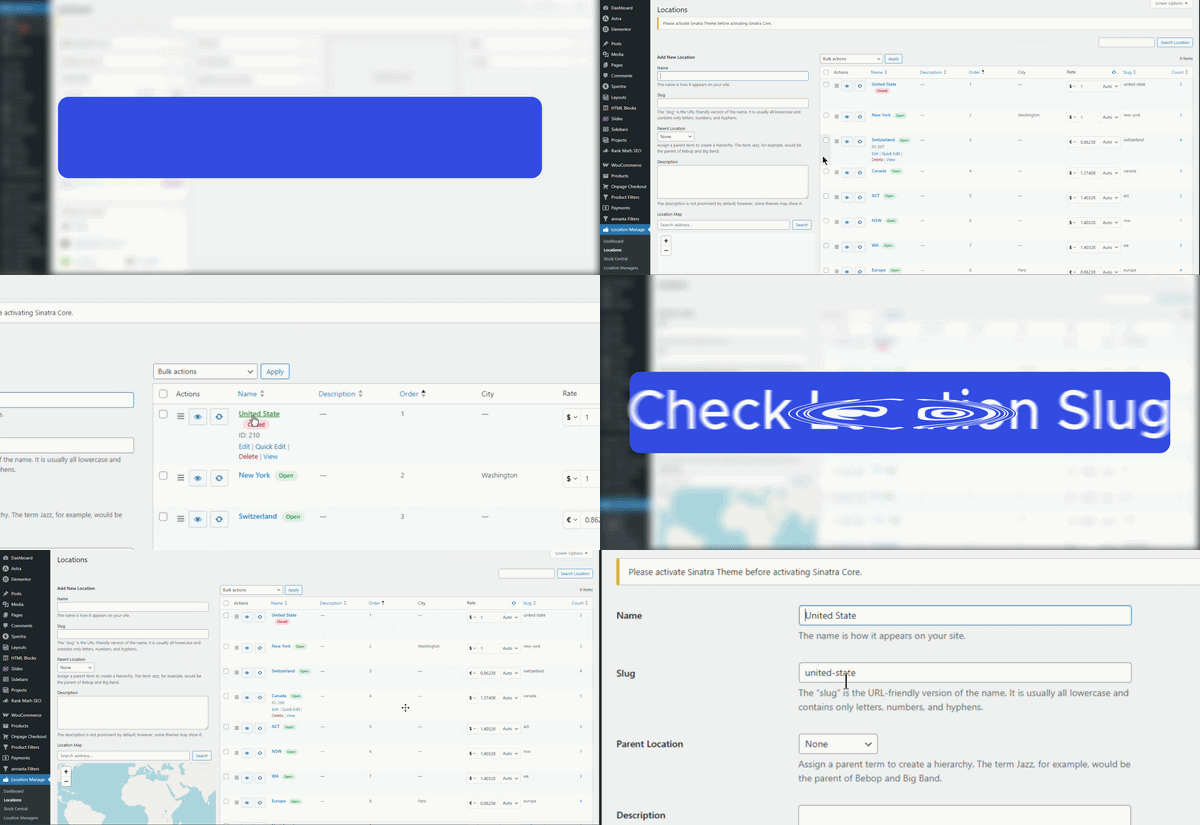
Follow these steps to locate the ID and slug for any location:
Find Location ID
- From your WordPress dashboard, go to Location Manage > Locations.
- Hover your cursor over the location name.
- The location ID will appear in the link preview at the bottom of your browser.
- Alternatively, when hovering over the location name, the ID will be displayed directly.
Find Location Slug
- From your WordPress dashboard, go to Location Manage > Locations.
- Look beside the location name to see the slug.
- Alternatively, click Edit on the location.
- In the edit screen, find the Slug field to view or change the slug.
Practical Usage Examples
Example 1: Header Badge
[mulopimfwc_location_status slug="los-angeles"]
Shows the Los Angeles store status in the header.
Example 2: Sidebar Widget
[mulopimfwc_location_status id="45"]
Displays the status for location ID 45 in a sidebar widget.
Example 3: Location Detail Page
[mulopimfwc_location_status slug="chicago"]
Adds a badge to the Chicago location page, showing if it’s open or closed.
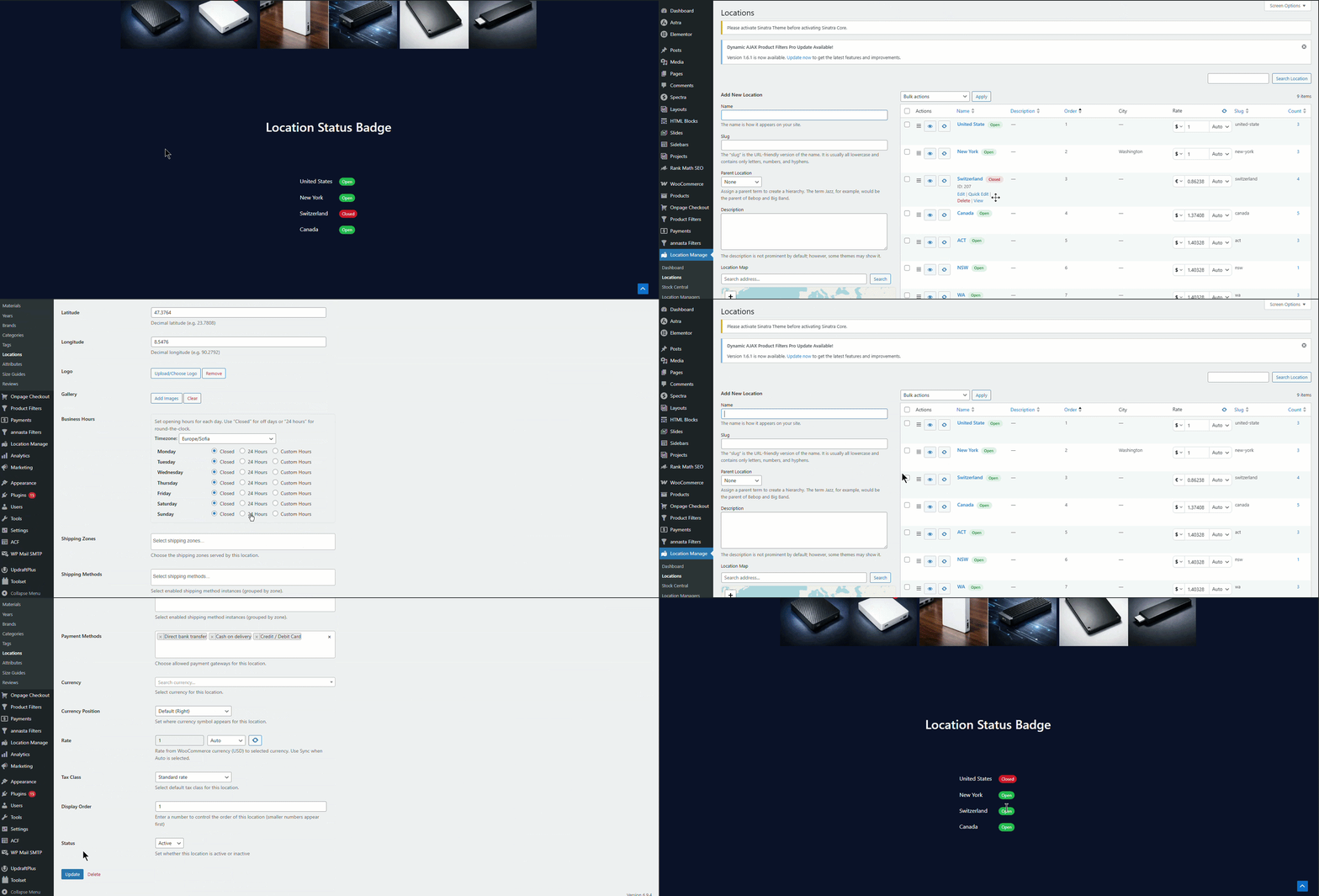
Customization Notes
- Use slug for readability and easier management.
- Style badges with CSS (e.g., green for open, red for closed).
- Place multiple shortcodes on one page to show status for several branches.
Common Mistakes & Troubleshooting
- Badge not showing: Verify the location slug or ID is correct.
- Wrong status: Ensure business hours are properly configured in plugin settings.
- Theme conflicts: Add custom CSS if badges don’t display correctly.
Quick Summary & Best Practices
[mulopimfwc_location_status]shows open/closed status badges for specific locations.- Place badges in headers, sidebars, footers, or detail pages for maximum visibility.
- Use slug or ID — whichever fits your store setup, but not both.
- Always confirm business hours are set correctly in plugin settings.
The location status badge shortcode is a simple but powerful way to keep customers informed. By placing it strategically across your site and using either slug or ID for flexibility, you ensure visitors always know whether a store is open — improving trust, reducing confusion, and enhancing the shopping experience.