
The [mulopimfwc_location_info] shortcode is designed to display store location details such as address, contact information, and live maps. It helps customers quickly find your stores and navigate to them.
Purpose of the Shortcode
- Show store details (address, phone, opening hours).
- Display a map for each location.
- Provide a search bar to filter locations.
- Support multiple layouts for flexible presentation.
This shortcode is especially useful for businesses with multiple branches or outlets.
Basic Usage
[mulopimfwc_location_info]This will display all available store locations using the default settings.
Parameters and Options
| Parameter | Description | Values | Example |
|---|---|---|---|
| id | Show specific location(s) by ID | Numeric IDs | id="123" or id="123,456,789" |
| slug | Show location(s) by slug | Slug names | slug="downtown,uptown" |
| layout | Choose display style | auto, tabs, compact, grid | layout="tabs" |
| search | Enable search bar | yes, no | search="yes" |
| compact | Compact view for single location | yes, no | compact="yes" |
| limit | Limit number of locations shown | Number | limit="5" |
| orderby | Sort locations | name, id, count | orderby="name" |
| order | Sort order | ASC, DESC | order="ASC" |
Example Shortcodes
1. Show Locations in Tabs with Search
[mulopimfwc_location_info layout="tabs" search="yes"]
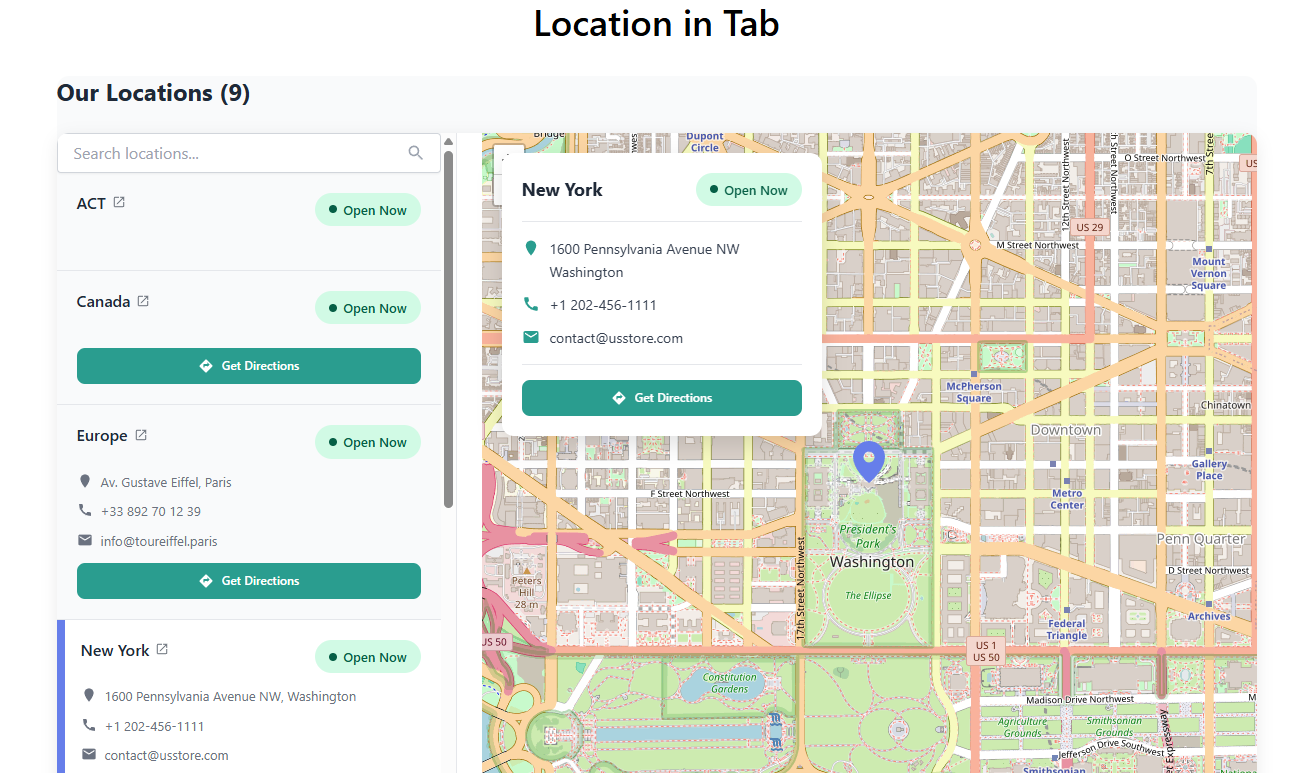
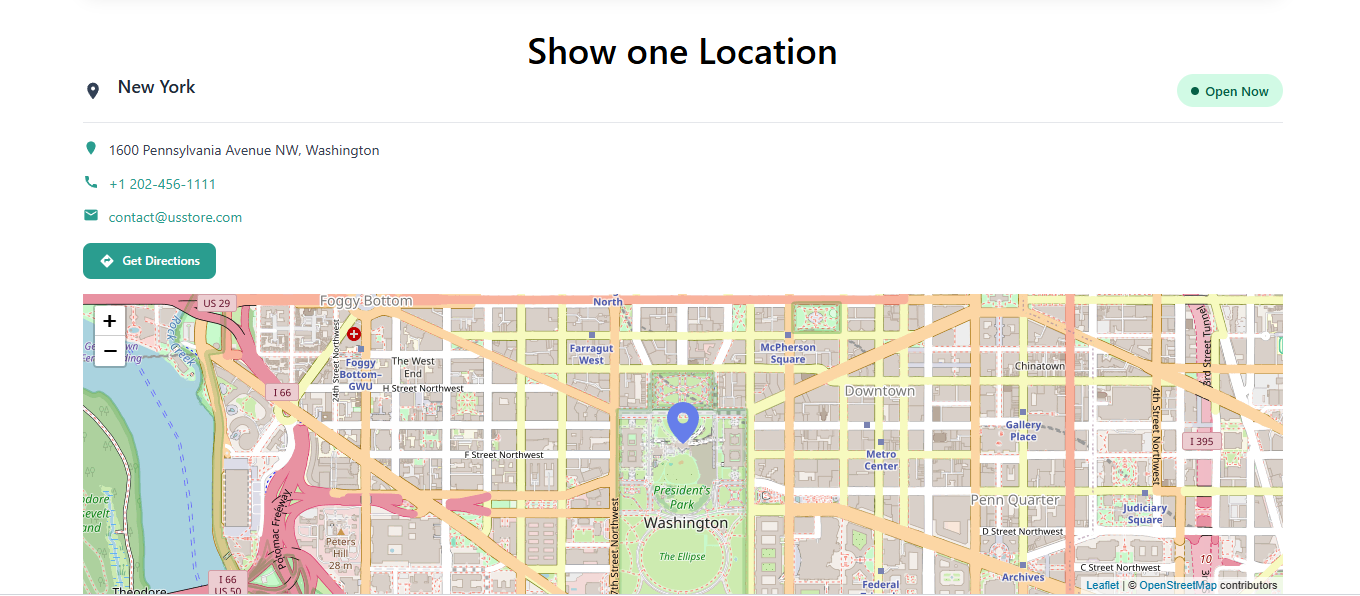
2. Show Only Downtown Location
[mulopimfwc_location_info slug="downtown"]
3. Show 5 Locations in Grid Layout
[mulopimfwc_location_info layout="grid" limit="5"]
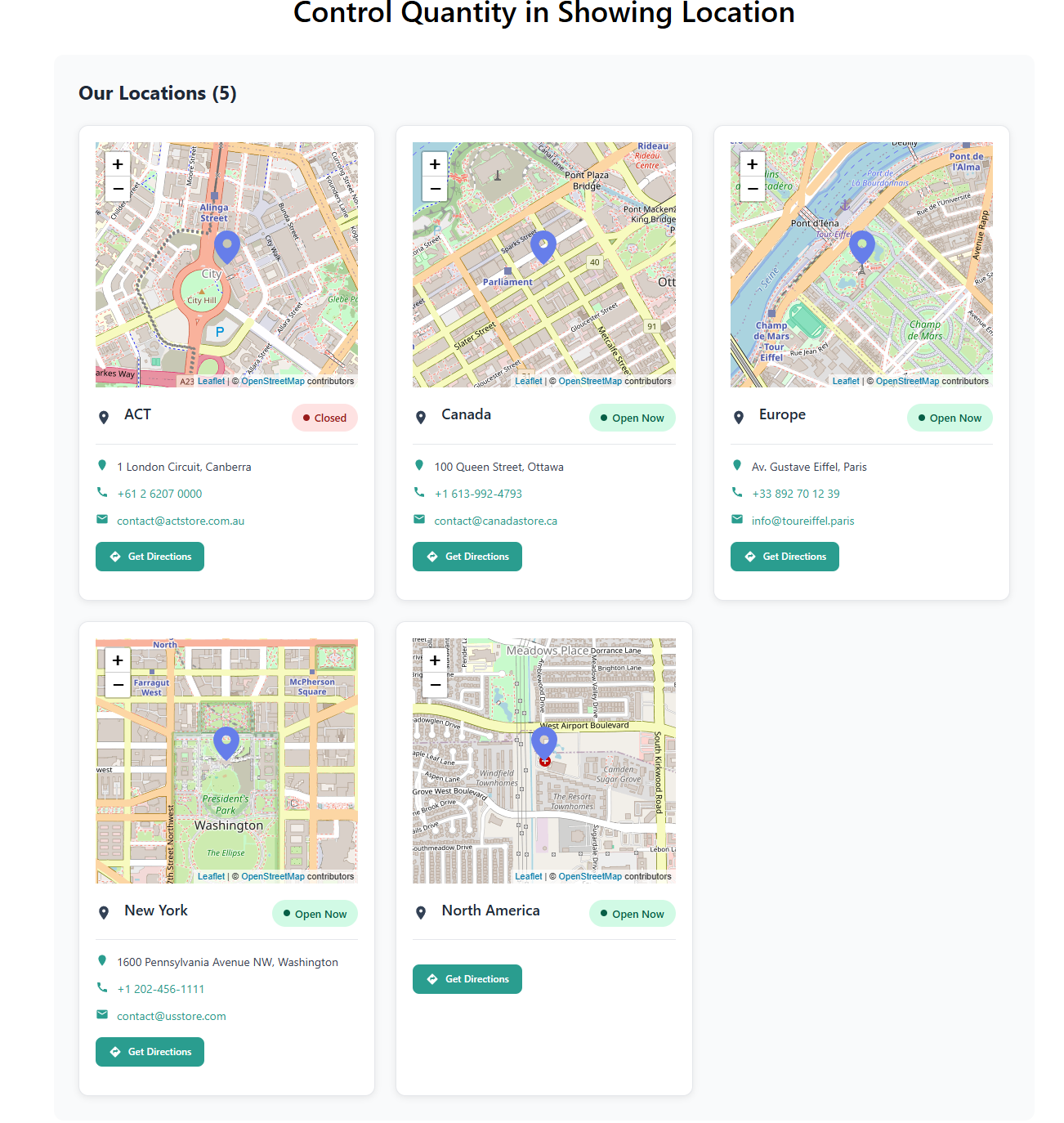
4. Compact View for a Single Location
[mulopimfwc_location_info id="123" compact="yes"]
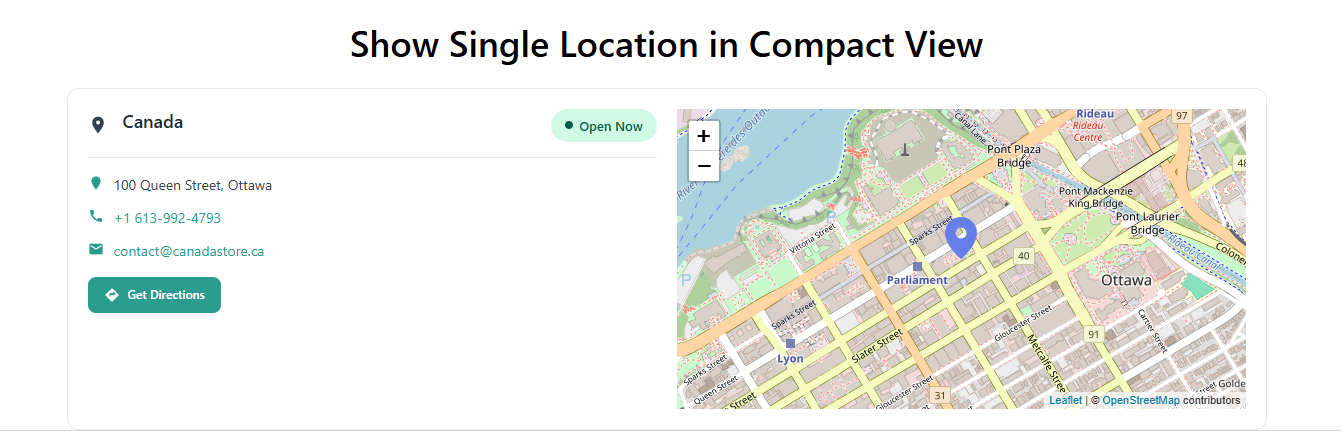
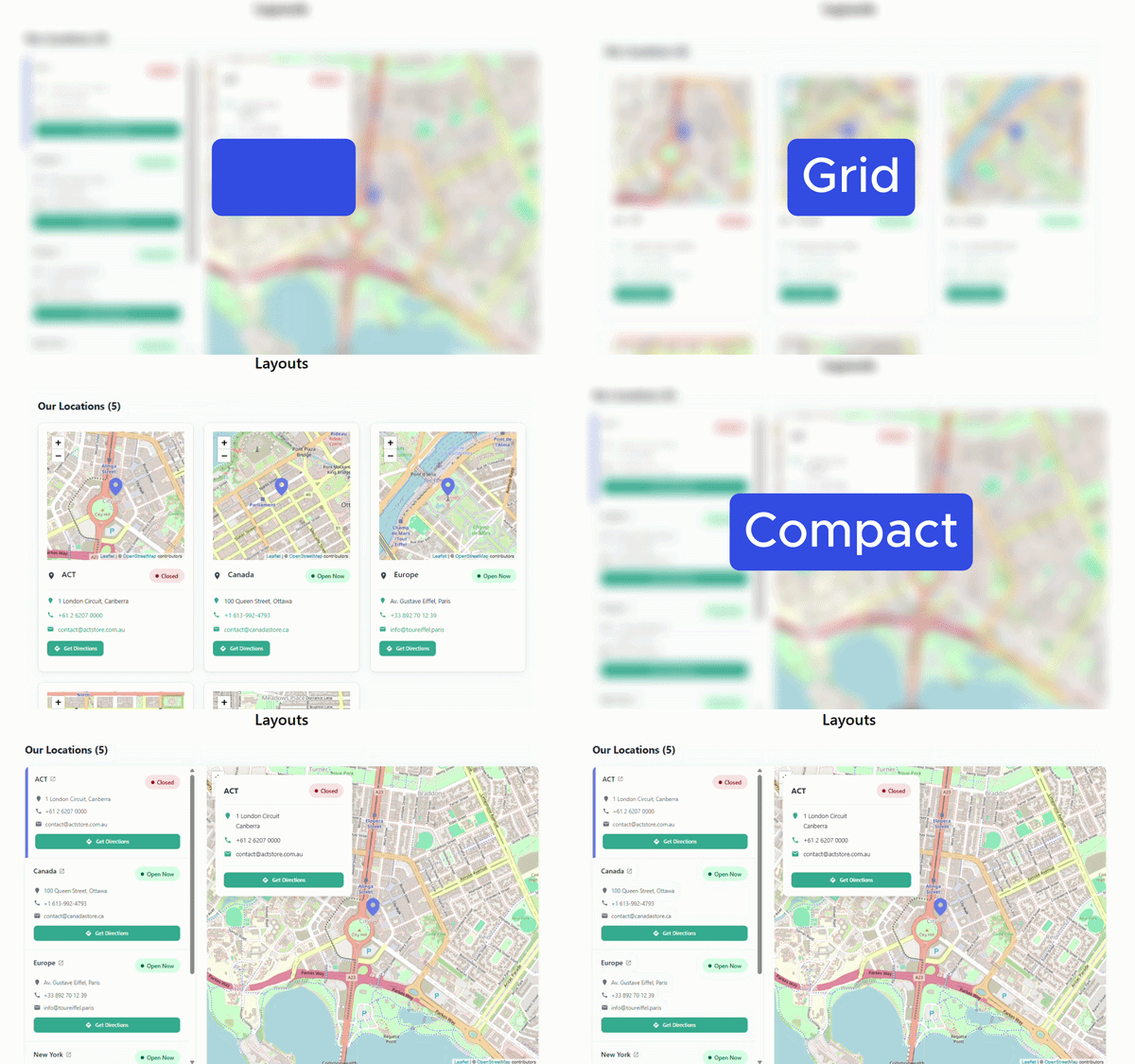
Layout Options Explained
- Tabs Layout: Each location appears in a separate tab, ideal for multiple branches.
- Grid Layout: Displays multiple locations in a grid format, useful for showcasing many stores.
- Compact Layout: Minimal view for a single location, best for product or store detail pages.
- Auto Layout: Plugin automatically selects the best layout based on context.
Common Mistakes and Troubleshooting
- Incorrect ID/Slug: If no location appears, verify that the ID or slug exists in your store settings.
- Search Not Working: Ensure you include
search="yes"in the shortcode. - Map Not Displaying: Check that your Google Maps API or chosen map service is correctly configured in plugin settings.
- Too Many Locations Displayed: Use
limit="X"to restrict the number of locations shown.
Best Practices
- Use tabs layout for multiple locations to make navigation easier.
- Use compact layout for single store pages to keep the design clean.
- Enable search when you have more than 5 locations.
- Keep slugs simple and descriptive (e.g.,
downtown,uptown) for easier shortcode management. - Always test the shortcode on a staging page before publishing to ensure maps and details load correctly.
Quick Summary
The [mulopimfwc_location_info] shortcode is a powerful tool for displaying store location details with maps and contact info. By customizing parameters such as layout, search, and limit, you can create a user‑friendly interface that helps customers easily find and connect with your stores.