
Activating your license ensures that you unlock all Pro features of the plugin and receive updates, support, and validation for your subscription. Below is a step-by-step guide to help you purchase, activate, and confirm your license.
Step 1: Purchase the Pro Version
This plugin offers both Yearly and Lifetime subscription packages. All plans include the same features — the difference is in how many sites you can manage under one license.
Yearly Plans
- Single Site: $79 per year (normally $99, save $20)
- Up to Three Sites (Most Popular): $199 per year (normally $297, save $98)
- Up to Five Sites: $299 per year (normally $495, save $196)
Lifetime Plans
- Single Site: $349 one-time (normally $499, save $150)
- Up to Three Sites (Most Popular): $499 one-time (normally $699, save $200)
- Up to Five Sites: $599 one-time (normally $999, save $400)
Once purchased, you will receive a license key.
Step 2: Install the Plugin
You can install the plugin in two ways:
- Manual Installation: Download the Pro version and upload it to your WordPress site.
- Free Version Upgrade: Install the free version from the WordPress directory, then activate Pro features by entering your license key.
Step 3: Activate the License
- Go to your WordPress dashboard.
- Navigate to Location Manage → Settings → Plugin License.
- In the License Settings section, paste the license key you received after purchase.
- Click Activate License & Install Pro.
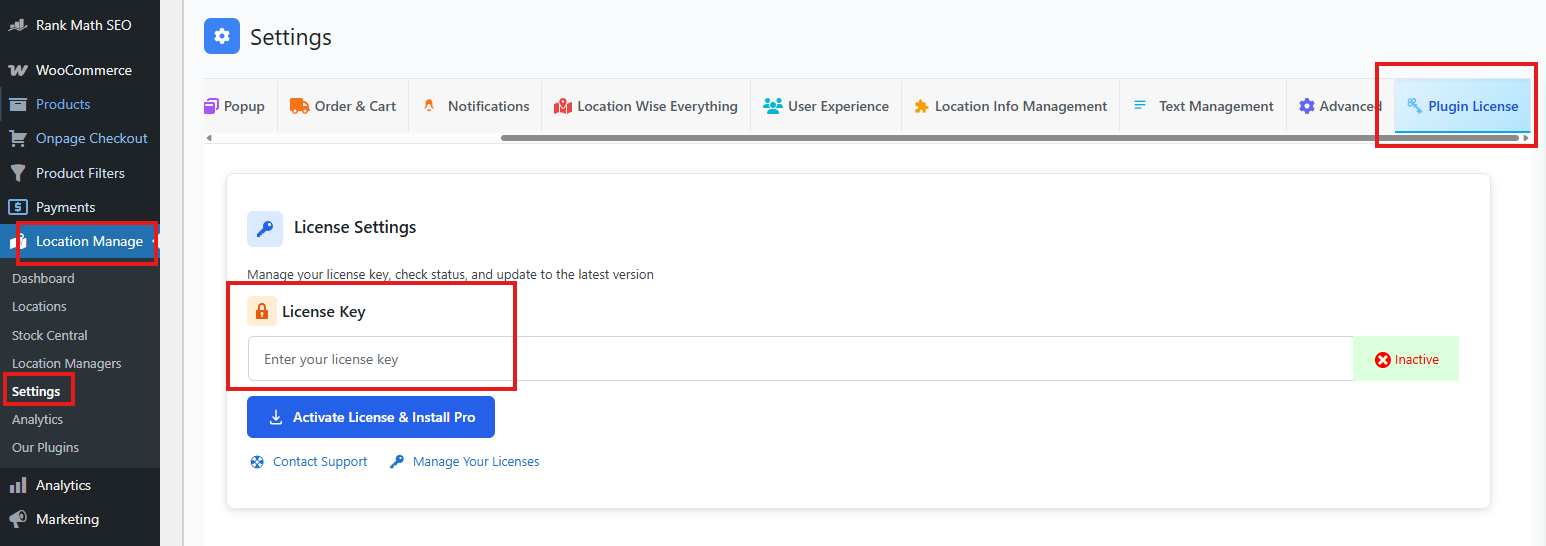
Once activated, all Pro features will be available immediately.
Step 4: Confirm License Status
After activation, you can view your license details in the same section:
- License Holder – The registered owner of the license.
- Expires – Shows when your license will expire (for yearly plans).
- Site Usage – Displays how many sites are currently using the license and how many you can use.
- Plugin Version – Shows the installed version and whether updates are available.
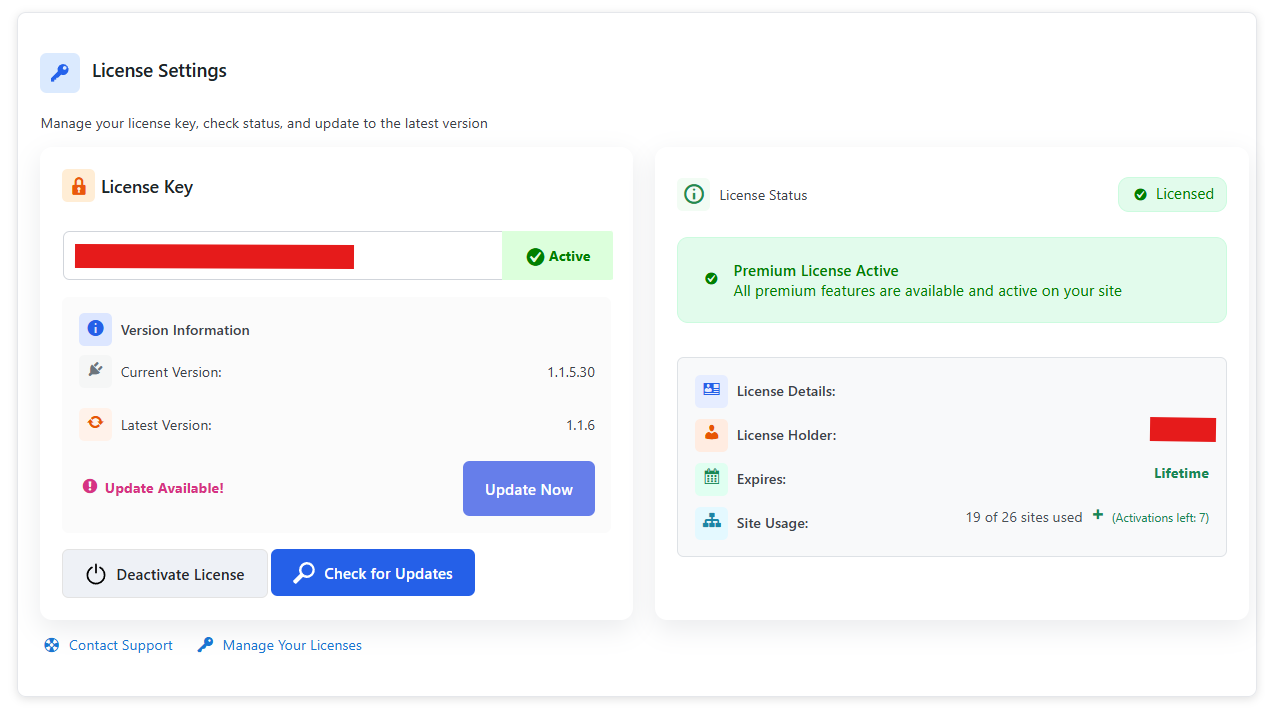
You can also deactivate the license key at any time if you need to move it to another site.
Summary
Activating your license is simple: purchase the plan that fits your needs, install the plugin, enter your license key, and confirm activation. Once complete, you’ll have access to all Pro features, updates, and support — ensuring your WooCommerce store can scale with confidence.