
Local pickup is a shipping option in WooCommerce that allows customers to collect their orders directly from a store or warehouse instead of having them delivered. This is useful for businesses with multiple locations, as customers can choose the most convenient pickup point.
How to Enable Local Pickup
- Make sure the WooCommerce plugin is installed and active.
- From your WordPress Admin Dashboard, go to WooCommerce → Settings → Shipping
- Inside the Shipping tab, click on Local Pickup.
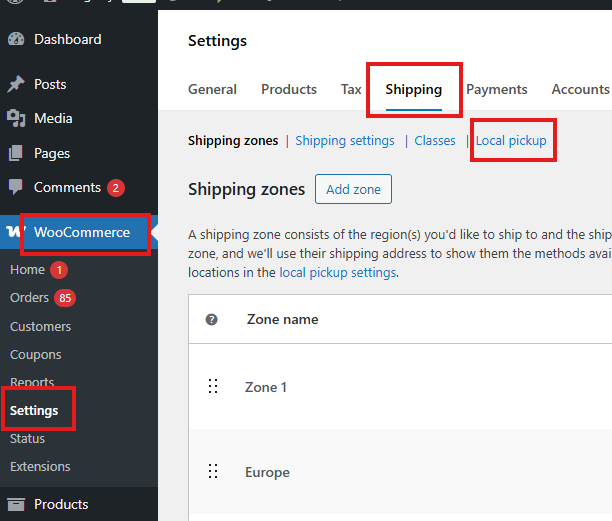
- In the Local Pickup settings table:
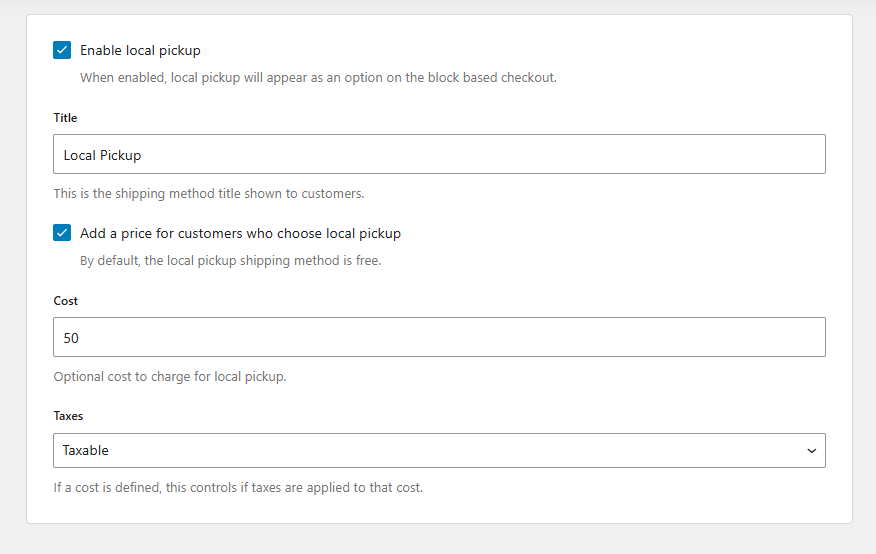
- Check Enable Local Pickup.
- Enter a title (this is the name customers will see at checkout).
- Optionally, enable Add a price for customers who choose local pickup.
- By default, local pickup is free.
- If enabled, set the cost you want to charge.
- Choose whether the pickup cost should be taxable or non-taxable.
Adding Pickup Locations
- In the Local Pickup settings, click Add Pickup Location.
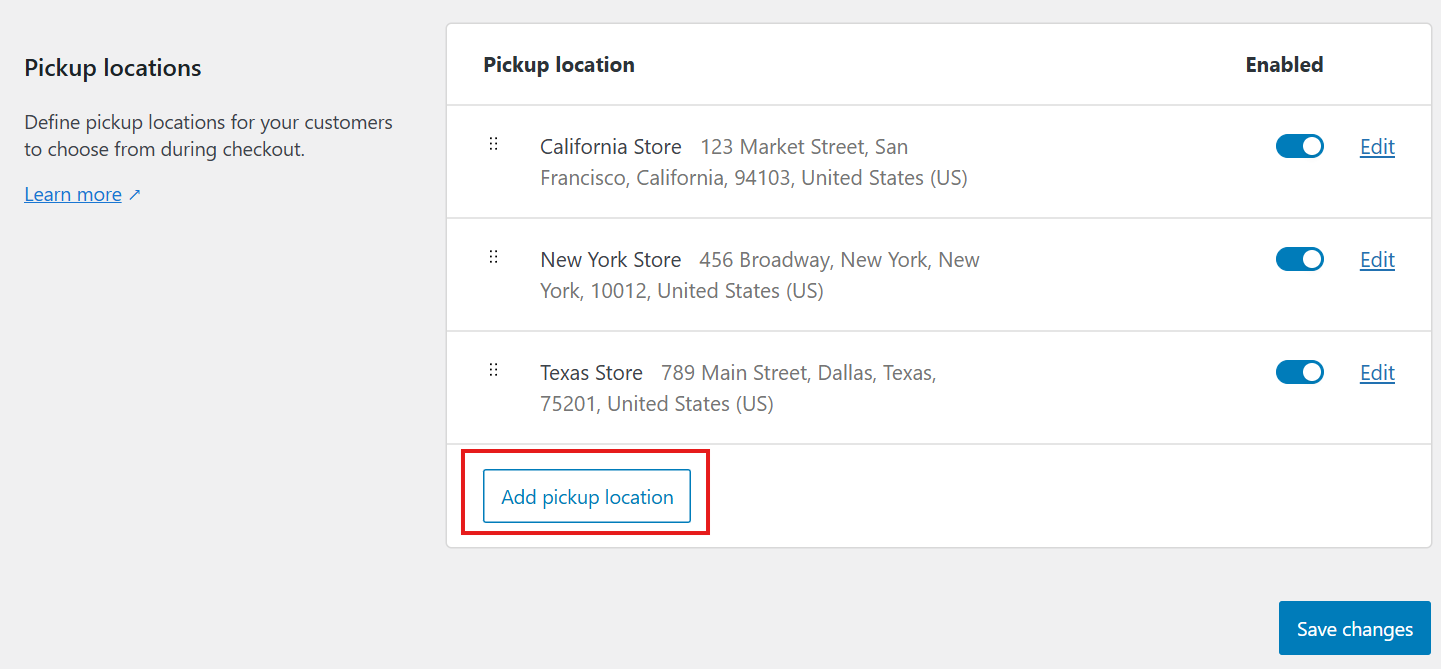
- A pop-up named Pickup Location will appear.
- Fill in the details:
- Location Name
- Address
- City
- Postal/ZIP Code
- Country (select from the dropdown, e.g., United States, California)
- Optional pickup details (like contact info or instructions)
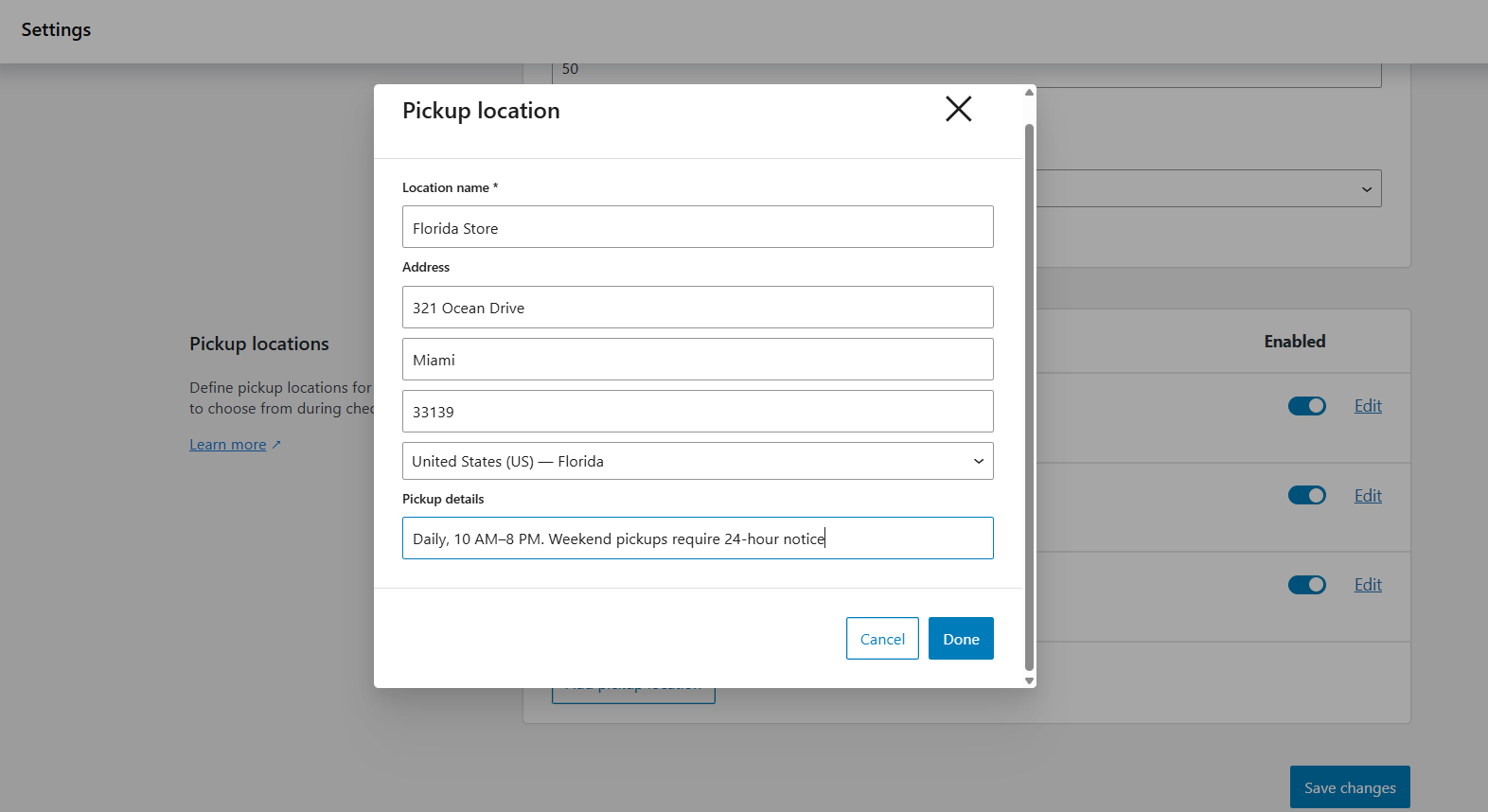
- Click Done to save the location.
- Repeat the process to add multiple pickup locations.
- You can turn each location on or off as needed.
- Click Save Changes when finished.
Filtering Pickup by Store Location
To make sure pickup choices are limited by the selected store location:
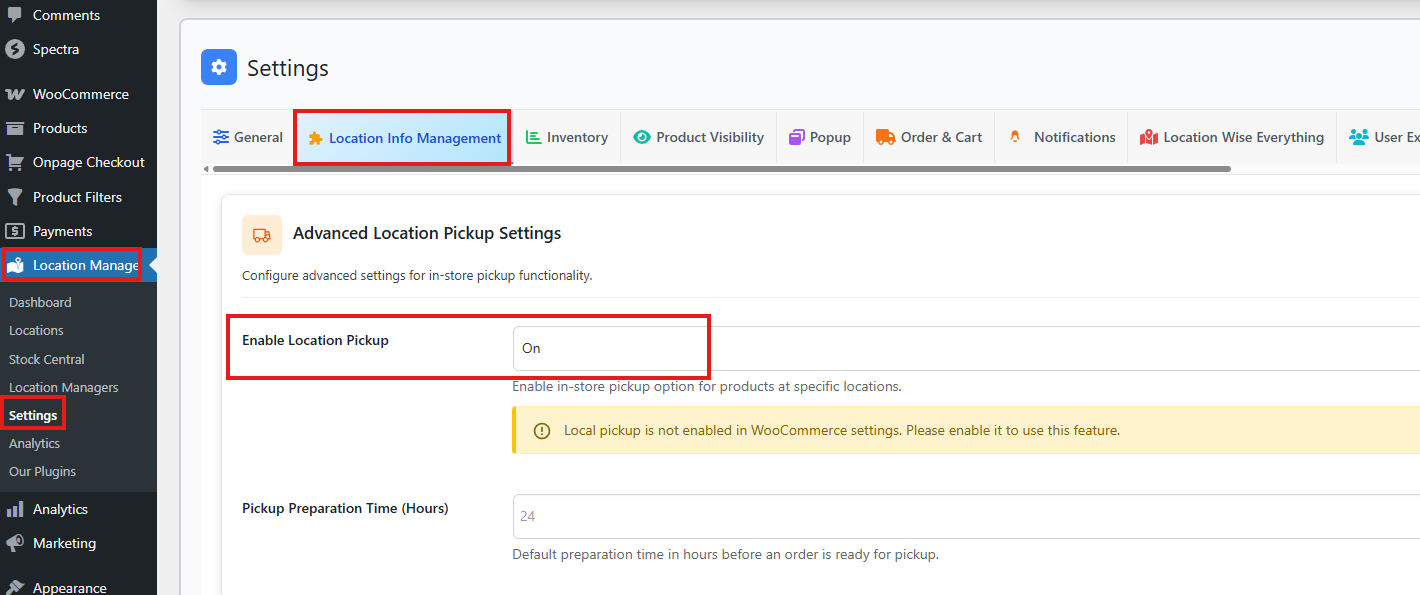
- Go to: Dashboard → Location Manage → Settings → Location Info Management.
- Find the section named Advanced Location Pickup Settings.
- Turn it ON.
Now, when customers shop:
- They select their store location.
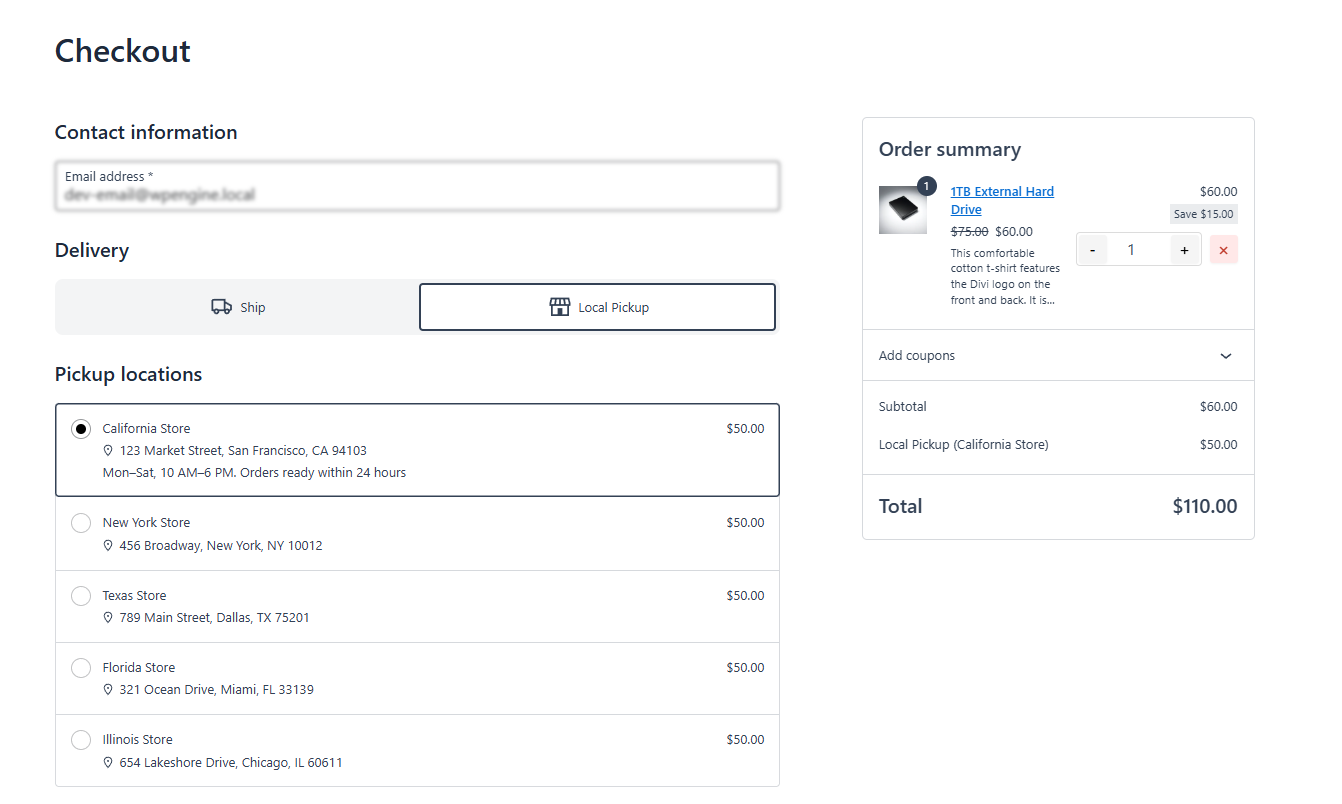
- At checkout, they’ll see two delivery options: Ship or Local Pickup.
- If they choose Local Pickup, only the pickup locations you created for that store will appear.
- If a pickup location has a cost, that amount will be added to the order total.
Summary
By enabling local pickup and linking it to specific store locations, you give customers a clear, location-based choice at checkout. This ensures they only see pickup options relevant to the store they selected, reducing confusion and improving the shopping experience.