
The [mulopimfwc_location_recommendations] shortcode helps you display location‑specific product recommendations. By showing popular items based on customer insights and analytics, you can personalize the shopping experience, highlight trending products at each branch, and boost sales through targeted merchandising.
What Does It Do?
- Shows popular products per location using customer behavior data.
- Lets you customize the number of products, layout, and title.
- Ideal for landing pages, sidebars, or location detail sections.
- Encourages customers to explore items that are trending in their chosen store.
How to Enable it?
From your WordPress dashboard, go to Location Manage > Settings > User Experience.
- Look for the Location-based Customer Insights options.
- Find Location-based Recommendations and toggle it On.
- Click Save Changes.
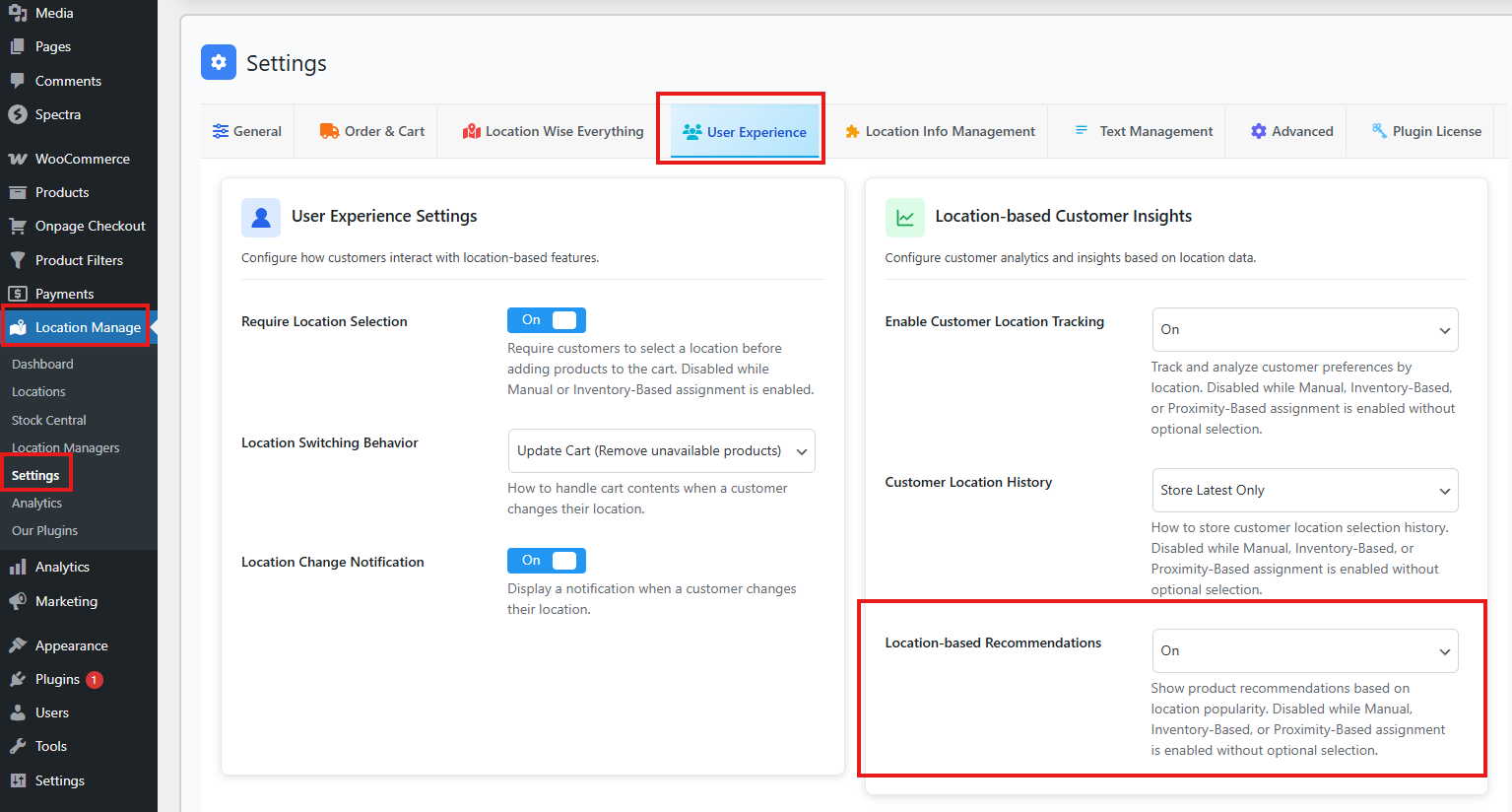
You may face an issue where the Location-based Recommendations option is not clickable.
Common Causes
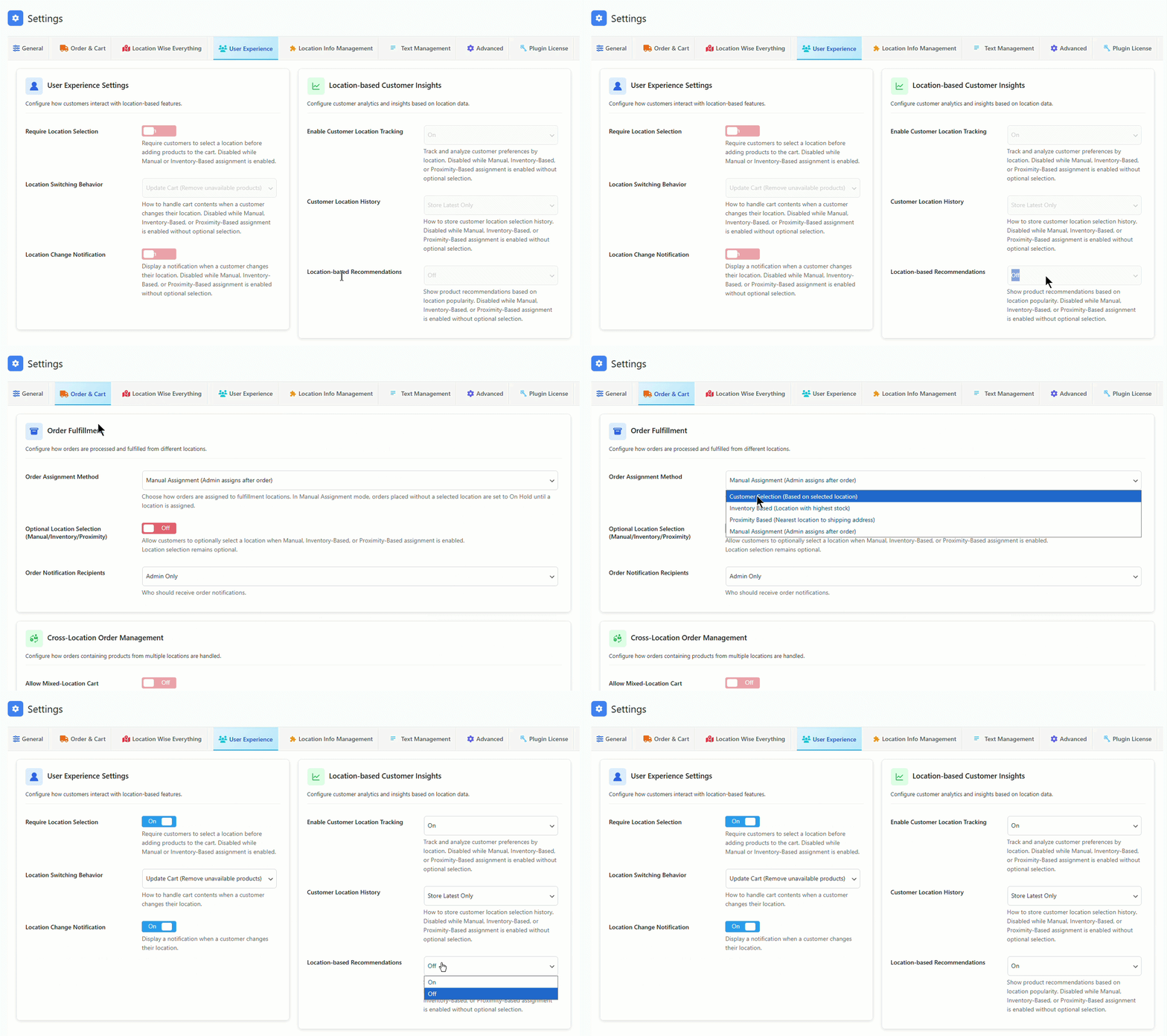
- Manual, Inventory-Based, or Proximity-Based assignment is enabled without optional selection.
Solution
- From your dashboard, go to Location Manage > Settings > Order & Cart.
- Change the Order Assignment Method to Customer Selection.
- Save changes.
- Return to User Experience settings and enable Location-based Recommendations.
Shortcode Basics
Example Shortcode
[mulopimfwc_location_recommendations limit="8" columns="4" title="Popular at {location}"]
Parameters
| Parameter | Values | Description | Example |
|---|---|---|---|
| limit | Number | How many products to display. | limit="8" |
| columns | Number | Grid layout columns. | columns="4" |
| title | Text (supports {location} placeholder) | Section title. | title="Popular at {location}" |
| show_title | yes / no | Show or hide the section title. | show_title="yes" |
| show_badge | yes / no | Display popularity badge on products. | show_badge="yes" |
| orderby | popularity | Sort products by popularity. | orderby="popularity" |
Practical Usage Examples
Example 1: Location Landing Page
[mulopimfwc_location_recommendations limit="6" columns="3" title="Top Picks at {location}" show_badge="yes"]
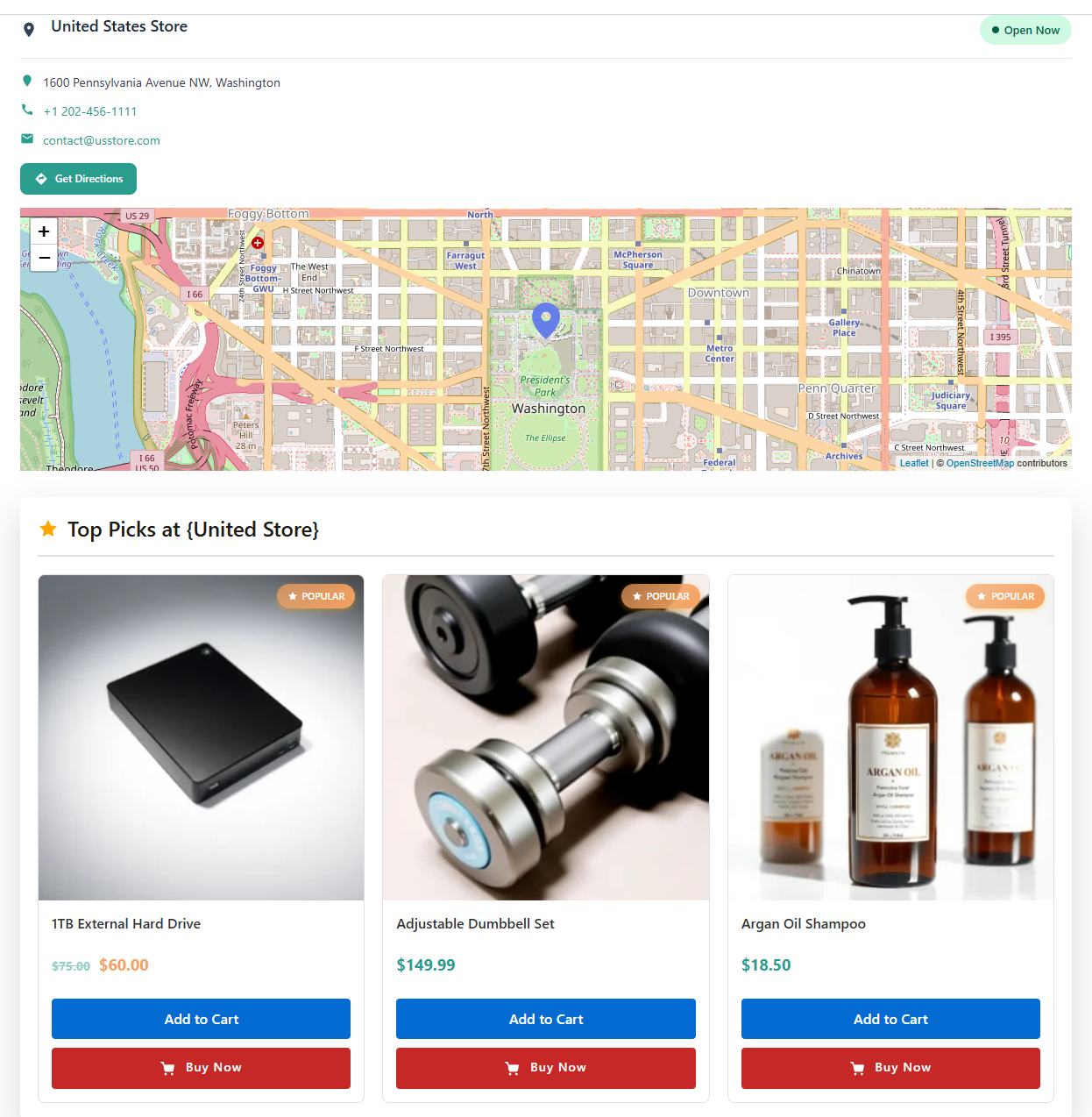
Displays six products in three columns with a badge showing popularity.
Example 2: Sidebar Widget
[mulopimfwc_location_recommendations limit="2" columns="1" title="Trending Now at {location}" show_title="no"]
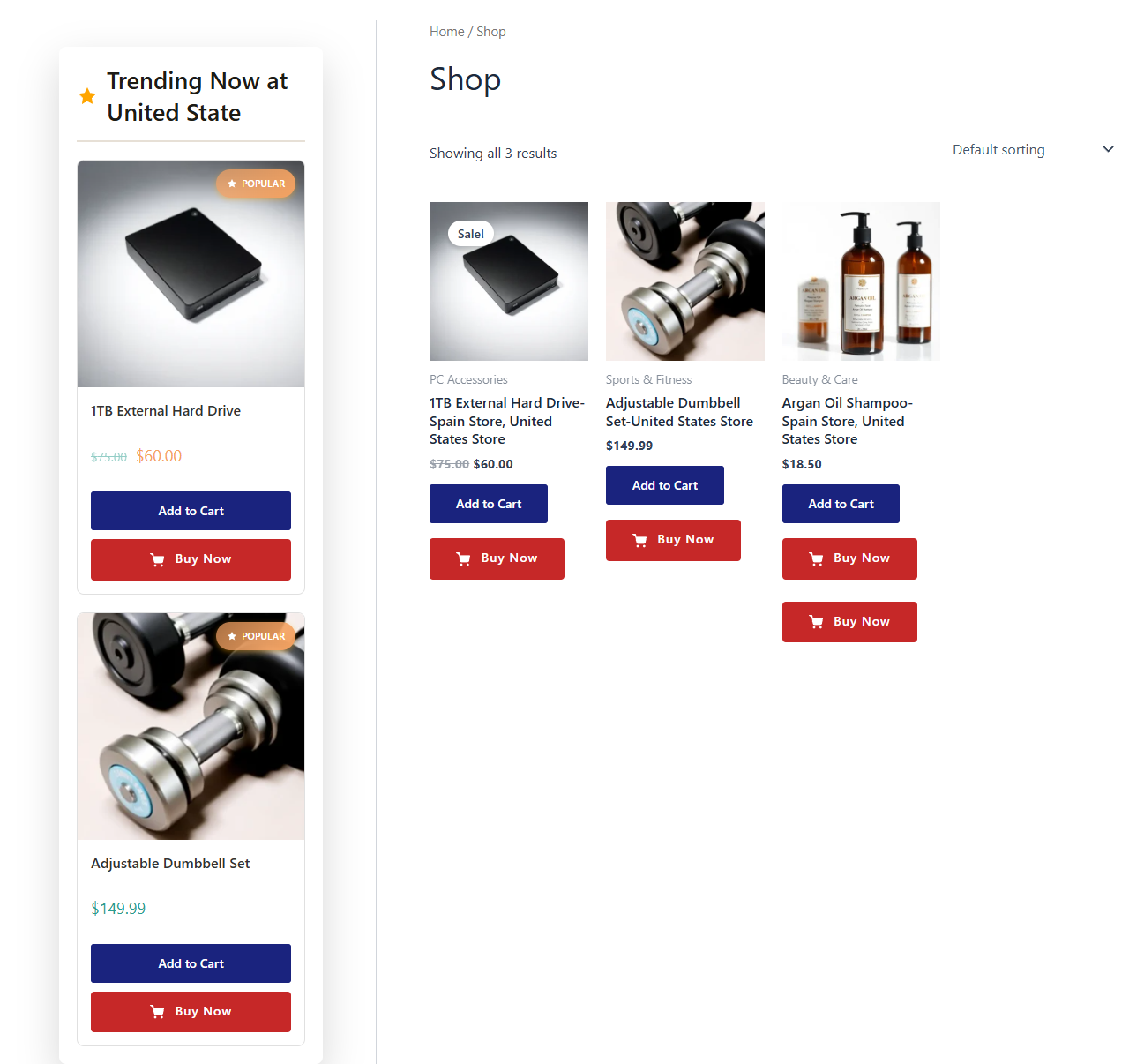
Shows four trending products in a compact sidebar layout without a title.
Example 3: Store Detail Page
[mulopimfwc_location_recommendations limit="8" columns="4" title="Popular at {location}" orderby="popularity"]
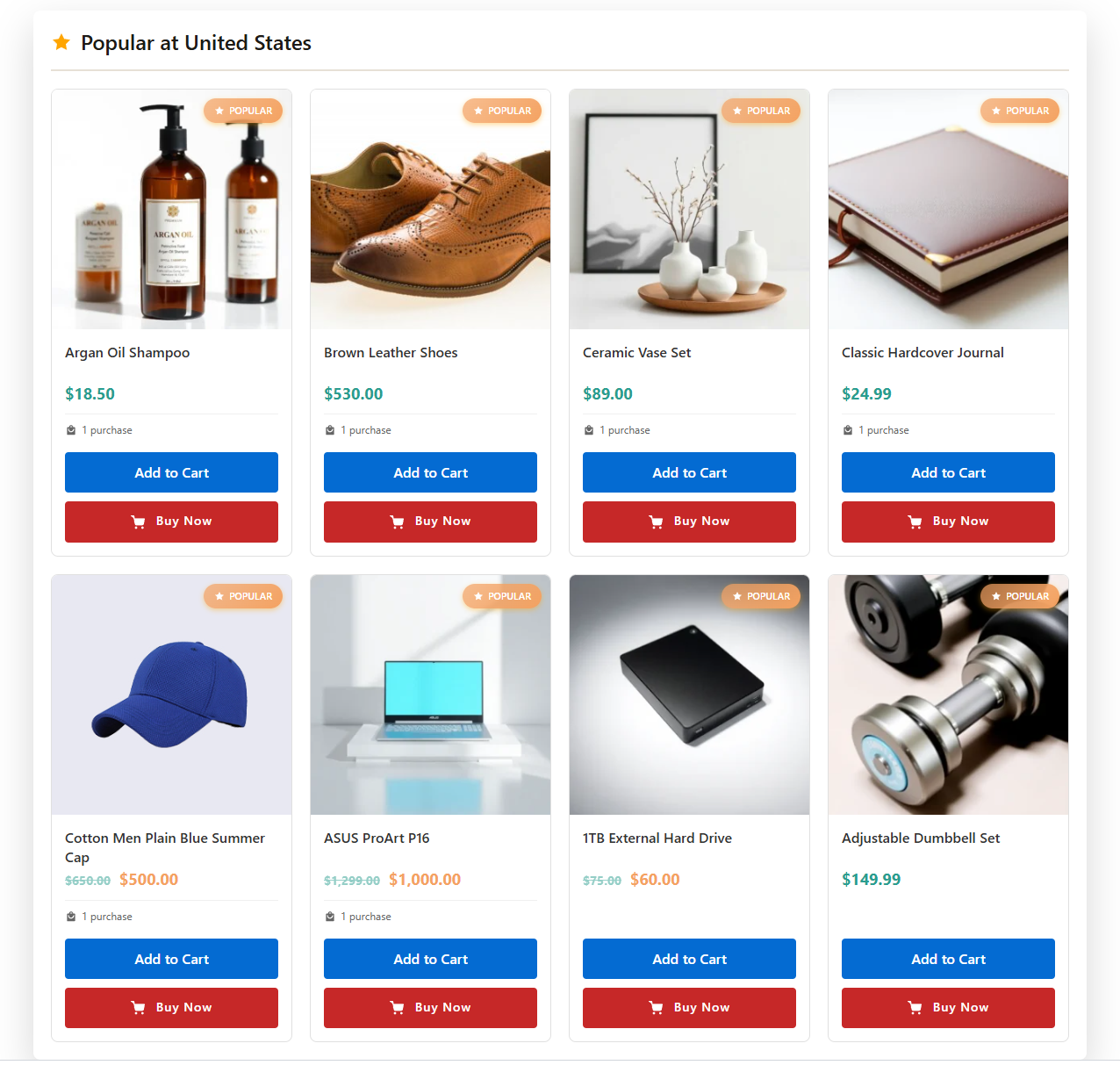
Highlights eight popular products for the selected store location.
Customization Tips
- Use
{location}in the title to dynamically show the store name. - Adjust
limitandcolumnsto fit your page design. - Enable
show_badgeto visually highlight best‑selling items. - Hide the title (
show_title="no") for minimalist layouts.
Common Mistakes & Troubleshooting
- No products showing: Ensure products are assigned to the location.
- Title not updating: Check that
{location}placeholder is used correctly. - Layout issues: Match
columnsto your theme’s grid system. - Badge missing: Confirm
show_badge="yes"is set.
Quick Summary & Best Practices
- Use
[mulopimfwc_location_recommendations]to display location‑specific product suggestions. - Place it in landing pages, sidebars, or detail pages for maximum impact.
- Customize with
limit,columns, and{location}placeholder for dynamic titles. - Always test layouts to ensure they match your theme and provide a smooth customer experience.
The location recommendations shortcode is a powerful merchandising tool. By tailoring product suggestions to each store location, you create a personalized shopping journey that boosts engagement, highlights popular items, and drives more sales.