
All sections
Popup Checkout PRO opens the checkout form in a window over the page, when a shopper clicks Buy Now. They fill it in and pay without leaving the page they are on. You can try it on the live demo.
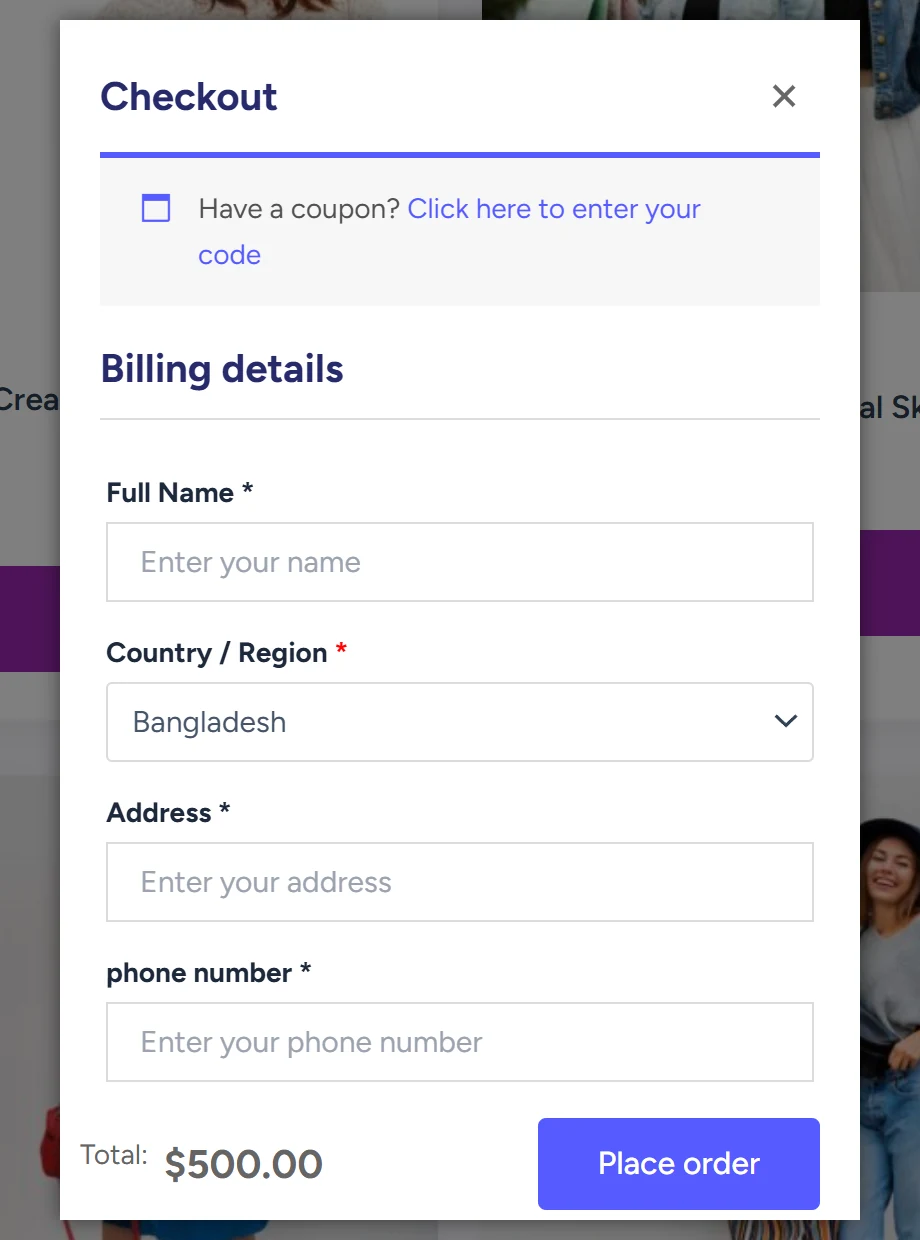
How it works
- The shopper clicks the plugin’s Buy Now button.
- The product goes into the cart, and the popup opens.
- The popup shows your normal WooCommerce checkout, so its fields, coupon and payment methods are the ones you already have.
- The shopper pays, or closes the popup. The product stays in the cart if they close it.
The normal Add to Cart button is not affected. The popup can also open from the floating cart’s Checkout button, if you set Cart Checkout Behavior to Popup Checkout on the Floating Cart tab.
What you need
- The Pro plugin. In the free plugin, the choice is locked.
- Enable Direct Checkout turned on.
- A working WooCommerce checkout, with at least one payment method.
How it compares
| Method | What the shopper sees | Good for |
|---|---|---|
| Redirect to Checkout | The checkout page | A simple route with plenty of room |
| Popup Checkout | Checkout over the page | Keeping shoppers on a product or landing page |
| Side Cart Slide-in | The cart drawer | Shoppers buying several items |
| AJAX Add to Cart | A short message | Carrying on with shopping |
| Redirect to Cart Page | The cart page | Checking the order first |
When to use it
It suits single product pages, landing pages, low-priced products and offers where you do not want shoppers to wander off.
Think twice if your checkout has many fields, or depends on gateways that send shoppers to another site, because a small window is less comfortable for those.
Where it does not open
It does not open on the cart page or the checkout page. On the cart page, Buy Now goes to the checkout page instead. On a page with the plugin’s one page checkout form, Buy Now adds the product and scrolls to that form.
Two setups to start from
| Setting | Selling one thing | A normal shop |
|---|---|---|
| Checkout Method | Popup Checkout | Popup Checkout |
| Clear Cart Before Adding | On | Off |
| Show Confirmation Dialog | Off | Off |
| Button Position on Archive Page | Replace Add to Cart Button | After Add to Cart Button |
Test before you rely on it
- Test every payment method, including card forms and wallets such as Apple Pay.
- Exclude cart and checkout pages from your cache.
- Test on a phone: open the popup, scroll the form, and close it.
The popup checkout setup guide takes you through each step.