
All sections
These settings choose what the Quick View popup shows, its size and effect, and which products and pages get the button. Go to Onpage Checkout > Quick View > Popup Manage. You can see the popup on the live demo.
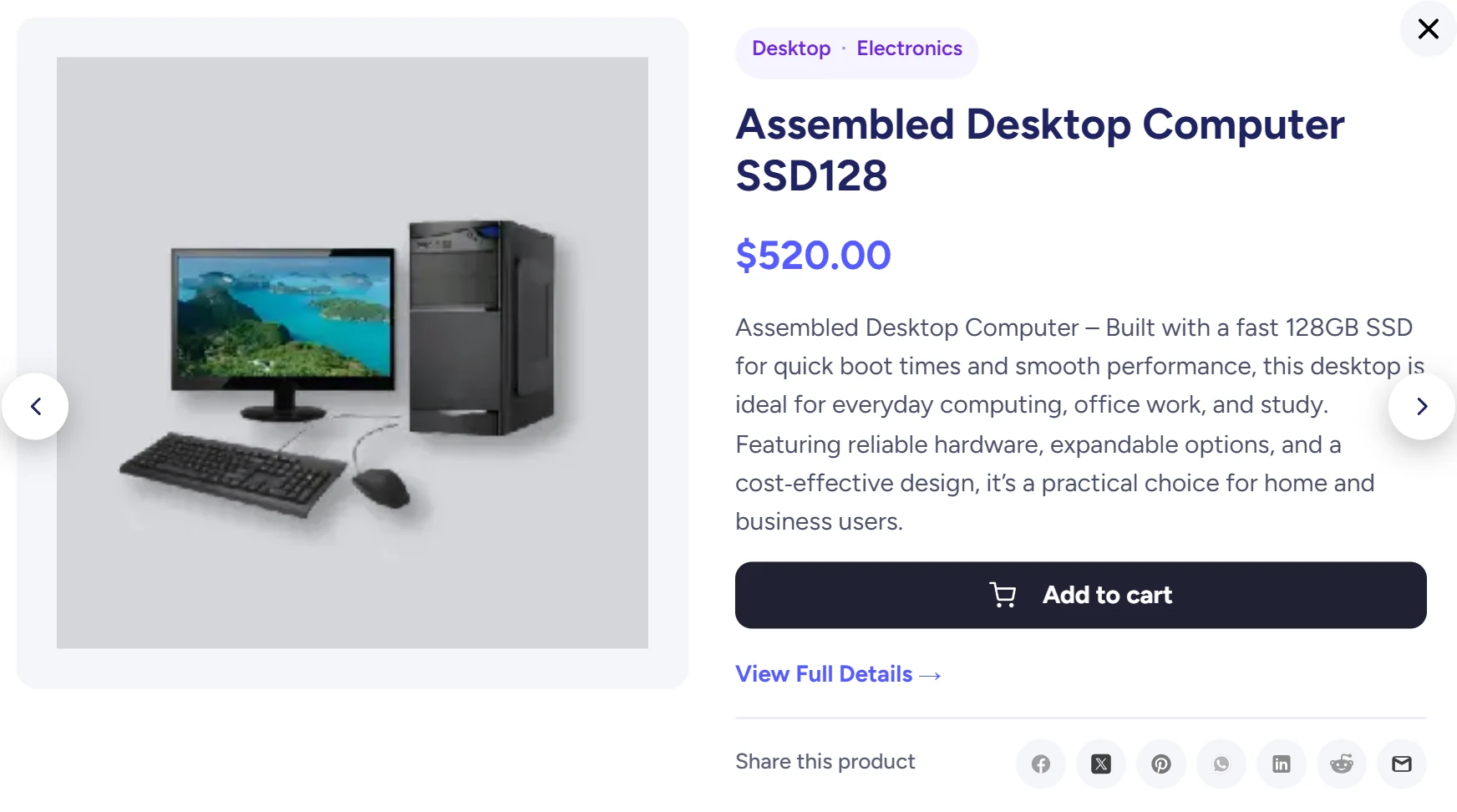
Quick View Content
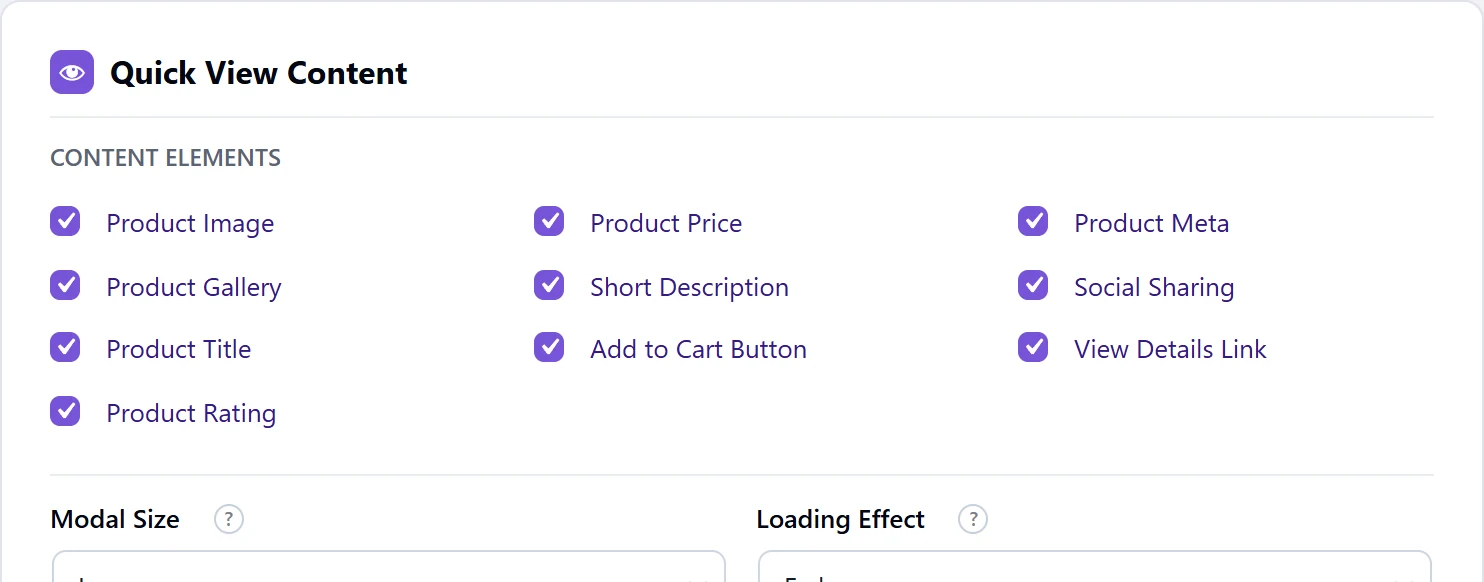
Tick what the popup should show. Product Gallery, Social Sharing and View Details Link start unticked.
| Element | What it shows |
|---|---|
| Product Image | The main picture. |
| Product Gallery | Small pictures to switch between. It needs Product Image on and more than one picture. |
| Product Title, Product Rating, Product Price, Short Description | The product’s details. |
| Add to Cart Button | See the table below, since it depends on the product type. |
| Product Meta | SKU, brands, categories and tags. |
| Social Sharing PRO | Facebook, X, Pinterest and WhatsApp buttons. |
| View Details Link | A link to the full product page. |
What the Add to Cart button does
| Product type | In the popup |
|---|---|
| Simple | Add to cart, or a greyed-out Out of stock. |
| Variable | Select options, which opens the product page. |
| External | Its own link. |
| Grouped | No button. |
The popup has no quantity box and no choice of variations.
Size and effect PRO
- Modal Size is Small, Medium (the default), Large, Full Width or Custom. Custom adds Custom Width and Custom Height, which accept pixels or units such as %, em and vw.
- Loading Effect is how it opens: Fade (the default), Slide, Zoom or None. The free plugin always fades.
Display Settings
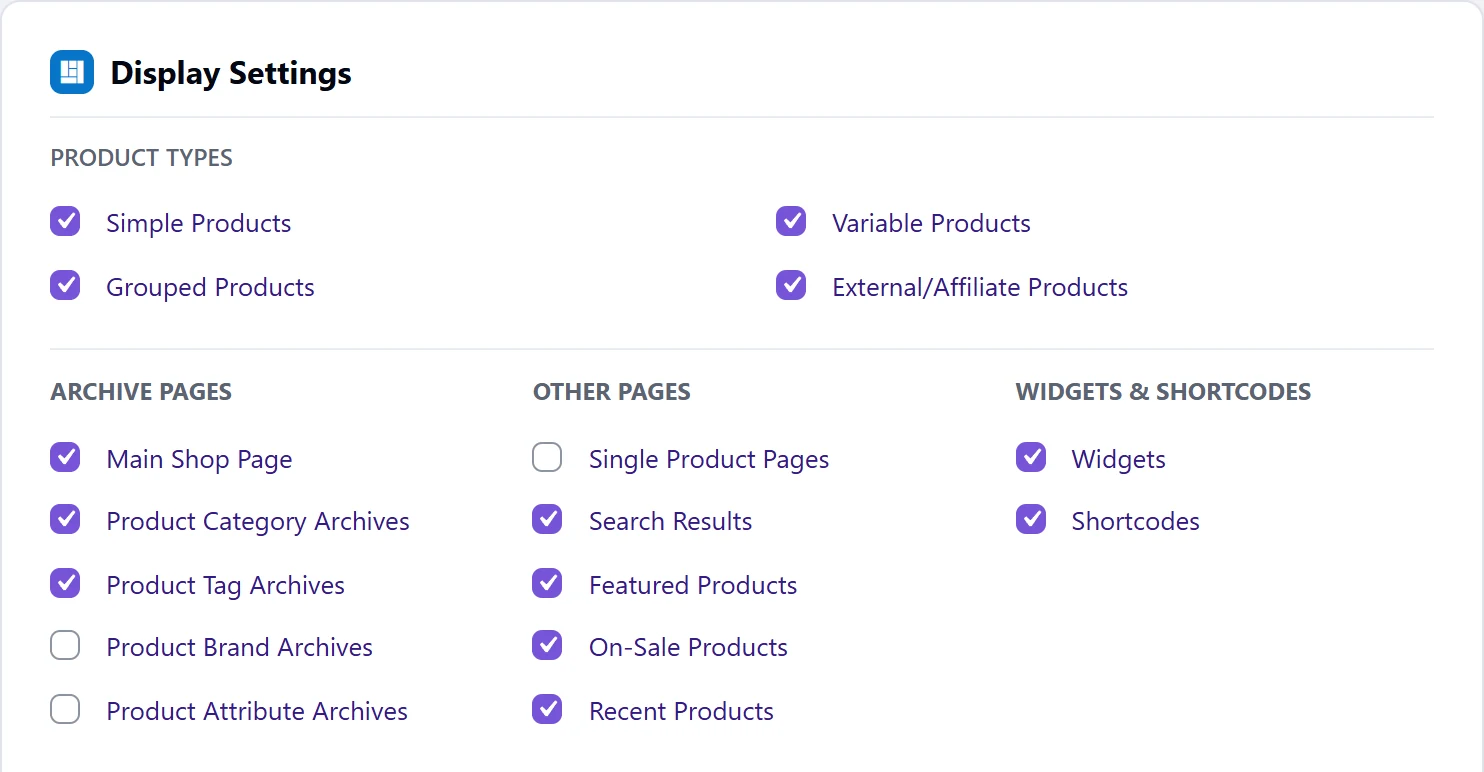
Tick the products and pages that should show the button. All are ticked by default.
- Product Types: Simple Products, Variable Products, Grouped Products, External/Affiliate Products.
- Archive Pages: Main Shop Page, Product Category Archives, Product Tag Archives, Product Brand Archives, Product Attribute Archives.
- Other Pages: Single Product Pages, Search Results, Featured Products, On-Sale Products, Recent Products.
- Widgets & Shortcodes: Widgets and Shortcodes. Shortcodes covers product lists on other pages, such as your home page.
Translations
“View Full Details” Button Text changes the words of the link to the product page. It applies when View Details Link is ticked.
Click Save Changes when you finish, then open the popup on your shop page.