
All sections
IntroductionGetting StartedLocation ManagementDisplay LocationShortcodes ReferenceLocation ArchiveLocation base Product DisplayOrder & CartUI CustomizationPayment & ShippingTax & DiscountLocation based reviewSEOEmail & NotificationUser ExperienceStore locator mapReports & AnalyticsInvestment CalculationRole Management and Access ControlDashboardStock CentralProduct FilterAdvanced SettingsImport & ExportAPI & Webhooks IntegrationDebuging / Troubleshooting
Parent and child locations let you group stores, such as cities under a country. For example, “United States” can be a parent, with “New York” and “Miami” under it. It works in the free plugin. You can see a grouped menu on the live demo.
Set it up
- Go to Location Manage > Locations.
- Create the parent, such as “United States”, and leave Parent Location on None.
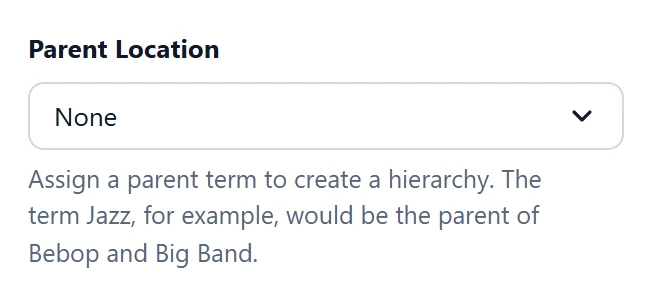
- Create each child, and choose the parent in Parent Location.
- Check the result in the store selector.
Showing groups to shoppers
The selector shortcode can show the groups, with herichical="on", or as two dropdowns with herichical="seperately":
[mulopimfwc_store_location_selector herichical="seperately"]The popup has the same choice, as Hierarchical Option. If a parent is inactive, its children show as top-level choices.
Example structures
- Country and branch: Spain, then Barcelona and Madrid.
- City and pickup point: London, then Covent Garden and Camden.
- Warehouses: Europe Hub, then each country’s warehouse.
Tips
- Use groups when you have many stores, or stores in several countries.
- Keep to two levels. More levels make choosing harder.
- Test the selector after each change.